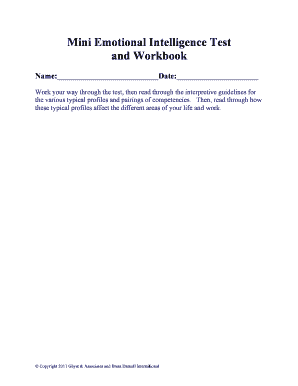
Mini Emotional Intelligence Test And Workbook Bbemab Bema Form
Use a Mini Emotional Intelligence Test And Workbook BBEMAb Bema template to make your document workflow more streamlined.
What this emotional intelligence workbook is
The Mini Emotional Intelligence Test And Workbook Bbemab Bema Form is a structured assessment and workbook used to record responses about emotional-intelligence skills. It is not identified in the available source material as an IRS, USCIS, healthcare, or other government form. With signNow, a sender uploads the workbook, reviews automatically detected fields, adds response or signature fields where needed, and sends it to a participant. The completed document can be returned with an audit trail showing signing activity, timestamps, and record history.
Who uses this assessment workbook
Coaching and training
Counselors, coaches, and training providers can distribute the assessment workbook to participants, collect responses and signatures, and retain the completed record with its audit trail. The workflow is suitable for structured development programs, provided the sender explains the assessment purpose and protects personal responses from unnecessary disclosure.
Workplace and education
Human resources and education teams can use the workbook for voluntary development or learning activities, routing each participant’s document separately. They should restrict access, avoid treating results as medical diagnoses, and apply the organization’s privacy, employment, or student-record policies.
Key features for completing the workbook
This workflow focuses on accurate field placement, participant access, signed-record evidence, repeatable distribution, and controlled handling of completed assessment workbooks.
Field preparation
Upload the Mini Emotional Intelligence Test And Workbook Bbemab Bema Form as a PDF, then review detected fields and adjust response, date, initials, or signature areas before distribution.
Flexible delivery
Send the assessment to a named participant by email or shareable signing link, keeping the workbook workflow separate from unrelated documents and recipients.
Mobile completion
Participants can review and complete the workbook on supported desktop or mobile workflows, reducing dependence on an in-person handoff for an assessment that permits electronic completion.
Audit trail
A completed workbook includes an audit trail that helps document participant identity, timestamps, signing actions, and the relationship between the final record and its transaction history.
Reusable template
Use reusable signNow templates when the same assessment structure is assigned repeatedly, while preserving control over recipient fields and required responses.
Connected records
Completed assessments can be routed into connected business systems or approved storage, helping teams avoid manual copying after the participant signs.
How this assessment workflow works
The Mini Emotional Intelligence Test And Workbook Bbemab Bema Form moves from document preparation to participant completion and controlled record storage.
Upload workbook: Upload the workbook PDF into signNow. Prepare fields: Review detected fields and add response or signature fields. Send assessment: Send the assessment to each participant securely. Store completion: Collect the signed workbook and audit trail.
 Best ROI. Our customers achieve an average 7x ROI within the first six months.
 Scales with your use cases. From SMBs to mid-market, airSlate SignNow delivers results for businesses of all sizes.
 Intuitive UI and API. Sign and send documents from your apps in minutes.
Complete this assessment in signNow
Use this sequence to prepare, send, complete, and preserve the Mini Emotional Intelligence Test And Workbook Bbemab Bema Form without repeating participant information manually.
Upload workbook:
Upload the Mini Emotional Intelligence Test And Workbook Bbemab Bema Form PDF to signNow. Check detected fields:
Let signNow detect fields, then place or correct response and signature fields. Assign participant:
Assign the workbook to the intended participant and confirm the signing order. Complete and store:
Send the assessment, monitor completion, and download the signed record.
How the audit trail records this assessment
The audit trail documents who completed the Mini Emotional Intelligence Test And Workbook Bbemab Bema Form, when each action occurred, and how the signed record was preserved.
Signer authentication:
Timestamp capture:
Document hashing:
Tamper-evident sealing:
Authentication events:
Audit export:
Best practices for this assessment workbook
Accurate field preparation, informed consent, controlled access, and deliberate retention help preserve the meaning and evidentiary value of completed assessment records.
Review every assessment field before sending
Provide electronic-record consent information
Restrict access to completed workbooks
Archive the signed record and audit trail



Teams that manage this workbook
Coaches and facilitators can distribute the Mini Emotional Intelligence Test And Workbook Bbemab Bema Form before a session, collect participant responses electronically, and review the signed workbook alongside its audit trail without managing paper copies individually. Access should remain limited to authorized program staff handling the assessment process alone. HR development and education teams can assign the workbook through reusable signNow templates, delegated sending, and role-based access. Administrators can control who prepares or sends the document, while designated staff manage participant completion without receiving broader account permissions than their workflow requires.
Legal standing of completed assessment records
A completed Mini Emotional Intelligence Test And Workbook Bbemab Bema Form can provide evidence of participant intent when the signer consents, the record is attributable, and the signed copy remains reproducible. ESIGN and UETA generally recognize qualifying electronic signatures, but they do not make wills, court orders, or family-law decrees eligible for electronic execution.

Troubleshooting this assessment workflow
These answers address field detection, signer access, electronic consent, plan capabilities, and record handling for the Mini Emotional Intelligence Test And Workbook Bbemab Bema Form.
Upload the original workbook PDF again and inspect whether response areas are flattened or image-only. signNow can add fields manually when automatic detection does not identify a usable entry area. Confirm each field’s recipient before sending.
Open the document settings and verify the recipient’s email address, signing order, and required fields. signNow’s Business plan includes templates and audit trails; resend only after confirming the assessment contains the intended participant information.
A signer can complete the assessment without a signNow account when the sender’s workflow permits guest signing. If stronger attribution is needed, configure SMS authentication or another available authentication method before delivery.
For consumer-facing electronic records, provide the ESIGN disclosure, explain the right to receive paper records, and confirm electronic access. Store the disclosure and completed workbook together when the assessment involves a consumer transaction.
The Business plan provides legally binding eSignatures, templates, mobile apps, and audit trails. Business Premium adds bulk send and kiosk mode, while Enterprise adds advanced signer authentication and conditional fields.
Export the completed PDF and audit trail from the finished transaction, then apply the organization’s approved retention policy. No universal federal retention period specifically governs this assessment workbook; state, employment, healthcare, or education rules may apply based on context.
Key performance indicators that demonstrate SignNow's proven track record.
BE READY TO GET MORE
Get this form now!

If you believe that this page should be taken down, please follow our DMCA take-down process.