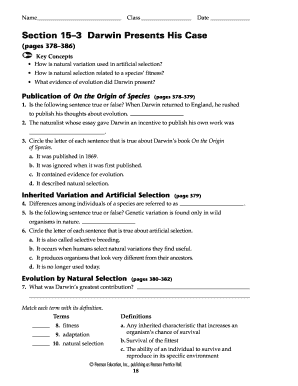
15 3 Darwin Presents His Case Form
Use a 15 3 Darwin Presents His Case template to make your document workflow more streamlined.
What 15 3 Darwin Presents His Case Form means
15 3 Darwin Presents His Case Form is the exact form title supplied for this page, but the title does not identify an issuing agency, purpose, field list, filing deadline, or official form number. In the United States, those details determine whether a document can be completed and e-signed electronically. signNow can upload the source file, detect fillable areas, add signature and date fields, route it to named recipients, and preserve the completed copy with an audit trail. Confirm the authoritative form instructions before relying on it for a legal, tax, government, or regulated transaction.
How this form workflow works
The signNow process for 15 3 Darwin Presents His Case Form follows four controlled stages, beginning with source validation and ending with an auditable completed record.
Upload: Upload the source file to signNow. Prepare: Review detected fields and add required signing fields. Route: Send the validated form to named recipients. Complete: Collect signatures and preserve the audit trail.
What the audit trail records
For 15 3 Darwin Presents His Case Form, the audit trail documents who acted, when they acted, and how the final file was preserved.
Signer authentication:
Timestamp capture:
Document hashing:
Tamper-evident sealing:
Action logging:
Audit-trail export:
 Best ROI. Our customers achieve an average 7x ROI within the first six months.
 Scales with your use cases. From SMBs to mid-market, airSlate SignNow delivers results for businesses of all sizes.
 Intuitive UI and API. Sign and send documents from your apps in minutes.
Features that support this form
signNow provides document preparation, routing, authentication, and recordkeeping features that can be applied after the source form’s rules are confirmed.
Source-file upload
Upload the supplied source file and keep its layout intact while preparing the document for completion and signing in signNow.
Field detection
Review automatically detected areas, then add fields for signatures, dates, initials, and required responses without assuming undocumented requirements.
Signer routing
Route the exact document to identified recipients through email invitations or a signing link, with signing order configured when required.
Audit trail
Capture signer actions, timestamps, document status, and the completed record in an audit trail that supports later review.
Validated templates
Use templates only after validating the authoritative version, so repeated workflows preserve the correct wording, fields, and recipient responsibilities.
Business integrations
Connect the workflow to approved systems such as Google Drive, Box, Salesforce, or Microsoft 365 when the organization’s controls permit it.
Security for signed form records
Transport encryption:
Stored-data encryption:
Independent assurance:
Security management:
Health-data safeguards:
Electronic-signature framework:



Potential issues before submission
The title does not identify an issuing agency, so users may complete the wrong document or miss source-specific filing instructions. A signNow upload can detect fields, but detected fields do not establish which answers, signatures, or attachments the underlying form requires. Electronic signing may be unsuitable when the source document requires notarization, an in-person appearance, or submission through a designated government portal. Without a stated retention rule, storing only the completed PDF can separate it from the audit trail needed to explain signing events.
Check state rules before signing
Notarization required
Excluded document
State-specific filing
Real-estate recording
Best practices for this form
Because the supplied title has no identified agency or filing rule, begin by validating the source document and its signing requirements.
Confirm the issuing agency and current revision first
Review every detected field against instructions
Match signer authentication to document sensitivity
Archive the signed form and audit trail together
Questions about completing this form
The supplied title does not establish filing rules, so these answers separate confirmed signNow workflow facts from requirements that need source-document review.
The supplied title does not identify an agency, revision, or official number. Do not submit it until the source file is matched to authoritative instructions. In signNow, retain the original upload and compare the completed document against that source before signing.
Upload the source PDF or document to signNow, inspect automatically detected fields, and add only the signature, date, initials, or response fields required by the source instructions. A detected field is not proof that the agency requires it.
For U.S. transactions, ESIGN and applicable state law generally recognize electronic signatures when intent, consent, attribution, and record retention are established. The supplied title does not prove eligibility, so check the underlying agency or transaction rules first.
Consumer-facing electronic records may require an ESIGN disclosure explaining the right to paper records, electronic access, and consent withdrawal procedures under 15 U.S.C. §7001(c). Apply that requirement when the signer is a consumer and the transaction is covered.
Business includes legally binding eSignatures, templates, audit trails, and mobile apps at $8 per user per month when billed annually. Business Premium costs $15 and adds bulk send, while Enterprise costs $30 and adds advanced fields and authentication.
The form title supplies no retention period or governing agency. Export the completed document and audit trail from signNow, then apply the retention rule for the underlying transaction; do not substitute a generic period without authority.
Key performance indicators that demonstrate SignNow's proven track record.
BE READY TO GET MORE
Get this form now!

If you believe that this page should be taken down, please follow our DMCA take-down process.