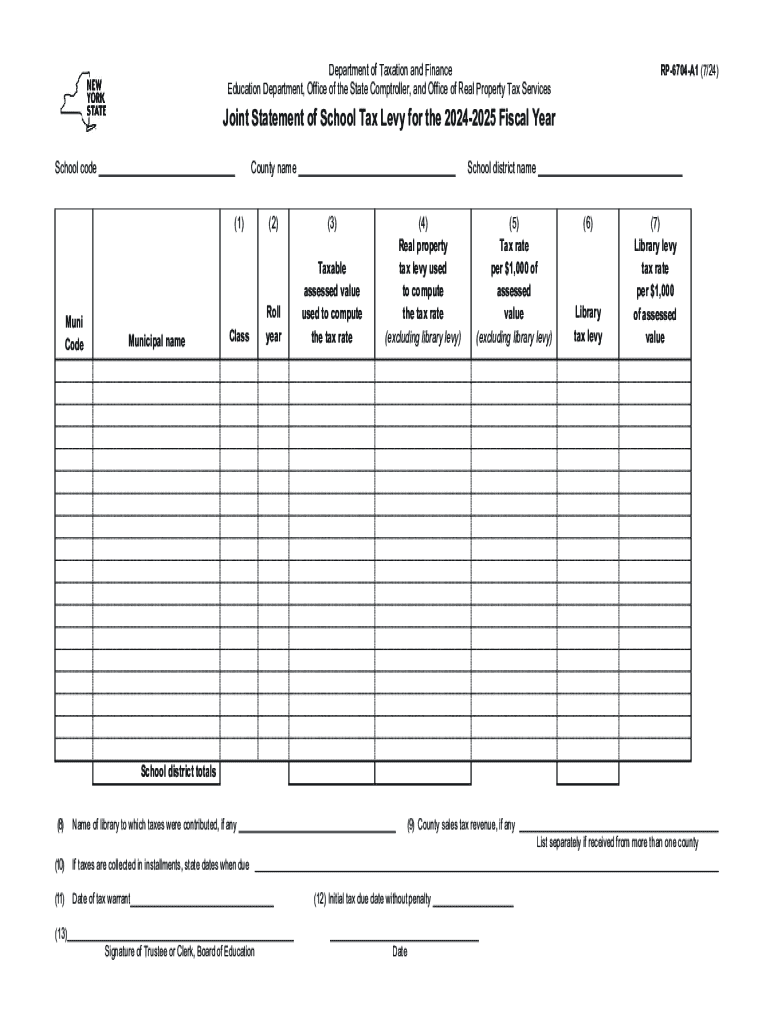
Form Rp 6704 C1 Joint Statement Of School Tax Levy For The
Use a Form RP 6704 C1 Joint Statement Of School Tax Levy For The template to make your document workflow more streamlined.
What Form Rp 6704 C1 records
Form Rp 6704 C1 Joint Statement Of School Tax Levy For The is a public-sector statement used to present jointly prepared school tax levy information for review and approval. The exact issuing authority, filing deadline, and required fields are not established in the available source material, so users should confirm them with the responsible state or local tax office. In signNow, an authorized user uploads the form, reviews detected fields, assigns signer roles, sends it electronically, and stores the completed PDF with its audit trail.
Who handles this school tax statement
The form is most useful for public-sector and school finance teams coordinating a documented joint statement of school tax levy information.
County or municipal tax offices can prepare the joint statement, route authorized signatures, and retain a complete electronic record for levy administration and review. School district finance teams can use a reusable template to coordinate the statement’s figures, approvals, signatures, and completed-document storage. Property-tax administrators and auditors can review the signed statement alongside its signNow audit trail when documenting who approved the levy record and when.
These tasks are executed by both individual contributors and centralized administrators depending on organizational policy and required controls.
Complete Form Rp 6704 C1 online
Use this signNow workflow to prepare the form, route it to the responsible signer, and preserve the completed record.
Upload the form:
Upload the official source file to signNow. Check the fields:
Review detected fields and add missing signer fields. Add the signer:
Enter the responsible signer’s email address. Send for signature:
Send the completed form for electronic signature. Store the record:
Download the signed form and audit trail.
 Best ROI. Our customers achieve an average 7x ROI within the first six months.
 Scales with your use cases. From SMBs to mid-market, airSlate SignNow delivers results for businesses of all sizes.
 Intuitive UI and API. Sign and send documents from your apps in minutes.
Recommended setup for this form
Configure authentication, signatures, audit evidence, retention, encryption, and user access before routing the school tax levy statement.
| Setting | Recommendation |
|---|---|
| Authentication method | Email link with SMS OTP |
| Signature type | Electronic signature with signer intent |
| Audit trail | Enabled for every completed form |
| Document retention | Follow the responsible tax office policy |
| Encryption | TLS 1.2 or 1.3 and AES-256 at rest |
Security controls for levy records
Encryption in transit:
Encryption at rest:
Security certification:
Information security:
Signer authentication:
Electronic signature law:
How the audit trail supports this form
The audit trail separates signer activity from the form’s substantive levy information and preserves evidence for later administrative review.
Authenticate signer:
Capture timestamps:
Seal document history:
Confirm completion:
Export audit trail:
Archive evidence:
Processing stages for Form Rp 6704 C1
Use four controlled stages to prepare, route, sign, and retain this school tax levy statement.
Prepare the document
Deliver to signer
Complete signer review
Archive the record
Challenges when preparing the levy statement
Transcribing levy figures incorrectly can create discrepancies between the joint statement, supporting schedules, and the approving office’s records. Routing the statement to an unauthorized signer can weaken attribution and delay acceptance by the school district or taxing authority. Leaving signature dates, identifying details, or required statement fields blank can make the completed Form Rp 6704 C1 difficult to review. Storing only the signed PDF without its audit trail can remove useful evidence about signer identity, timestamps, and document history.
Risks of incomplete form records
Missing signatures
Incomplete statement
Weak evidence
Unauthorized changes
Troubleshooting Form Rp 6704 C1
Resolve file, signing, audit-trail, and plan questions before completing Form Rp 6704 C1 Joint Statement Of School Tax Levy For The.
Upload errors: what should I check before sending Form Rp 6704 C1 Joint Statement Of School Tax Levy For The?
Confirm that the source file opens correctly, is not password protected, and uses a supported format. signNow can detect fillable fields after upload, but it cannot correct a damaged source file. Re-upload a clean copy before placing signature and date fields.
How can I preserve the form’s audit evidence after signing?
Use signNow’s audit trail with the completed document. The record captures signing activity, timestamps, and document history, supporting the intent, attribution, and record-retention elements considered under ESIGN and applicable UETA provisions.
Can Business plan users send repeated copies of this form?
The Business plan is listed at $8 per user per month with annual billing and includes templates and audit trails. Paid subscription plans include 100 signature invites per user annually; Business Premium adds bulk send for recurring batches.
Key performance indicators that demonstrate SignNow's proven track record.
BE READY TO GET MORE
Get this form now!

If you believe that this page should be taken down, please follow our DMCA take-down process.