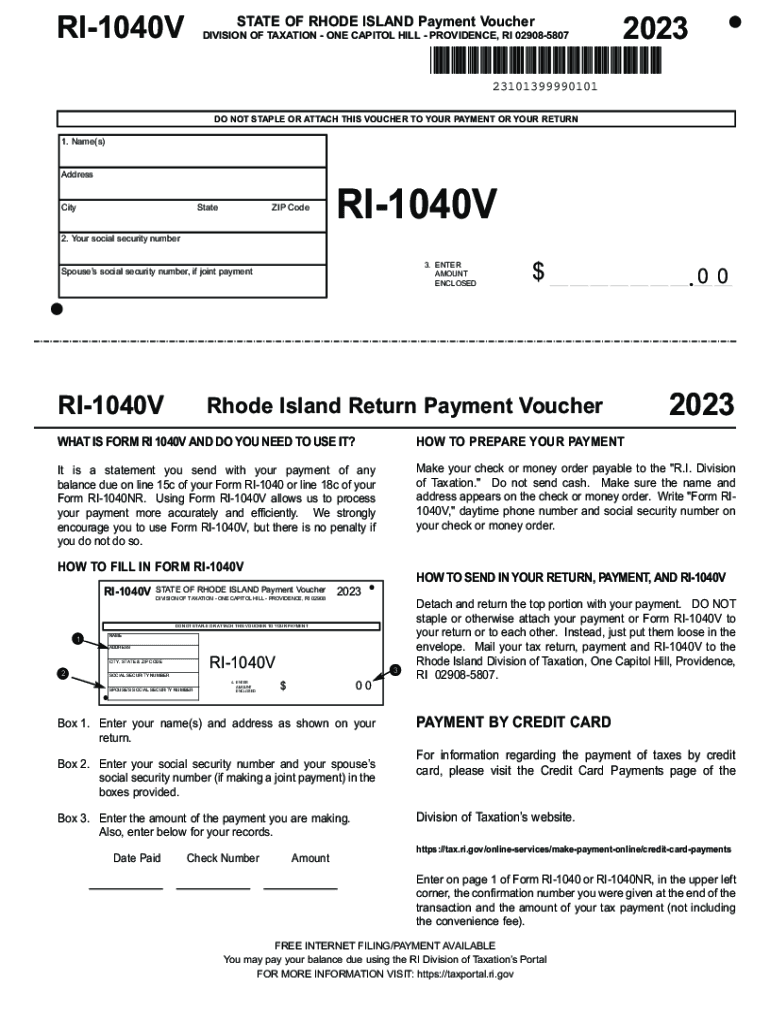
Efile Rhode Island State Tax Returns Form
Use a Efile Rhode Island State Tax Returns template to make your document workflow more streamlined.
What this Rhode Island tax form does
Efile Rhode Island State Tax Returns Form is a digital document used to prepare, review, sign, and retain Rhode Island tax-return information electronically. In signNow, a sender uploads the return, reviews automatically detected fillable fields, assigns the taxpayer or preparer, and sends it for signature. The completed file can be downloaded with its audit trail. Federal retention rules under IRC §6501(a) generally use three years from filing, while six years may apply when income is understated by more than 25%; fraud or no return can require indefinite retention.
Who benefits from Rhode Island tax filing
The form is most useful when a taxpayer, accountant, or finance team must complete, approve, and retain Rhode Island tax-return records.
Rhode Island accounting practices can collect client approvals and completed tax-return signatures while keeping each client file organized with its audit trail. Small businesses filing Rhode Island returns can prepare one controlled document, route it to an owner, and retain the signed record for tax documentation. Enterprise finance departments can standardize Rhode Island tax-return approvals through shared templates, role-based access, and integrations with existing accounting systems.
These tasks are executed by both individual contributors and centralized administrators depending on organizational policy and required controls.
How to complete the tax return
Use signNow to prepare the Rhode Island tax-return file, collect the required signature, and preserve the completed record with its audit trail.
Upload document:
Upload the Rhode Island tax-return document to signNow. Review fields:
Let signNow detect fillable fields and review every field. Add signer:
Add the taxpayer or preparer as the signer. Send for signing:
Send the return for electronic signature. Store records:
Download the completed return and audit trail.
Recommended tax-return workflow setup
Configure the Rhode Island tax-return workflow around signer identity, evidence preservation, controlled access, and the applicable federal record period.
| Setting | Recommendation |
|---|---|
| Authentication method | Email verification with optional SMS OTP |
| Signature type | Typed or drawn electronic signature |
| Audit trail | Capture timestamps, IP address, and actions |
| Document retention | 3 years from filing under IRC §6501(a) |
| Encryption | TLS 1.2/1.3 in transit and AES-256 at rest |
What the tax-return audit trail records
The audit trail separates preparation from proof by recording identity events, timestamps, document integrity, and the final evidence package.
Authenticate signer:
Timestamp event:
Hash document:
Seal record:
Log actions:
Export evidence:
 Best ROI. Our customers achieve an average 7x ROI within the first six months.
 Scales with your use cases. From SMBs to mid-market, airSlate SignNow delivers results for businesses of all sizes.
 Intuitive UI and API. Sign and send documents from your apps in minutes.
Tax-return processing milestones
The workflow has four operational stages, while statutory retention periods depend on the return and the taxpayer’s circumstances.
Document preparation
Delivery to signer
Signer turnaround
Completion and archival
Tax-return record retention schedule
Retain the signed Rhode Island tax-return record according to the applicable federal trigger, then check whether Rhode Island law or an industry rule requires longer storage.
3 years from filing
6 years for understatement
Indefinitely for fraud
Indefinitely without return
State period may exceed
Risks of incomplete tax records
Filing noncompliance
Return correction
Proof gap
Audit difficulty
Challenges when preparing Rhode Island returns
Missing taxpayer identification details can delay review and require corrections before a Rhode Island return is ready for signature. Unsigned supporting schedules leave the completed tax-return package without evidence that the responsible taxpayer reviewed the submission. Incorrect field mapping can place income or payment figures in the wrong Rhode Island tax-return section. Keeping only the signed PDF without its audit trail weakens the record needed to explain signing events.
Features for Rhode Island tax returns
signNow combines field preparation, signer routing, audit evidence, and record export for a controlled Rhode Island tax-return workflow.
Field detection
Upload the Rhode Island return and let signNow identify fields before you verify placement and required entries.
Electronic routing
Route the prepared tax-return document to the taxpayer or authorized preparer without printing or scanning.
Audit trail
Capture signer actions, timestamps, and access details alongside the completed Rhode Island return.
Reusable template
Use signNow templates to repeat approved Rhode Island tax-return layouts without rebuilding fields.
Mobile signing
Review and sign from supported signNow mobile apps when the preparer works away from a desk.
Record export
Export the signed return and completion evidence for the applicable IRS retention period.
Security for signed tax records
Transport encryption:
Stored encryption:
Security certification:
Information security:
Electronic signatures:
Health information:



Best practices for tax-return records
Accurate field review, preserved signing evidence, controlled access, and authority-based retention reduce avoidable problems with Rhode Island tax-return records.
Apply the correct federal retention period
Preserve the audit trail with the return
Limit access to taxpayer information
Create a controlled archival naming convention
Pricing and features for tax returns
For Rhode Island tax-return workflows, signNow pricing and verified plan details can be compared directly with unavailable competitor data.
| Features | signNow | DocuSign | Adobe Sign | PandaDoc | Dropbox Sign |
|---|---|---|---|---|---|
| Annual starting price | $8/user/month, Business plan | Not verified | Not verified | Not verified | Not verified |
| Free trial availability | 7 days, no credit card | Not verified | Not verified | Not verified | Not verified |
| Bulk sending availability | Business Premium, $15/user/month | Not verified | Not verified | Not verified | Not verified |
| Audit trail availability | Included with Business plan | Not verified | Not verified | Not verified | Not verified |
| HIPAA compliance | Available with BAA requirement | Not verified | Not verified | Not verified | Not verified |
| Annual signature invites | 100 per user annually | Not verified | Not verified | Not verified | Not verified |
Key performance indicators that demonstrate SignNow's proven track record.
Troubleshooting Rhode Island tax returns
Resolve field, delivery, plan, retention, submission, and signature questions with the workflow and authorities that apply to this Rhode Island tax-return document.
Upload the original Rhode Island return again and verify that the file opens correctly. signNow can detect fillable fields after upload, but the sender must review placement and confirm that taxpayer data appears in the intended sections before sending.
Confirm the signer’s email address, resend the invitation, and check whether the message was filtered. signNow supports email-based routing and optional SMS OTP, but the taxpayer still needs access to the selected delivery channel.
Business includes legally binding eSignatures, templates, audit trails, and mobile apps at $8 per user monthly when billed annually. It includes 100 signature invites per user annually; overage fees can apply.
A signed Rhode Island return is not automatically a state filing confirmation. signNow prepares and evidences the document workflow; verify the Rhode Island filing method, submission status, and agency requirements separately.
For tax records, apply the relevant IRS period: IRC §6501(a) generally provides three years from filing, while IRC §6501(e) may require six years after a substantial understatement.
signNow supports ESIGN and UETA requirements, including electronic signing records and audit trails. Legal effect still depends on intent, consent, signer attribution, record reproduction, and any Rhode Island tax-agency requirements.
BE READY TO GET MORE
Get this form now!

If you believe that this page should be taken down, please follow our DMCA take-down process.