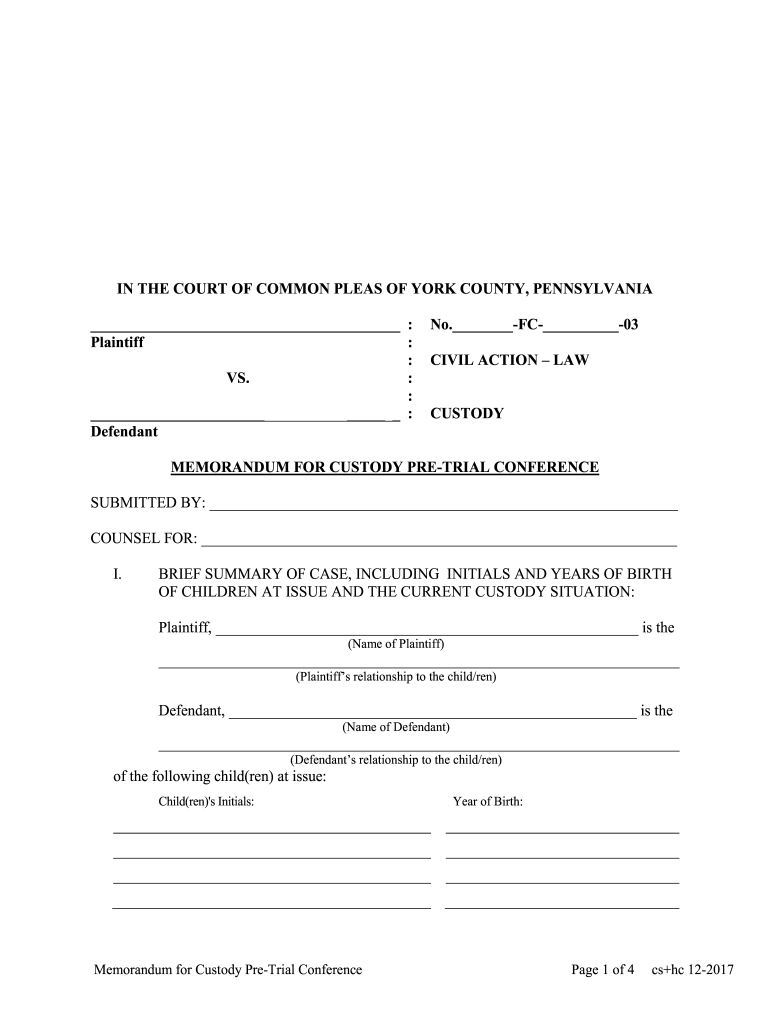
Family Court Forms Maricopa County Courthouse
Use a Family Court Forms Maricopa County Courthouse template to make your document workflow more streamlined.
What these Maricopa family forms are
Family Court Forms Maricopa County Courthouse are court-specific documents used in Maricopa County family law matters to provide case information, request action, record agreements, or satisfy procedural requirements. The exact packet determines which parties must complete it, which attachments are required, whether notarization or wet signatures apply, and how filing or service occurs. signNow can upload the applicable PDF, detect fillable fields, assign signatures, route the document, and preserve an audit trail. Electronic signing does not replace court filing instructions, service rules, or exclusions under ESIGN and UETA.
Users who prepare these court forms
Maricopa County family law attorneys can prepare client packets, route signatures in role-based order, and retain completed documents with audit evidence for case administration and later reference. Self-represented parents and guardians can complete assigned fields remotely, review signer responsibilities, and preserve a dated copy without repeatedly exchanging paper documents.
Features for preparing family court forms
signNow organizes the preparation and signing workflow, while Maricopa County instructions determine the form’s required content, filing method, and legal procedure.
Form preparation
Upload the Maricopa County family court PDF and review signNow’s detected fields before adding or correcting required participant information.
Signer routing
Assign each signature, initial, date, and acknowledgment field to the correct parent, guardian, attorney, or other authorized participant.
Remote signing
Use email delivery or a shareable signing link when the selected filing workflow permits remote document completion.
Audit evidence
Capture timestamps, signer actions, and delivery events through signNow’s audit trail for organized record review.
Final review
Review the completed PDF before downloading it, checking names, case identifiers, signatures, dates, and required attachments.
Secure archive
Store the signed form and certificate of completion together under controlled access for the relevant family court matter.
How to complete the family court form
Use the official Maricopa County instructions first, then use signNow to prepare, route, sign, and preserve the applicable document.
Confirm the packet:
Confirm the exact Maricopa County family court packet and filing instructions. Upload the form:
Upload the form to signNow and review detected fields carefully. Add signing fields:
Place required initials, signatures, dates, and signer assignments. Send for signing:
Send the prepared document to each authorized signer. Archive the record:
Download the completed copy and preserve its audit trail.
 Best ROI. Our customers achieve an average 7x ROI within the first six months.
 Scales with your use cases. From SMBs to mid-market, airSlate SignNow delivers results for businesses of all sizes.
 Intuitive UI and API. Sign and send documents from your apps in minutes.
Recommended workflow setup for court forms
A controlled setup helps prepare, route, authenticate, and preserve Family Court Forms Maricopa County Courthouse without replacing court-specific filing instructions.
| Setting | Recommendation |
|---|---|
| Authentication method | Email verification with SMS OTP |
| Signature type | Electronic signature with signer intent |
| Audit trail | Export certificate of completion |
| Document retention | Follow the matter’s applicable rule |
| Encryption | AES-256 at rest and TLS 1.2/1.3 |
Security controls for sensitive court forms
Stored data:
Data in transit:
Control reporting:
Security management:
Health information:
Electronic signatures:
Challenges when preparing Maricopa family forms
Missing required case information can delay filing or require correction before the Maricopa County family court accepts the paperwork. Using the wrong family court packet or county-specific version can place information in fields that do not match filing instructions. Unreadable scans, incomplete signatures, and omitted attachments can prevent clerks from processing a submitted family court document. Sensitive addresses, financial details, and child-related information require careful review before sharing the completed document.
Rules that can affect acceptance
Required acknowledgment
Separate submission
Electronic exclusion
Recording rejection
Record-keeping practices for court forms
Accurate preparation, controlled access, and preserved signing evidence help keep Maricopa County family court records organized and reviewable.
Verify the official packet before preparation
Preserve the signed document and audit trail
Assign retention by record category
Restrict access to sensitive records
What the audit trail records
For a Maricopa County family court document, the audit trail helps connect signer activity, timestamps, document integrity, and the completed record.
Authenticate signer:
Timestamp actions:
Hash document:
Seal record:
Complete signing:
Export evidence:
Retention rules for related records
Retention depends on the record category and applicable authority; a family court form does not automatically inherit every schedule below.
Three years from filing
Six years for HIPAA records
Five years for injury records
Thirty years for exposure records
Seven years for audit records



Troubleshooting Maricopa family court forms
These answers address preparation, signing, authentication, compliance, and record handling for Family Court Forms Maricopa County Courthouse.
Upload the official PDF again and inspect each page after signNow’s field detection. Auto-detection can identify fillable areas, but the sender remains responsible for checking every required name, date, signature, and attachment field before sending.
The Business plan includes templates, audit trails, mobile apps, and legally binding eSignatures at $8 per user per month when billed annually. Confirm the account’s plan and invitation allowance before routing multiple family court documents.
Use signNow SMS OTP or another available authentication method when the matter requires stronger signer attribution. Authentication does not replace Maricopa County filing rules, identity requirements, notarization, or any court-prescribed submission method.
ESIGN and UETA generally recognize qualifying electronic signatures when intent, consent, attribution, and record reproduction are established. They do not override exclusions for court orders, official court filings, or family law decrees.
Business Premium is listed at $15 per user per month annually and includes bulk send. It can help with repeated routing, but each document still requires review against its specific Maricopa County instructions.
Download the signed PDF and its certificate of completion from signNow, then store both under the matter’s access controls. A court may still require separate filing, service, notarization, or original-document procedures.
Key performance indicators that demonstrate SignNow's proven track record.
BE READY TO GET MORE
Get this form now!

If you believe that this page should be taken down, please follow our DMCA take-down process.