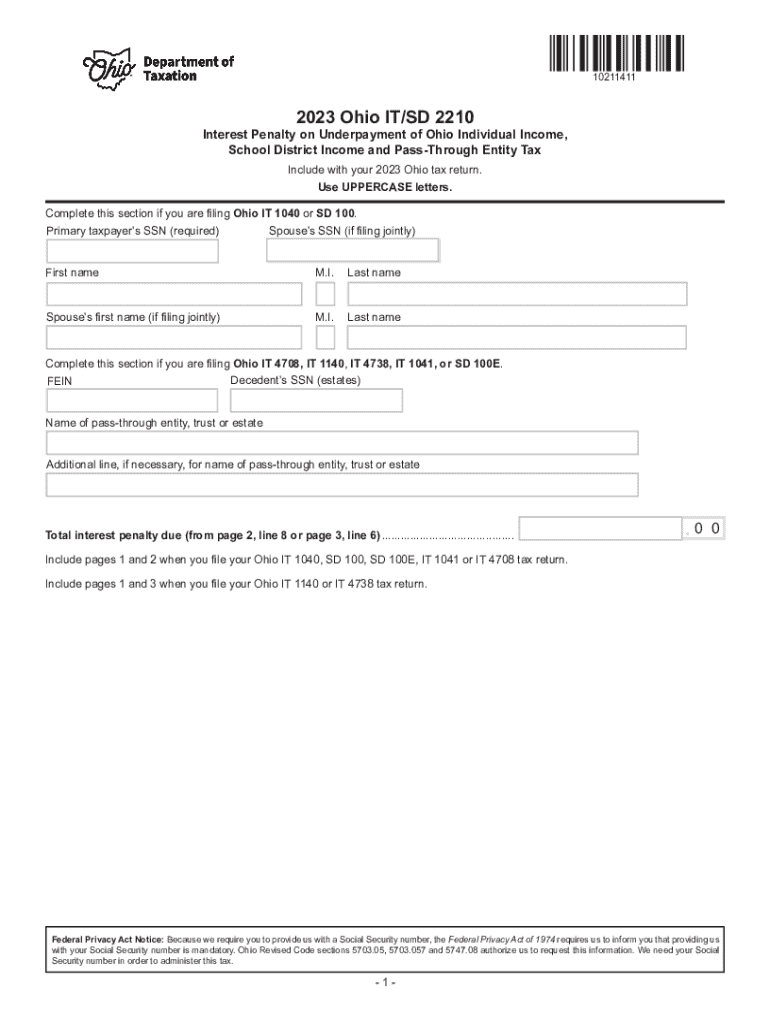
Ohio Individual Forms Availability
Use a Ohio Individual Forms Availability template to make your document workflow more streamlined.
What Ohio Individual Forms Availability means
Ohio Individual Forms Availability refers to preparing and accessing Ohio-focused individual forms through an online document workflow. It is not, by itself, a single Ohio agency form, filing deadline, or legal authorization. A user uploads the applicable document to signNow, reviews detected fields, assigns signers, collects signatures where permitted, and stores the completed record with an audit trail. ESIGN and UETA generally recognize qualifying electronic signatures, but wills, certain court orders, family-law decrees, and other statutory exceptions remain outside that framework. The underlying Ohio form determines any additional filing, notarization, witness, or recording requirement.
Documents and audiences for Ohio forms
Business documents
Ohio businesses can use this availability page to prepare contracts, NDAs, invoices, and consent records in signNow. Teams upload their document, allow signNow to detect fillable fields, assign signers, and retain the completed copy with its audit trail. The appropriate signer and any required witness or notary remain responsible for the document’s legal requirements.
Regulated records
Healthcare, education, insurance, and public-sector teams can prepare consent forms, applications, and acknowledgments. If a record contains protected health information, the organization must apply its HIPAA policies and use a business associate agreement where required. signNow provides the workflow; the organization remains responsible for the form’s accuracy and submission rules.
How Ohio form signing works
Ohio Individual Forms Availability is handled through a defined upload, field assignment, signing, and record-retention sequence.
Upload: Upload the form into signNow. Detect fields: Auto-detect fillable fields and review them. Send: Send assigned fields to signers. Archive: Store the signed record and audit trail.
Complete an Ohio form online
Use this workflow to prepare the Ohio form, route required signatures, and preserve the completed record.
Upload document:
Upload the Ohio document to signNow. Check fields:
Review detected fields and add missing ones. Assign signers:
Assign each field to the correct signer. Send and track:
Send the document and monitor completion.
 Best ROI. Our customers achieve an average 7x ROI within the first six months.
 Scales with your use cases. From SMBs to mid-market, airSlate SignNow delivers results for businesses of all sizes.
 Intuitive UI and API. Sign and send documents from your apps in minutes.
Features for Ohio form processing
signNow connects document preparation, signer routing, evidence capture, and storage for Ohio workflows without changing the underlying form’s legal requirements.
Field detection
Upload the Ohio document and review automatically detected fillable fields before assigning responsibilities, reducing manual field placement and helping the sender identify missing information before distribution.
Signer routing
Route signatures in a defined order when the Ohio document requires multiple participants, while keeping each signer’s assigned fields visible and separated from other roles.
Audit trail
Capture timestamps, signer actions, and document history in an audit trail that can accompany the completed Ohio record during internal review or a later dispute.
Reusable templates
Use reusable templates for recurring Ohio contracts, applications, acknowledgments, or consent records, preserving the organization’s approved field structure and signer sequence.
Mobile access
Send documents from web or mobile workflows when staff work away from the office, subject to the Ohio document’s signature, identity, and filing requirements.
Integrations
Connect completed records with named services such as Google Drive, Box, Salesforce, NetSuite, or Procore when the organization’s storage and workflow policies require it.
Recommended Ohio form setup
Prepare the workflow around the document’s actual signer, authentication, audit, encryption, and retention requirements.
| Setting | Recommendation |
|---|---|
| Authentication method | Email invitation with SMS authentication |
| Signature type | Typed or drawn electronic signature |
| Audit trail | Retain the completed audit trail |
| Document retention | Apply the governing Ohio or federal rule |
| Encryption | TLS 1.2/1.3 and AES-256 protection |
Security for Ohio form records
Data encryption:
ISO 27001:
SOC 2 Type II:
ESIGN and UETA:
HIPAA:
Transport security:
Ohio document exclusions and requirements
Notarization
Wills
Court orders
Real-estate deeds
Retention rules for Ohio records
Choose the retention rule based on the record’s actual purpose, contents, and governing federal or industry requirement.
3 years for tax records
3 years after hire or 1 year
6 years for HIPAA records
3 years for payroll records
5 years for injury records
Businesses using Ohio form workflows
The most useful workflow depends on the document’s audience, signature requirements, and record-retention obligations.
Solo Ohio consultants can prepare client agreements, confidentiality records, invoices, and approvals without coordinating paper copies, while keeping the signed document and audit trail together for business records. Ohio healthcare practices can route patient acknowledgments and consent forms electronically, provided their workflow addresses HIPAA obligations, required disclosures, and any signature or witness rules attached to the underlying document. Multi-location enterprises can standardize Ohio forms through reusable templates, delegated sending, and administrative controls, then connect signed records to systems such as Salesforce, NetSuite, or Google Drive.
These tasks are executed by both individual contributors and centralized administrators depending on organizational policy and required controls.



Key performance indicators that demonstrate SignNow's proven track record.
Ohio form signing questions
These answers address field preparation, electronic-signature evidence, plan limits, privacy obligations, and Ohio filing requirements.
For a missing field, open the uploaded Ohio document in signNow, review automatically detected fields, and add or reassign any incomplete field before sending. Business plans include templates and audit trails; the sender remains responsible for field accuracy.
A signer can use the email invitation or a signing link without creating an account in many workflows. If stronger attribution is needed, configure SMS authentication or another available signer-authentication method before sending the Ohio document.
A typed, drawn, or click-to-sign action can evidence intent under ESIGN and applicable UETA rules when consent, attribution, and record retention are established. Keep the completed Ohio document and audit trail together.
Business pricing is $8 per user per month with annual billing, while Business Premium is $15 and Enterprise is $30. Subscription plans include 100 signature invites per user annually; overage fees may apply.
For a healthcare Ohio record containing protected health information, signNow identifies HIPAA compliance as requiring a business associate agreement. The organization must also apply its own access, disclosure, and retention policies.
If the document requires a notary, witness, recording, or court filing, signing in signNow does not replace that requirement. Confirm Ohio-specific instructions with the responsible agency or legal professional before relying on the completed form.
BE READY TO GET MORE
Get this form now!

If you believe that this page should be taken down, please follow our DMCA take-down process.