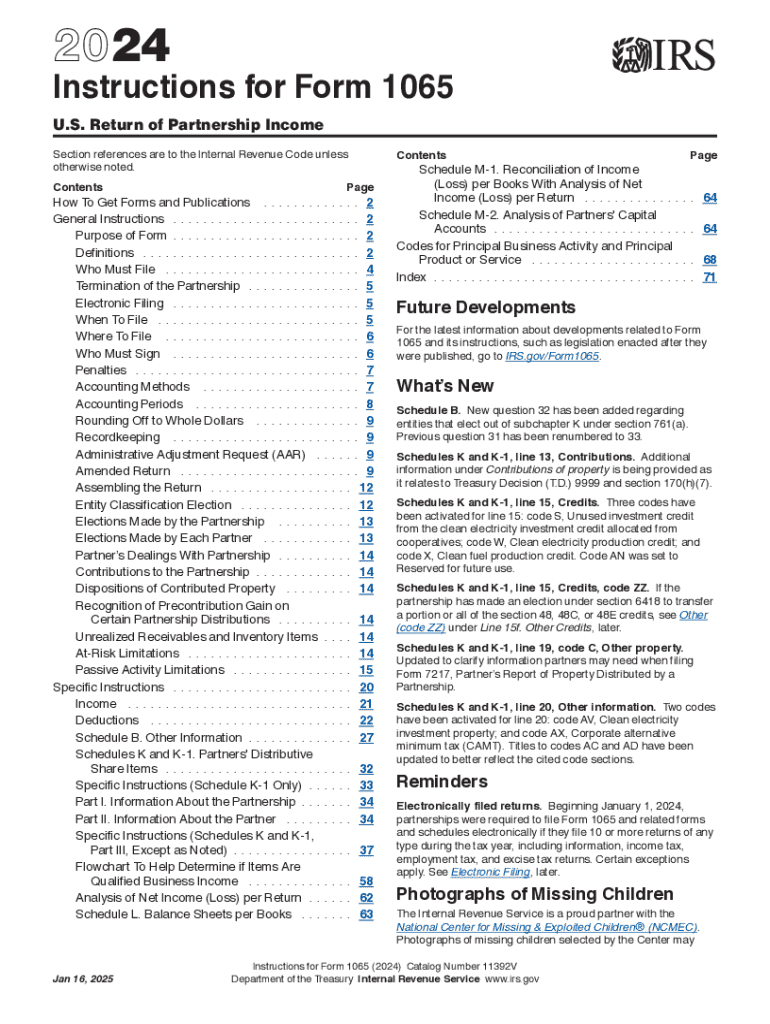
Instructions For Form 1065
Use a Instructions For Form 1065 template to make your document workflow more streamlined.
What Instructions For Form 1065 covers
Instructions For Form 1065 are the IRS directions for preparing and filing Form 1065, the U.S. partnership income tax return. They explain required entries, schedules, partner information, and supporting details rather than serving as the return itself. A preparer can upload the instructions or a completed partnership package to signNow, let the platform detect fields, add review and signature fields, send it to authorized partners, and retain the signed PDF with its audit trail. signNow supports document evidence; it does not replace IRS filing rules or determine tax treatment.
Business types using Form 1065 instructions
Form 1065 instructions matter most where several partners, reviewers, or recurring partnership records must be coordinated before filing.
Solo tax practices use the instructions to verify Form 1065 sections, prepare partner review copies, and collect signatures without maintaining separate paper packets. Real estate partnerships coordinate partner approvals for return materials, Schedule K-1 reviews, and supporting records across offices or project locations. Enterprise finance teams connect partnership tax workflows to NetSuite or Microsoft 365, applying controlled routing and audit evidence across repeated annual filings.
These tasks are executed by both individual contributors and centralized administrators depending on organizational policy and required controls.
Who uses Form 1065 instructions
Tax preparers
Partnership tax preparers use the instructions to organize Form 1065 entries, partner information, Schedule K-1 data, and supporting attachments before circulating a review copy. signNow provides controlled routing, field placement, signatures, and an audit trail for the prepared package.
Partnership representatives
Managing partners and authorized representatives review partnership return materials, confirm the information presented, and sign when required by the organization’s process. signNow lets them complete the review from a browser or mobile device while preserving the document history.
How the Form 1065 workflow works
The workflow keeps partnership instructions, review fields, signatures, and evidence connected without treating signNow as an IRS filing service.
Upload document: Upload PDF Find fields: Detect fields Route review: Route review Seal record: Seal record
How to prepare Form 1065 instructions
Use this signNow workflow to prepare partnership filing instructions, collect approvals, and preserve the completed record.
Upload the document:
Upload the Instructions For Form 1065 PDF or related partnership filing document to signNow. Detect fields:
Let signNow detect fillable areas, then add fields for preparer or partner information. Check entries:
Review partnership data, tax classifications, and signature fields before sending the document. Send for signature:
Send the prepared document to the required signer by email or signing link. Archive records:
Store the completed record and its signNow audit trail with the partnership files.
 Best ROI. Our customers achieve an average 7x ROI within the first six months.
 Scales with your use cases. From SMBs to mid-market, airSlate SignNow delivers results for businesses of all sizes.
 Intuitive UI and API. Sign and send documents from your apps in minutes.
Ways to send and sign partnership documents
- Use the signNow web app when a tax preparer needs a full desktop view to upload Instructions For Form 1065, verify fields, and route the partnership package.
- Use the signNow mobile app when a partner must review or sign the prepared document away from the office, while retaining the same audit trail.
- Use kiosk mode for an in-person office review where several authorized partnership representatives complete documents on a controlled device without exchanging paper.
- Use a shareable signing link when a preparer needs to place the signing step in an established client workflow or secure partnership portal.
Features for Form 1065 document workflows
signNow helps partnership teams prepare, route, sign, and preserve Form 1065 materials while keeping IRS filing responsibility with the partnership.
PDF preparation
Upload the Instructions For Form 1065 PDF or a prepared partnership package and begin review without rebuilding the document.
Field detection
signNow detects available fields, helping preparers place partner information, review fields, and signature areas before sending.
Flexible routing
Route the prepared package to partners or authorized representatives by email, mobile workflow, kiosk mode, or signing link.
Audit trail
Capture signer actions, timestamps, and document history so the partnership can preserve evidence with the completed record.
Record retention
Keep the completed PDF and completion evidence together while applying the partnership’s IRS and state retention policy.
System connections
Connect document workflows with systems such as NetSuite, Microsoft 365, Google Drive, or Box for organized file handling.
Recommended Form 1065 workflow setup
Configure the partnership document workflow around signer identity, evidence preservation, and the applicable IRS record period.
| Setting | Recommendation |
|---|---|
| Authentication method | Email link with SMS verification |
| Signature type | Typed or drawn electronic signature |
| Audit trail | Enable completion certificate and history |
| Document retention | Three years after filing under IRC §6501(a) |
| Encryption | TLS 1.2/1.3 and AES-256 protection |



Form 1065 record retention periods
Keep the signed instructions, review evidence, partnership return, and filing support for the longest rule that applies.
Three years after filing
Six years for 25% understatement
Indefinite for fraudulent returns
Indefinite without a return
State period may be longer
Risks from incorrect Form 1065 handling
Incomplete authorization
Return inconsistencies
Filing consequences
Evidence gaps
Security for partnership filing records
Transport encryption:
Stored encryption:
Control assurance:
Security certification:
U.S. e-signature:
Signer verification:
Form 1065 workflow examples
Partnerships can adapt the signing workflow to distributed reviews without confusing document completion with IRS filing.
Real estate partnership
A real estate partnership can circulate its prepared Form 1065 review package to partners who work from different locations before the authorized filing process.
- Partner review from separate locations
- Controlled signature routing
- Audit trail retained with package
The partnership can keep one controlled review copy instead of collecting disconnected email attachments. signNow records each signer’s activity and preserves a completion history, while the tax preparer remains responsible for the accuracy of Form 1065, Schedule K-1 information, and the IRS submission.
Financial services partnership
A financial services partnership can connect its document workflow to existing systems while preserving a clear approval record for tax preparation materials.
- Role-based review sequence
- Secure document history
- Exportable completion evidence
Using signNow for the approval layer helps separate document execution from tax determination. Authorized reviewers can access the prepared instructions or return package, complete assigned fields, and receive a signed copy with audit evidence for the partnership’s records.
Challenges when using Form 1065 instructions
Partnership representatives may confuse the Instructions For Form 1065 with Form 1065 itself, causing missing schedules, attachments, or signature steps. Ownership changes can make partner information, profit allocations, and Schedule K-1 data inconsistent across the partnership return. A signed PDF does not replace IRS filing requirements; the partnership must still use the required filing method and meet its applicable deadline. Multiple reviewers can create conflicting edits when the partnership lacks one controlled template and a documented approval sequence.
Form 1065 instructions troubleshooting
These answers separate signNow document handling from the IRS rules governing partnership return preparation and filing.
The Instructions For Form 1065 explain how to complete the partnership return, but signNow does not transmit the return to the IRS. Upload the working PDF, use detected fields for review, collect authorized signatures, and retain the completed document separately from the IRS filing confirmation.
The signNow Business plan includes templates, audit trails, and mobile apps at $8 per user per month when billed annually. Business Premium is $15 and adds bulk send. Select the plan based on the number of preparers and whether repeated partnership packages need bulk distribution.
Use signNow’s field detection to identify fillable areas, then manually verify every partner name, ownership percentage, Schedule K-1 reference, and signature location. Detection helps prepare the PDF; it does not determine whether the partnership’s tax information is correct.
For U.S. business transactions, electronic signatures generally receive legal recognition under ESIGN and applicable state law, including UETA or New York’s ESRA. Form 1065 filing requirements remain governed by the IRS, so preserve the signed record and complete the required tax submission separately.
Business Premium includes bulk send, which can help distribute repeated partnership documents to multiple recipients. Each Form 1065 package still requires individual review of partner data and schedules; bulk delivery should not replace tax preparation controls or signer verification.
The audit trail records signing activity such as timestamps, signer actions, and document history. Export the completed PDF and audit trail together, restrict access to authorized partnership personnel, and apply the retention policy required for the underlying tax records.
Key performance indicators that demonstrate SignNow's proven track record.
BE READY TO GET MORE
Get this form now!

If you believe that this page should be taken down, please follow our DMCA take-down process.