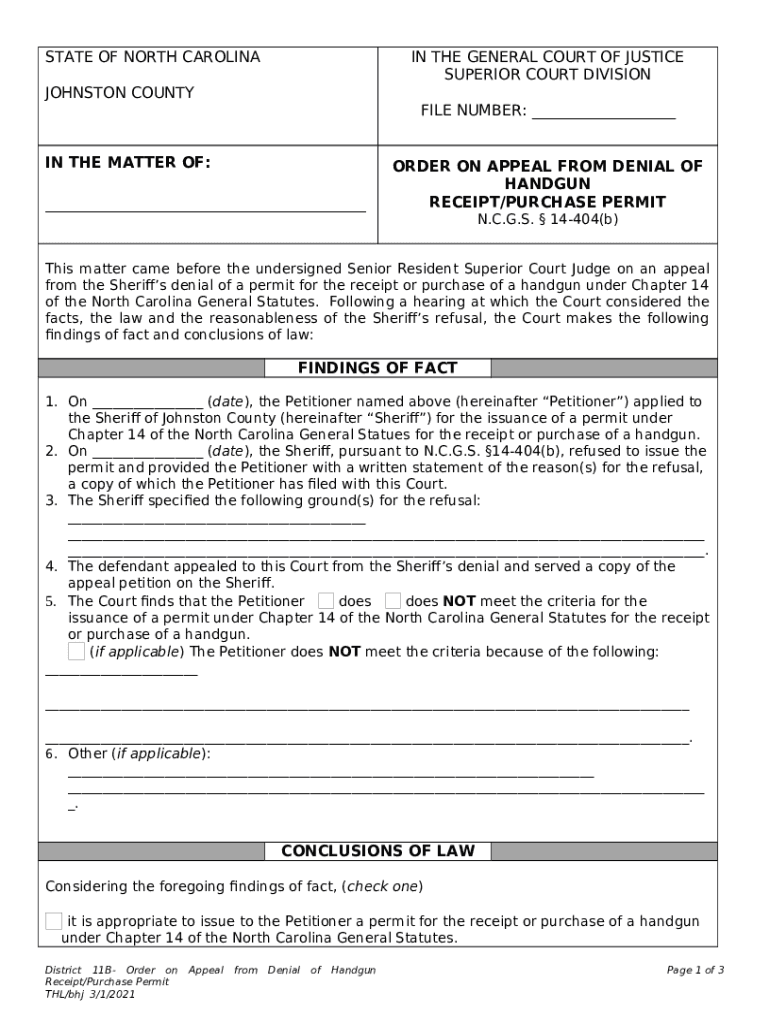
New Concealed Handgun Carry Permit Application Form
Use a New Concealed Handgun Carry Permit Application template to make your document workflow more streamlined.
What this concealed-carry form does
The New Concealed Handgun Carry Permit Application Form is a state-issued application used to request authorization to carry a concealed handgun. The applicant supplies identifying information, answers eligibility questions, signs required certifications, and provides supporting materials required by the responsible state agency. The exact fields, fee, training proof, background-check process, expiration period, and submission method depend on state law and the issuing authority. signNow can prepare, route, e-sign, and preserve the application record, but it does not issue the permit or replace fingerprints, photographs, fees, or in-person requirements.
Who benefits from this permit workflow
The form primarily serves applicants and authorized state-permitting personnel, with limited support roles handling preparation, routing, and records.
A state permitting office can use a controlled signNow template to route applicant information, certifications, and signatures while preserving the agency’s approved PDF and audit evidence. Staff still follow state rules for fingerprints, fees, photographs, and background checks. A licensed firearms retailer or training provider can help applicants complete the form on-site when authorized, using role-based access and a kiosk workflow. The organization should not decide eligibility or alter state-required questions unless the agency permits it. An individual applicant can complete the assigned application from a desktop or mobile device, review each eligibility answer, sign the certification, and retain the completed PDF. The applicant remains responsible for truthful answers and all state-specific filing steps.
These tasks are executed by both individual contributors and centralized administrators depending on organizational policy and required controls.
Features for this permit application
signNow connects document preparation, applicant signing, authentication, and evidence preservation around the specific concealed-handgun permit application workflow.
Field preparation
Upload the state permit PDF and use signNow field detection to prepare applicant information, acknowledgments, initials, dates, and signature locations for review.
Remote signing
Send the prepared application to the applicant by email or signing link, reducing manual routing while preserving the document’s original page structure.
Audit trail
Capture timestamps, signer activity, IP details, and completion evidence in an audit trail that stays associated with the completed application.
Template control
Use role-based access and controlled templates so staff can send the approved permit application without changing required questions or disclosures.
Mobile access
Collect signatures on desktop or mobile devices when state rules permit electronic completion, while separately handling fees, fingerprints, and required supporting materials.
Record export
Export the completed PDF and audit trail together for the permitting office or internal records process, subject to the applicable state retention schedule.
Steps to complete the permit form
Use this sequence to prepare the state application in signNow while keeping agency-specific requirements separate.
Prepare document:
Upload the state-issued PDF Check fields:
Review detected fields and required certifications Assign signer:
Add the applicant as signer Send application:
Send the application through signNow Archive record:
Export the signed PDF and audit trail
 Best ROI. Our customers achieve an average 7x ROI within the first six months.
 Scales with your use cases. From SMBs to mid-market, airSlate SignNow delivers results for businesses of all sizes.
 Intuitive UI and API. Sign and send documents from your apps in minutes.
Platform requirements for this permit form
Complete the New Concealed Handgun Carry Permit Application Form through signNow using TLS-secured Chrome, Firefox, Safari, or Edge on supported desktop and mobile operating systems.
Desktop browsers Chrome and Firefox on Windows 10 or later Apple computers Safari on macOS 12 or later Mobile browsers Chrome and Safari on iOS 15 or Android 10
Use a managed Windows, macOS, iOS, or Android device when the application contains identifying or firearm-eligibility information. Confirm your state authority’s submission rules separately, because browser access and electronic signing do not replace required background checks, fees, photographs, training proof, or in-person steps.



Processing stages for the permit form
The application has four operational stages, but the issuing agency—not signNow—controls filing deadlines and approval timing.
Document preparation
Delivery to signer
Signer turnaround
Completion and archival
Recommended permit workflow setup
Configure the application around verified identity, state-approved content, audit evidence, and the retention schedule issued by the responsible permitting authority.
| Setting | Recommendation |
|---|---|
| Authentication method | Email verification with SMS OTP |
| Signature type | Typed or drawn electronic signature |
| Audit trail | Enabled with completion certificate |
| Document retention | State agency records schedule |
| Encryption | TLS 1.2/1.3 and AES-256 |
How signNow records this permit signature
The signNow audit trail records identity, timing, document integrity, and retrieval evidence after the concealed-carry application is completed.
Authenticate signer:
Capture timestamps:
Hash document:
Seal record:
Build audit trail:
Retrieve evidence:
Best practices for completing the application
Accuracy and state-specific verification matter more than speed when preparing a concealed-handgun carry permit application.
Use the current state-issued application
Separate signing from agency requirements
Preserve the complete evidence package
Verify the governing retention schedule
Risks of submitting this form incorrectly
Incomplete fields
Missing supporting records
Signer mismatch
Unclear consent
Incorrect recipient
Privacy pitfalls in permit workflows
Sending the application to the wrong recipient can expose addresses, birth information, and eligibility responses contained in the permit record. Skipping the ESIGN consumer disclosure can weaken evidence of informed electronic consent for a consumer-facing application. Leaving templates editable after approval can change state-required questions or certifications before the applicant signs. Granting broad access can expose firearm-related personal data to staff without a legitimate permitting role.
Troubleshooting the permit application workflow
Resolve field-mapping, consent, authentication, plan, and retention questions before sending this concealed-carry permit application.
Upload the current state-issued application PDF, then use signNow’s field detection and review every detected field manually. Business includes templates and audit trails; verify that required personal information, eligibility answers, and acknowledgments remain mapped to the correct page before sending.
The Business plan provides legally binding eSignatures and audit trails, while Business Premium adds bulk send. For one applicant, Business can support the workflow; select Enterprise or Site License only when your organization needs advanced authentication, API, SSO, or regulated add-ons.
ESIGN and UETA recognize qualifying electronic signatures when intent, consent, attribution, and record retention are established. If a state authority requires notarization, fingerprints, an original photograph, payment, or in-person submission, follow that requirement separately from signNow signing.
For a consumer-facing electronic record, provide the ESIGN consumer disclosure, explain the right to receive paper, confirm electronic access, and describe withdrawal procedures under 15 U.S.C. §7001(c). Keep the disclosure with the permit application record.
Use SMS OTP or another available signer-authentication control when the permitting office requires stronger identity evidence. signNow’s Enterprise plan adds advanced signer authentication; authentication does not replace the state’s identity-proofing or background-check process.
Export the completed application and its signNow audit trail, then store both with restricted access. Choose a retention period from the applicable state permitting agency or records schedule; no federal period in the supplied authorities specifically governs this permit application.
Key performance indicators that demonstrate SignNow's proven track record.
BE READY TO GET MORE
Get this form now!

If you believe that this page should be taken down, please follow our DMCA take-down process.