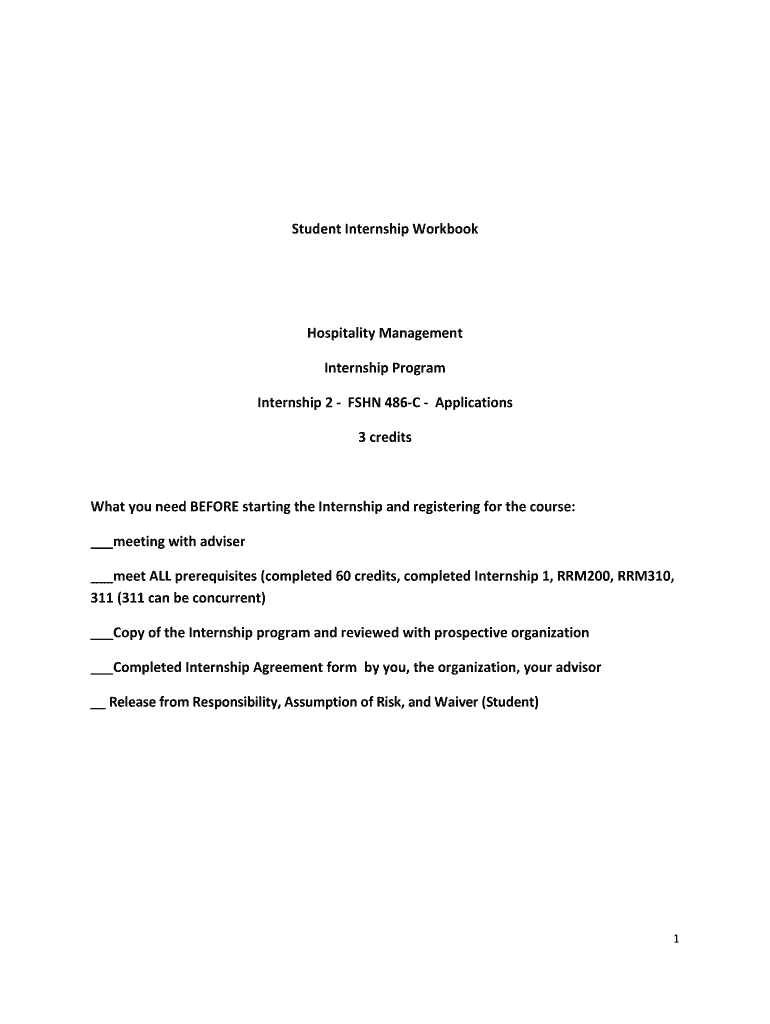
Student Internship Workbook Hospitality Management Form
Use a Student Internship Workbook Hospitality Management template to make your document workflow more streamlined.
What the internship workbook does
The Student Internship Workbook Hospitality Management Form is a structured record for documenting a hospitality student’s internship activities, placement information, supervisor input, and completion review. It gathers the student’s entries and required approvals in one document rather than relying on disconnected paper pages or emails. With signNow, a coordinator uploads the workbook, reviews or assigns fillable fields, routes it to the student and supervisor, and stores the completed copy with an audit trail. The form’s exact institutional fields and retention period should follow the issuing school or program’s policy.
How the internship workbook workflow works
The signNow workflow moves the Student Internship Workbook Hospitality Management Form from upload through field assignment, signing, and auditable storage.
Upload workbook: Upload the internship workbook and let signNow detect fillable areas. Assign fields: Review detected fields and assign them to the student, supervisor, or coordinator. Send for signing: Send the completed setup for electronic signing through signNow. Store records: Store the signed workbook with its completion record and audit trail.
Quick steps for completing the workbook
Complete the Student Internship Workbook Hospitality Management Form through four controlled signNow steps, from upload to auditable storage.
Upload template:
Upload the completed workbook template. Check fields:
Review and assign detected fields. Send workbook:
Send it to the required signers. Archive records:
Download the signed copy and audit trail.
How the audit trail records workbook signing
The audit trail preserves signer identity, document integrity, and transaction history for the Student Internship Workbook Hospitality Management Form.
Authenticate signer:
Capture timestamps:
Hash document:
Seal record:
Log events:
Export history:
 Best ROI. Our customers achieve an average 7x ROI within the first six months.
 Scales with your use cases. From SMBs to mid-market, airSlate SignNow delivers results for businesses of all sizes.
 Intuitive UI and API. Sign and send documents from your apps in minutes.
Key features for internship documentation
signNow combines field preparation, participant routing, mobile signing, and audit evidence for the Student Internship Workbook Hospitality Management Form.
Reusable template
Upload the workbook once, then reuse its configured fields for recurring student placements and supervisor reviews.
Field detection
Detected fields help coordinators prepare student, supervisor, placement, and evaluation information before sending.
Role assignment
Assign each signature or completion field to the correct participant, reducing unclear responsibility during internship documentation.
Mobile signing
Students and supervisors can review and sign from supported desktop or mobile workflows without exchanging paper copies.
Audit trail
The completed workbook remains associated with timestamps, signer activity, and a certificate of completion for recordkeeping.
Controlled storage
Completed records can be retained with controlled access for institutional review, student-record handling, and placement administration.



Security and data protection
Data encryption:
Independent assurance:
Security management:
Privacy controls:
Health information:
Electronic signatures:
Recommended workbook workflow setup
Use a controlled configuration that identifies participants, records signing events, protects student information, and follows the institution’s retention policy.
| Setting | Recommendation |
|---|---|
| Authentication method | Email link with SMS verification |
| Signature type | Typed or drawn electronic signature |
| Audit trail | Enabled with completion certificate |
| Document retention | Institutional policy period |
| Encryption | TLS 1.2/1.3 and AES-256 |
Retention and record-keeping for internship workbooks
Preserve the signed workbook, audit history, access controls, and applicable student-record documentation together.
Apply the applicable retention rule
Export the audit trail
Restrict student information access
Coordinate FERPA record handling
Retention periods for related records
The workbook itself has no universal federal retention period; classify its contents before selecting a retention schedule.
Institutional policy period
Six years for PHI records
Three years for tax records
I-9-specific federal period
Audit trail retention
Legal standing of the internship workbook
A completed Student Internship Workbook Hospitality Management Form may support a U.S. business record when the parties show intent, consent to electronic records, signer attribution, and reliable retention and reproduction. ESIGN, 15 U.S.C. ch. 96, and applicable UETA rules generally recognize qualifying electronic signatures, but wills, certain court orders, and family-law decrees remain excluded.

Privacy and disclosure pitfalls to avoid
Student names, contact details, evaluations, or placement information may remain visible to recipients who do not need access. A workbook can be sent before the student or supervisor receives the required electronic-record disclosure and consent information. Shared links or broad team permissions can expose internship records beyond authorized faculty, placement staff, or supervisors. Downloading separate copies can disconnect the signed workbook from its audit trail and weaken recordkeeping controls.
Troubleshooting the internship workbook workflow
Use these answers to resolve field, signing, plan, consent, privacy, and recordkeeping questions for this workbook.
Check that the workbook is uploaded as a supported document and that the intended student, supervisor, and coordinator fields are assigned. signNow’s field editor lets the sender correct detected or placed fields before sending the document for signature.
The student can use the signing link without creating a signNow account when the sender’s workflow permits guest signing. If stronger attribution is needed, configure available authentication controls such as SMS verification or advanced signer authentication on an eligible plan.
Business includes legally binding eSignatures, templates, mobile apps, and audit trails at $8 per user per month when billed annually. Subscription plans include 100 signature invites per user per year, with overage fees applying after the included amount.
For consumer-facing records, obtain electronic-record consent and provide the disclosures required by ESIGN, 15 U.S.C. §7001(c), including access to the electronic format and procedures for withdrawing consent. Institutional policy may impose additional student-record requirements.
signNow lists HIPAA compliance with a business associate agreement when protected health information is involved. A hospitality internship workbook should not be treated as HIPAA-covered merely because it is completed online; determine whether it contains PHI first.
If a signed workbook is disputed, retain the completed document and signNow audit trail together. ESIGN and UETA support qualifying electronic records when intent, consent, attribution, and reliable reproduction are established; institutional policy and state law still govern the record process.
Key performance indicators that demonstrate SignNow's proven track record.
BE READY TO GET MORE
Get this form now!

If you believe that this page should be taken down, please follow our DMCA take-down process.