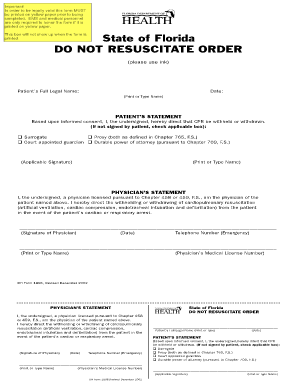
Xxxi Form
Use a Online Xxxi Form template to make your document workflow more streamlined.
What Xxxi Form is and how it works
Xxxi Form is a named document template, but the available information does not identify its issuing agency, purpose, required fields, filing deadline, or statutory record period. In signNow, a sender uploads the source file, reviews automatically detected fillable fields, adds the responsible signer, and sends the document for completion. The signer reviews the record, enters required information, and applies an electronic signature when the transaction permits it. The completed file and audit trail can then be retained together. Confirm the form’s authority before relying on any deadline, field rule, or legal exclusion.
Who can use Xxxi Form
Business operations
A business administrator can upload Xxxi Form, check its fields, assign a signer, and preserve the completed record when the form supports electronic completion.
Regulated teams
A legal, healthcare, tax, or government team should confirm Xxxi Form’s issuing authority and any required identity, consent, filing, or retention controls before using an electronic workflow.
How Xxxi Form works in signNow
The signNow workflow moves Xxxi Form from an uploaded source document to a completed, traceable electronic record.
Upload: Upload the source file Prepare: Review detected fields and add missing inputs Send: Send Xxxi Form to the responsible signer Retain: Store the completed document with its audit trail
Complete Xxxi Form in signNow
Use this sequence to prepare Xxxi Form while preserving the document structure and a record of the signing event.
Upload:
Upload the original document. Review:
Check detected fields and add required fields. Assign:
Assign the responsible signer. Send:
Send Xxxi Form securely. Store:
Download the completed record and audit trail.
 Best ROI. Our customers achieve an average 7x ROI within the first six months.
 Scales with your use cases. From SMBs to mid-market, airSlate SignNow delivers results for businesses of all sizes.
 Intuitive UI and API. Sign and send documents from your apps in minutes.
The value and legal standing of Xxxi Form
When Xxxi Form is an eligible business record, ESIGN and applicable UETA provisions can recognize an electronic signature if intent, consent, attribution, and reproducible retention are established. Those laws do not identify this form’s agency, deadline, or exclusions; confirm its governing authority before relying on electronic execution.

Key signNow features for Xxxi Form
signNow connects document preparation, signer routing, electronic completion, and record preservation for Xxxi Form without changing the source document’s intended structure.
Field detection
Upload the source Xxxi Form and review automatically detected fields before adding missing inputs or signature areas.
Signer routing
Assign Xxxi Form to the person responsible for completing or approving the document, with ordered signing when multiple parties participate.
Signature capture
Capture electronic signatures with the signer’s recorded action, supporting intent and attribution evidence for the transaction.
Audit trail
Keep the completed Xxxi Form with its certificate of completion and audit history for later review.
Mobile access
Review or sign Xxxi Form through signNow mobile apps when the workflow extends beyond a desktop workstation.
Reusable template
Use templates when the same Xxxi Form is completed repeatedly, while checking each instance for current information.
Platform requirements for Xxxi Form
Xxxi Form can be prepared through a current web browser using TLS-protected access, with signNow mobile apps available for iOS and Android review and signing.
Desktop browsers Use Chrome or Firefox on Windows 10 or later to upload, complete, and review Xxxi Form in the signNow web application. Operating systems Use Safari on macOS 12 or later, or Chrome on Android 10 and iOS 15 or later. Mobile access Use the signNow mobile app when Xxxi Form must be reviewed or signed away from a desk.
Organizations should manage supported Windows, macOS, iOS, and Android devices through their security policies. Confirm that browser updates, application permissions, identity controls, API access, SSO provisioning, and any certificate or long-term-validation requirements align with the records created for Xxxi Form.
Security for Xxxi Form records
Data in transit:
Stored document encryption:
Service controls:
Security management:
U.S. eSignature framework:
Protected health information:
Best practices for completing Xxxi Form
Careful field review, signer assignment, audit-trail preservation, and authority checks reduce avoidable errors when handling Xxxi Form.
Review every detected field
Assign the correct signer
Keep the audit record
Confirm the governing authority
Challenges when handling Xxxi Form
The name Xxxi Form does not identify an issuing agency, so applying another form’s filing deadline or required field can create an inaccurate submission. Automatic field detection may miss handwritten instructions, checkboxes, attachments, or signature requirements contained in the original Xxxi Form. Sending Xxxi Form to the wrong signer can weaken attribution and leave the responsible individual’s required certification incomplete. Keeping only the signed PDF without its audit trail may make it harder to demonstrate consent, intent, timing, and document history.
Recommended setup for Xxxi Form
Configure authentication, signature capture, audit evidence, retention, and encryption around Xxxi Form’s confirmed legal requirements.
| Setting | Recommendation |
|---|---|
| Authentication method | Email invitation with SMS verification |
| Signature type | Electronic signature with clear signer intent |
| Audit trail | Retain certificate of completion and history |
| Document retention | Confirm period with issuing authority |
| Encryption | TLS 1.2 or 1.3 and AES-256 |
Troubleshooting Xxxi Form workflows
These answers address signNow workflow problems and the legal checks required when Xxxi Form’s issuing authority is not specified.
Business includes legally binding eSignatures, templates, and audit trails at $8/user/month with annual billing. Upload Xxxi Form, place fields, and send it through the workflow rather than treating an email signature as a completed document.
Business Premium costs $15/user/month with annual billing and adds bulk send, kiosk mode, request payments, and quick invite links. Use those features only when the Xxxi Form workflow requires repeated or in-person completion.
If a signer cannot open Xxxi Form, confirm the invitation address, resend the request, and try a current browser or signNow mobile app. A signNow account is often unnecessary for a guest signer unless the workflow requires authentication.
The audit trail records signing actions, timestamps, and document history. For enforceability, also preserve signer intent, consent, attribution, and a reproducible copy under ESIGN and applicable UETA requirements.
Consumer-facing electronic records may require disclosure of the right to receive paper records and procedures for withdrawing consent under 15 U.S.C. §7001(c). Review that requirement before sending Xxxi Form to consumers.
Xxxi Form’s governing agency and legal deadline are not identified by its name alone. Do not apply a W-9, I-9, or 1099 deadline; confirm the issuing authority before filing or retention decisions.
Key performance indicators that demonstrate SignNow's proven track record.
BE READY TO GET MORE
Get this form now!

If you believe that this page should be taken down, please follow our DMCA take-down process.