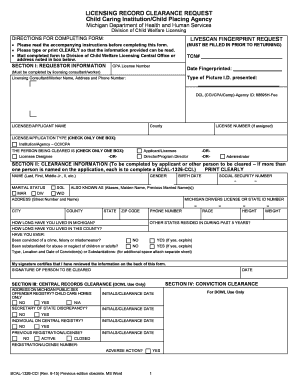
Licensing Record Clearance Request Instructions Michigan Form
Use a LICENSING RECORD CLEARANCE REQUEST INSTRUCTIONS Michigan template to make your document workflow more streamlined.
Michigan licensing clearance form overview
The Licensing Record Clearance Request Instructions Michigan Form is an instructions-based document for organizing a Michigan licensing record clearance request. It helps the requester follow the information, completion, and submission directions associated with the clearance process. With signNow, the document can be uploaded, reviewed for fillable areas, routed to the appropriate signer, and completed electronically when the receiving authority accepts electronic signatures. The finished copy and audit trail can then be retained together, while any Michigan-specific submission requirements remain controlling.
Who uses this Michigan form
License applicants
Michigan licensing applicants use the form to organize the information requested for a record clearance review. Reviewing the instructions before completion helps prevent omitted details, incorrect attachments, and avoidable follow-up with the licensing authority.
Licensing teams
Licensing coordinators and compliance teams use the form to collect, route, and retain clearance requests. signNow keeps the working document, signer activity, and completed copy connected for internal review.
How this Michigan form works
The process keeps the Michigan licensing record clearance request instructions form together from preparation through signing and record storage.
Upload form: Upload the Michigan licensing record clearance request instructions form to signNow. Place fields: Review the document and place fields where the form requires completion or signature. Send securely: Send the prepared form to the authorized requester or signer by email. Store record: Complete signing, download the final record, and retain its audit trail.
Complete the Michigan form online
Follow these steps to prepare the Michigan licensing record clearance request instructions form and preserve a complete electronic record.
Upload document:
Upload the current Michigan instructions form to signNow. Review instructions:
Check every requested section before adding signature fields. Add recipients:
Assign the authorized requester and any required signer. Finish record:
Send, complete, and download the signed clearance record.
 Best ROI. Our customers achieve an average 7x ROI within the first six months.
 Scales with your use cases. From SMBs to mid-market, airSlate SignNow delivers results for businesses of all sizes.
 Intuitive UI and API. Sign and send documents from your apps in minutes.
Audit trail for this form
The audit trail records the technical events that connect the Michigan clearance request, signer, signature, and completed document.
Authenticate signer:
Capture timestamps:
Protect document:
Link actions:
Retrieve evidence:
Export record:
Legal standing of the electronic record
An electronic Michigan licensing clearance request may be admissible when the signer shows intent, consents to electronic records, can be identified, and the record remains reproducible. ESIGN and UETA generally support electronic signatures, but Michigan filing rules and any agency-specific submission requirements control; wills and specified court or family-law documents are excluded.

Risks when instructions are missed
Incomplete request
Signer attribution
Privacy exposure
Scope mismatch
Best practices for this form
These practices help preserve the accuracy, signer attribution, and submission readiness of a Michigan licensing record clearance request.
Use the current Michigan instructions
Assign each requester clearly
Retain the evidence package
Check agency submission rules
Recommended workflow setup
Use a controlled workflow that preserves signer identity, document history, and the completed Michigan clearance request record.
| Setting | Recommendation |
|---|---|
| Authentication method | Email verification with SMS OTP |
| Signature type | Electronic signature with signer intent |
| Audit trail | Retain the completed audit trail |
| Document retention | Follow Michigan licensing-record requirements |
| Encryption | TLS 1.2/1.3 and AES-256 |



Platform requirements for this form
Open the Licensing Record Clearance Request Instructions Michigan Form in Chrome, Firefox, Safari, or Edge on Windows or macOS. signNow mobile apps support iOS and Android, while encrypted connections use TLS 1.2/1.3.
Browsers Chrome, Firefox, Safari, Edge Desktop systems Windows and macOS desktops Mobile apps iOS and Android signNow apps
For regulated or team-based handling, use managed devices, controlled access, and an approved storage destination. Review API, SSO, and certificate requirements separately when the Michigan licensing workflow connects to enterprise systems or requires stronger signer authentication.
Key performance indicators that demonstrate SignNow's proven track record.
Michigan form troubleshooting
Resolve the named preparation, signing, plan, and retention issues before submitting the completed licensing record clearance request.
Upload the original PDF again, then inspect whether signNow detected fields correctly. If the document is an image-only scan, add fields manually before sending and compare the completed copy with the source instructions.
Use signNow Business for legally binding eSignatures, templates, and audit trails. Business is $8 per user per month with annual billing; month-to-month pricing is $20 per user per month.
An electronic signature is generally supported by ESIGN and UETA when intent, consent, attribution, and record reproduction are established. Confirm that the Michigan receiving authority accepts an electronically signed clearance request.
Add SMS OTP or another available authentication control when signer identity needs stronger evidence. signNow records signing activity in the audit trail, including timestamps and document history.
Business Premium includes bulk send and costs $15 per user per month with annual billing. Use it only when the same Michigan clearance workflow must be sent repeatedly to multiple recipients.
Retain the completed document and its audit trail in an approved repository. signNow supports integrations including Google Drive, Box, Egnyte, Microsoft 365, and AWS for controlled storage workflows.
BE READY TO GET MORE
Get this form now!

If you believe that this page should be taken down, please follow our DMCA take-down process.