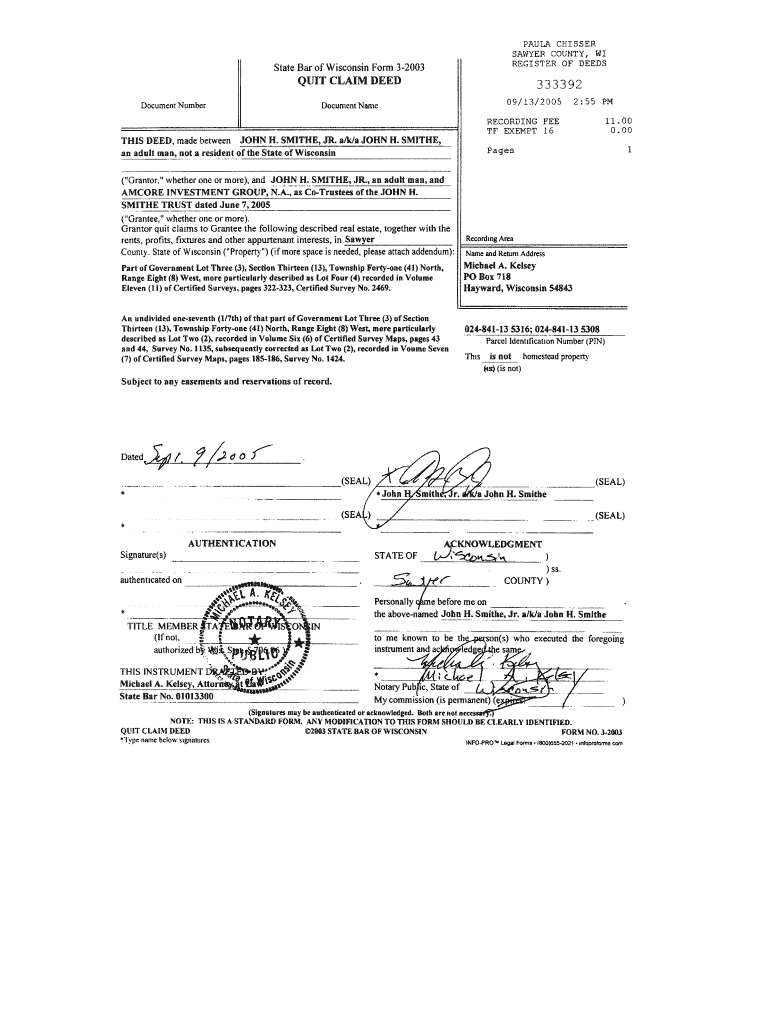
State Bar Of Wisconsin Form 3 Regi Ster Of Deeds
Use a State Bar Of Wisconsin Form 3 REGI STER OF DEEDS template to make your document workflow more streamlined.
What this Wisconsin form does
The State Bar Of Wisconsin Form 3 Regi Ster Of Deeds is identified here as a Wisconsin State Bar form associated with a register-of-deeds process. The available source materials do not verify its official issuing office, field-by-field instructions, filing deadline, fee, or statutory citation, so those details should be confirmed against the current Wisconsin form itself and the responsible county or state office. signNow can upload the document, detect and review fillable fields, route signatures, and preserve the completed file with an audit trail.
Who may handle this form
Wisconsin legal and title teams
Wisconsin attorneys and title professionals can use the workflow to circulate the State Bar Of Wisconsin Form 3 Regi Ster Of Deeds, coordinate signatures, and preserve an auditable completion record. The source does not verify the form’s exact filer categories, so confirm eligibility with the responsible Wisconsin office.
County-facing administrators
County-facing administrative teams can prepare, route, and archive the State Bar Of Wisconsin Form 3 Regi Ster Of Deeds when electronic signatures are accepted for the particular transaction. Confirm recording, notarization, and submission instructions before relying on an electronic copy.
How the Wisconsin form workflow works
Complete the State Bar Of Wisconsin Form 3 Regi Ster Of Deeds through a defined upload, field review, signing, and records process.
Upload the form: Upload the State Bar Of Wisconsin Form 3 Regi Ster Of Deeds file to signNow. Check fields: Review detected fields and add missing signer, date, or initials fields. Assign signers: Assign each State Bar Of Wisconsin Form 3 Regi Ster Of Deeds field. Send and store: Send the completed workflow and retain the signed record with its audit trail.
Quick steps for completing the form
Use this signNow sequence to prepare the State Bar Of Wisconsin Form 3 Regi Ster Of Deeds without skipping field or signer review.
Upload form:
Upload the exact Wisconsin form file. Review fields:
Review detected fields against the source. Assign signers:
Assign signer roles and recipients. Complete workflow:
Send, sign, and download the record.
 Best ROI. Our customers achieve an average 7x ROI within the first six months.
 Scales with your use cases. From SMBs to mid-market, airSlate SignNow delivers results for businesses of all sizes.
 Intuitive UI and API. Sign and send documents from your apps in minutes.
Recommended workflow setup
Use controlled authentication, explicit signer intent, audit evidence, and secure storage when processing this Wisconsin form.
| Setting | Recommendation |
|---|---|
| Authentication method | Email verification with SMS OTP |
| Signature type | Electronic signature with signer intent |
| Audit trail | Enabled for every signing event |
| Document retention | Wisconsin policy after recording confirmation |
| Encryption | TLS 1.2/1.3 and AES-256 |
Authentication and certificate controls
PKI certificates:
X.509 certificates:
Two-factor authentication:
SMS OTP:
ID verification:
Signer evidence:
What the audit trail records
The audit trail connects signer identity, document integrity, timestamps, and retrieval evidence for the completed Wisconsin form.
Authenticate signer:
Capture timestamp:
Hash document:
Seal record:
Log activity:
Export audit trail:
Best practices for this Wisconsin form
Careful field review, signer control, audit-trail preservation, and Wisconsin-specific records management reduce avoidable problems with this form.
Review every detected field before sending
Confirm signer order and recipient identities
Export the signed form and audit trail
Apply a documented Wisconsin retention policy
State-specific exclusions and risks
Invalid notarization
Missing acknowledgment
Wills and codicils
Court filing
Mobile options for this Wisconsin form
The State Bar Of Wisconsin Form 3 Regi Ster Of Deeds can be prepared through signNow’s mobile experience on iOS and Android. The available product facts identify mobile apps, but do not specify supported operating-system versions, offline behavior for this exact form, or camera-capture requirements. Confirm those details before deployment.
Mobile apps iOS and Android mobile apps Offline signing Offline signing availability requires confirmation Camera capture Camera capture for source documents
For field work, use a managed iPhone or Android device, verify the current signNow application requirements, and test the State Bar Of Wisconsin Form 3 Regi Ster Of Deeds before sending it to signers. Preserve the completed PDF and audit trail in the organization’s approved records repository.
Legal standing and evidentiary value
A completed State Bar Of Wisconsin Form 3 Regi Ster Of Deeds may be retained electronically when the parties show intent, consent, attribution, and reliable record reproduction under ESIGN, 15 U.S.C. chapter 96, and applicable UETA rules. Electronic-signature laws do not replace Wisconsin notarization, recording, or court-specific requirements, and exclusions include wills, testamentary trusts, and certain court filings.

Troubleshooting this Wisconsin form
Resolve plan, authentication, retention, and Wisconsin-specific handling questions before circulating the State Bar Of Wisconsin Form 3 Regi Ster Of Deeds.
Business includes legally binding eSignatures, templates, and audit trails at $8 per user monthly when billed annually. If the form requires notarization or recording-office handling, confirm those separate Wisconsin requirements because signNow does not replace them.
Business Premium is listed at $15 per user monthly with annual billing and adds bulk send. Business is listed at $8 per user monthly annually, but bulk-send capability is not stated for that plan.
The 7-day free trial does not require a credit card. Before using the trial for the State Bar Of Wisconsin Form 3 Regi Ster Of Deeds, verify that your workflow preserves the final PDF and audit evidence needed by your office.
signNow lists ESIGN and UETA compliance, but legal validity still depends on intent, consent, attribution, and record retention. For consumer-facing records, provide the required electronic-record disclosure under 15 U.S.C. §7001(c).
All paid plans include unlimited users at no extra cost. Subscription plans include 100 signature invites per user annually, with overage fees; the Site License uses $1.50 per signature invite instead.
If the form contains a notarization, recording, or court-filing requirement, obtain the responsible Wisconsin office’s instructions before sending. ESIGN and UETA establish electronic-signature rules but do not eliminate every document-specific formality.
Key performance indicators that demonstrate SignNow's proven track record.
BE READY TO GET MORE
Get this form now!

If you believe that this page should be taken down, please follow our DMCA take-down process.