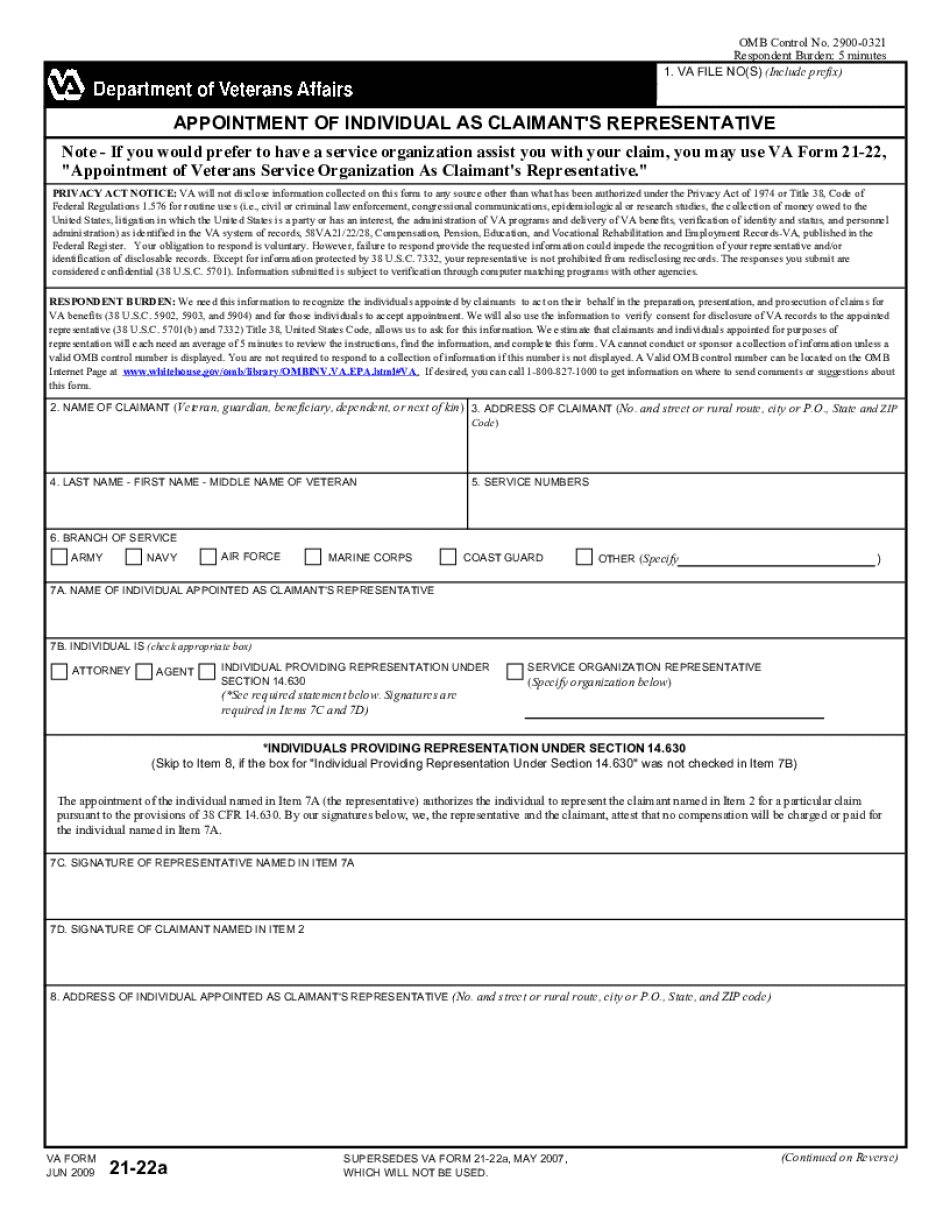
Get Vba 21 22A Form
Use a Get Vba 21 22a Form template to make your document workflow more streamlined.
What Get Vba 21 22A Form does
Get Vba 21 22A Form is a document completed and signed for a specific U.S. business or administrative purpose; the available name alone does not identify an issuing agency, filing deadline, or required fields. In signNow, upload the source file, review automatically detected fillable areas, assign each field to the correct participant, send the form, and collect an electronic signature. The completed file and audit trail record the workflow. Confirm the form’s governing instructions before relying on it for filing, tax, or regulatory submission.
Who can use this form
Business teams
Prepare Get Vba 21 22A Form for internal approvals, customer acknowledgments, or other business workflows when the underlying instructions permit electronic completion. Assign each response and signature field to the responsible participant, then retain the signed record and audit trail.
External recipients
Use signNow when recipients need to complete the named form remotely and the governing organization accepts electronic records. Confirm any agency-specific filing, notarization, identity, or paper-submission rule before treating the signed copy as final.
Key features for this form
signNow connects preparation, routing, signing, and recordkeeping for Get Vba 21 22A Form without changing the form’s underlying information.
Document preparation
Upload Get Vba 21 22A Form and prepare its fields in one controlled workspace, reducing manual copying between separate applications while keeping the source document available for review.
Recipient routing
Assign fields to the correct recipient, including signatures, initials, dates, and required responses, so each participant sees the information they must provide before completion.
Flexible delivery
Send the prepared form by email or a signing link, allowing recipients to review the document and complete assigned fields without exchanging multiple paper versions.
Audit trail
Capture signer actions, timestamps, and completion details in an audit trail that can accompany the signed Get Vba 21 22A Form during internal review.
Reusable templates
Use templates for repeated versions of the same form, while preserving controlled field placement and recipient roles for recurring U.S. business workflows.
Mobile access
Access the form workflow through signNow web and mobile applications, supporting review and signing when authorized users work away from a desktop.
How to complete this form
Prepare Get Vba 21 22A Form in signNow by checking the original fields before inviting any signer.
Upload:
Upload the source PDF Check fields:
Review detected fields Assign:
Assign recipients and roles Send:
Send for signature Store:
Download the completed record
 Best ROI. Our customers achieve an average 7x ROI within the first six months.
 Scales with your use cases. From SMBs to mid-market, airSlate SignNow delivers results for businesses of all sizes.
 Intuitive UI and API. Sign and send documents from your apps in minutes.
Recommended workflow setup
Configure Get Vba 21 22A Form around clear signer identity, accurate field ownership, complete audit evidence, and the retention rule governing its purpose.
| Setting | Recommendation |
|---|---|
| Authentication method | Email verification with SMS when required |
| Signature type | Typed or drawn electronic signature |
| Audit trail | Retain with the completed document |
| Document retention | Follow the governing recordkeeping rule |
| Encryption | AES-256 at rest and TLS in transit |
Inside the Get Vba 21 22A Form audit trail
signNow records the key identity, timing, access, and completion events that help document how Get Vba 21 22A Form was signed.
Signer authentication:
Timestamp capture:
Document integrity:
Completion sealing:
Action history:
Trail retrieval:
Security for Get Vba 21 22A Form
Stored document encryption:
Secure data transfer:
Security controls:
Security certification:
Privacy framework:
Electronic signature compliance:
Platform requirements for this form
Get Vba 21 22A Form can be prepared and signed through supported web browsers on Windows and macOS, with signNow mobile applications available for iOS and Android. Use an updated browser, a reliable connection, and a device capable of displaying the complete document before signing.
Supported browsers Chrome, Firefox, Safari, and Edge Desktop systems Windows and macOS desktops Mobile access iOS and Android mobile apps
Organizations should manage access through approved accounts and devices, especially when the form contains personal or business information. Confirm browser permissions, mobile application access, identity controls, and storage policies before deployment. Enterprise teams should also verify API, SSO, and provisioning requirements against their selected signNow plan.
Best practices for Get Vba 21 22A Form
Accurate field assignment, controlled access, and complete records make Get Vba 21 22A Form easier to review and support later.
Review every detected field before sending
Assign each field to the correct signer
Preserve the completed record and audit trail
Confirm external filing requirements before signing
Privacy and disclosure pitfalls
Personal information entered into the wrong recipient field can expose data or produce an inaccurate Get Vba 21 22A Form record. A missing electronic-consent disclosure may create a recordkeeping problem when a consumer must receive or access the form electronically. Sharing a signing link beyond its intended recipient can weaken attribution and make later identity verification more difficult. Saving only the signed PDF without its signNow audit trail can leave incomplete evidence of delivery, access, and signer actions.
Risks of incorrect form completion
Incomplete fields
Missing information
Signer dispute
Lost audit trail
Troubleshooting Get Vba 21 22A Form
Resolve field, signer, plan, authentication, evidence, and retention questions before sending Get Vba 21 22A Form through signNow.
Upload the source document again and confirm that each required field is visible. signNow can place fillable fields after upload, but field recognition should be reviewed manually before sending. Business includes templates and audit trails, helping preserve the final completed Get Vba 21 22A Form.
Check that the signer email is accurate and resend the invitation from the document workspace. A signNow signing link can provide an alternate access path. Review the audit trail afterward to confirm delivery, opening, signing, and completion events for this specific form.
Business supports legally binding eSignatures, templates, mobile apps, and audit trails. If the workflow needs bulk send, Business Premium includes that feature. Select the plan based on the number of recipients and repeated Get Vba 21 22A Form sends.
Use stronger signer verification when the form contains sensitive information or disputed identity risk. signNow plan details identify advanced signer authentication with Enterprise, while SMS-based verification can be configured where available for the selected workflow.
A completed electronic record can be used in U.S. transactions when intent, consent, attribution, and accurate retention are established under ESIGN and applicable state law. Keep the signed document and signNow audit trail together for evidentiary continuity.
Do not apply a federal retention period without identifying the form’s legal purpose. Preserve the completed Get Vba 21 22A Form, certificate of completion, and audit trail according to the governing agency, contract, or industry rule.
Key performance indicators that demonstrate SignNow's proven track record.
BE READY TO GET MORE
Get this form now!

If you believe that this page should be taken down, please follow our DMCA take-down process.