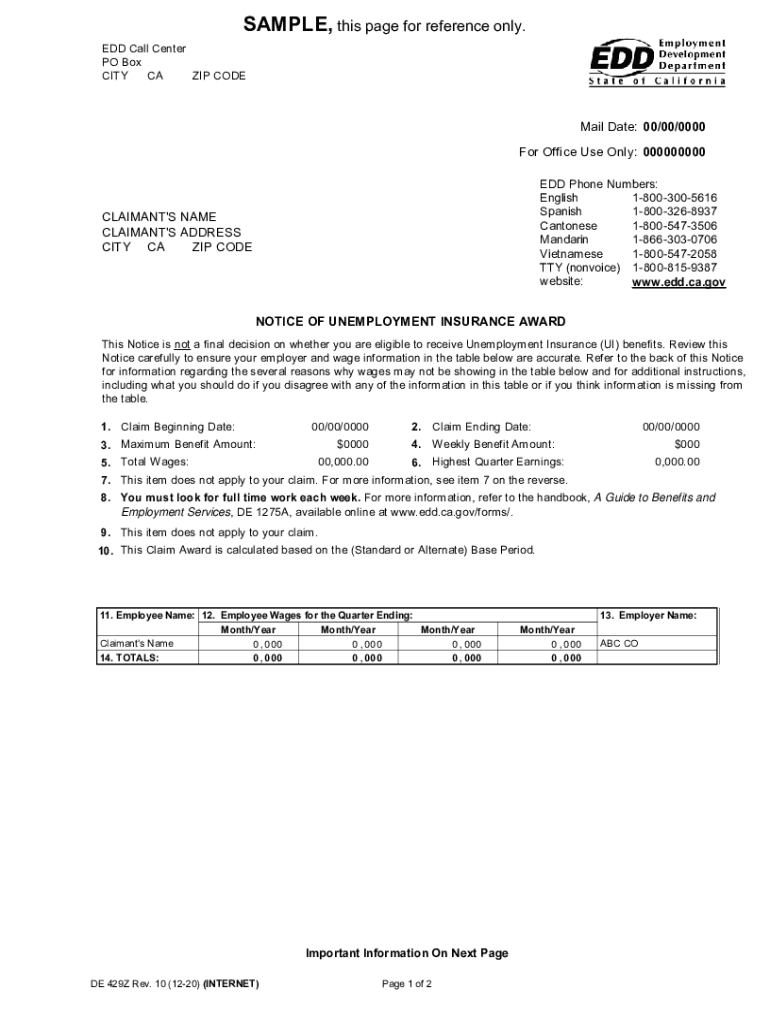
Edd Ca Guide To Benefits And Employment Services Form
Use a Edd ca govpdfpubctrde1275aA GUIDE TO BENEFITS AND EMPLOYMENT SERVICES template to make your document workflow more streamlined.
What this California benefits form covers
The EDD California Guide to Benefits and Employment Services Form is a state-focused guide that helps people identify unemployment, disability, paid family leave, and employment-service options. It explains which benefit category may fit a person’s situation, what information to gather, and where to continue the application process. The guide is informational rather than an approval notice or payment claim. When a signature or acknowledgment is required, signNow can organize the document, capture the signer’s intent, and preserve the completed copy with an audit trail. Confirm current instructions with California’s Employment Development Department before filing.
Features that support careful EDD guide completion
These features help applicants and service providers complete the California EDD guide accurately, route acknowledgments, and retain a clear record of each signing event.
Guided completion
Keep the California EDD guide in its original form while adding fields for contact details, benefit category, and acknowledgments that applicants must review carefully.
Signer routing
Route the completed guide to an applicant, counselor, or authorized reviewer in a defined order, reducing uncertainty about who must act next.
Required fields
Use required fields for names, dates, and contact information so missing entries are identified before the document leaves the organization.
Audit trail
Capture the signer’s electronic intent and preserve the completed record with an audit trail that records actions, timestamps, and document history.
Secure handling
Protect benefit-related personal information with access controls and encrypted transmission while the guide moves between authorized participants.
Record access
Store a retrievable copy of the completed guide so an applicant or service provider can review what was submitted and when.
How the EDD guide workflow works
The signNow process moves the California EDD guide from preparation through signing and recordkeeping in four traceable stages.
Upload: Upload the EDD guide PDF. Prepare: Detect and review fillable fields. Route: Send to the designated signer. Retain: Store the signed guide and audit trail.
 Best ROI. Our customers achieve an average 7x ROI within the first six months.
 Scales with your use cases. From SMBs to mid-market, airSlate SignNow delivers results for businesses of all sizes.
 Intuitive UI and API. Sign and send documents from your apps in minutes.
How to complete the EDD guide
Use this sequence to prepare the California EDD guide, collect required acknowledgments, and preserve a usable record without confusing signing with agency submission.
Upload guide:
Upload the California EDD guide PDF. Check fields:
Review detected fields and add missing ones. Assign recipients:
Assign the applicant and reviewer roles. Send document:
Send the guide through signNow. Store record:
Review and store the signed copy.
Mobile options for the EDD guide
Applicants and service providers can work with the EDD guide through signNow mobile apps for iOS and Android, including mobile document access and signing workflows. Use a current supported operating system, a secure connection when available, and camera capture when the source guide is paper-based.
Mobile apps iOS and Android apps Offline mode Offline signing support Camera capture Camera document capture
Organizations handling benefit information should use managed devices, controlled app access, and role-based permissions. Confirm that recipients can open the completed PDF, review the audit trail, and retain records according to their legal and operational requirements. Mobile signing does not replace California EDD submission instructions.
Legal standing for electronic records
A completed EDD guide may carry evidentiary value when the signer demonstrates intent, consents to electronic records, can be identified, and the record remains reproducible. ESIGN, 15 U.S.C. chapter 96, and California’s electronic-transactions law generally recognize qualifying electronic signatures, but they do not replace EDD filing instructions or create benefit eligibility.

Best practices for completing the EDD guide
Careful version control, field review, consent handling, and record preservation reduce avoidable errors when the California EDD guide is completed electronically.
Confirm the current EDD version
Review fields against the source
Explain electronic-record consent
Preserve the complete record
Documents outside this guide’s scope
Notarization requirements
Wills and codicils
Court documents
Real-estate deeds
Key performance indicators that demonstrate SignNow's proven track record.
Troubleshooting EDD guide workflows
These answers address field detection, consent, authentication, retention, plan selection, and the difference between signing a guide and filing it with California EDD.
Upload the EDD guide as a PDF, then review signNow’s detected fields. If fields are misplaced, correct them manually before sending the document for completion.
The signNow Business plan includes legally binding eSignatures, templates, audit trails, and mobile apps at $8 per user per month with annual billing. Business Premium adds bulk send at $15 per user per month annually.
For consumer-facing benefits records, provide the ESIGN disclosure, explain the right to receive paper records, confirm electronic access, and explain consent withdrawal procedures under 15 U.S.C. §7001(c).
Use signNow signer authentication options such as email verification, SMS OTP, or stronger identity checks when the EDD workflow requires additional attribution evidence. Authentication choice should match the organization’s risk assessment.
signNow audit trails record signing actions, timestamps, and document history. Export the completed guide and its certificate of completion together so reviewers can evaluate the record’s context.
Electronic signing does not submit the guide to California EDD automatically. After completion, follow the current EDD instructions for submission, supporting documents, deadlines, and agency contact methods.
BE READY TO GET MORE
Get this form now!

If you believe that this page should be taken down, please follow our DMCA take-down process.