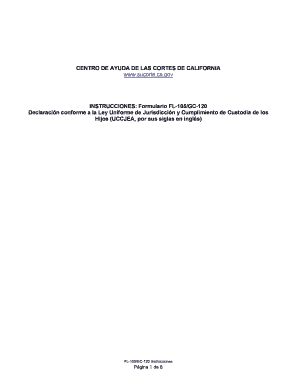
Como Llenar El Formulario Fl 105
Use a Como Llenar El Formulario Fl 105 template to make your document workflow more streamlined.
What Como Llenar El Formulario Fl 105 means
Como Llenar El Formulario Fl 105 means completing the FL 105 document accurately, reviewing each required entry, and preserving the finished record. The available source information does not identify an issuing agency, filing deadline, or field-by-field legal purpose for FL 105, so those details should be confirmed against the current form instructions before submission. signNow can hold the uploaded document, place fillable and signature fields, route it to named recipients, capture signing activity, and store the completed copy with its audit trail.
Who works with FL 105
Business teams
Business administrators and authorized staff can prepare Como Llenar El Formulario Fl 105, assign fields, and send it to the person identified in the source instructions.
Review teams
Compliance, legal, or records staff can review the completed FL 105, audit trail, and submission package before controlled storage or delivery.
Complete FL 105 in signNow
Use this sequence to prepare, route, sign, and retain Como Llenar El Formulario Fl 105 without losing control of the source document.
Upload form:
Upload the current Como Llenar El Formulario Fl 105 file to signNow. Check fields:
Let signNow detect fillable areas, then verify every field against the source document. Assign fields:
Add the authorized recipient and place required signature, date, and information fields. Finalize record:
Send the request, review the completed FL 105, and store its audit trail.
What the FL 105 audit trail records
The audit trail preserves evidence around completion and signing of Como Llenar El Formulario Fl 105 without replacing the form’s underlying legal requirements.
Authenticate signer:
Capture timestamps:
Hash document:
Seal record:
Link activity:
Export evidence:
 Best ROI. Our customers achieve an average 7x ROI within the first six months.
 Scales with your use cases. From SMBs to mid-market, airSlate SignNow delivers results for businesses of all sizes.
 Intuitive UI and API. Sign and send documents from your apps in minutes.
Avoidable issues when completing FL 105
Sending Como Llenar El Formulario Fl 105 without confirming the current revision can leave outdated fields or instructions in the completed record. Placing taxpayer or business information in unrestricted email attachments can expose sensitive data beyond the intended Formulario Fl 105 recipients. Assigning signature fields without checking signer identity can weaken attribution when multiple people handle Como Llenar El Formulario Fl 105. Saving an incomplete Como Llenar El Formulario Fl 105 without recording its status can create uncertainty about whether the document was finalized.
Recommended FL 105 workflow settings
Configure Como Llenar El Formulario Fl 105 around verified signer identity, complete activity evidence, protected transmission, and the retention rule that actually governs the document.
| Setting | Recommendation |
|---|---|
| Authentication method | Email link with SMS OTP |
| Signature type | Typed or drawn eSignature |
| Audit trail | Capture timestamps and signer actions |
| Document retention | Follow the issuing authority’s rule |
| Encryption | Use TLS 1.2/1.3 and AES-256 |
Signer authentication for FL 105
Signature methods:
SMS authentication:
Two-factor security:
Identity verification:
PKI signatures:
X.509 certificates:
Platform requirements for completing FL 105
Use an up-to-date Chrome, Firefox, Safari, or Edge browser on Windows or macOS. signNow also provides mobile apps for iOS and Android, allowing users to review and sign the document from supported phones or tablets.
Browsers Chrome, Firefox, Safari, and Edge Desktop systems Windows and macOS computers Mobile access iOS and Android mobile apps
Organizations should verify managed-device policies before distributing Como Llenar El Formulario Fl 105. Confirm that TLS connections are permitted, mobile application access is approved, and completed records can be transferred to the organization’s controlled storage. API access, SSO provisioning, and certificate configuration should be reviewed separately for enterprise deployments.
Best practices for preparing FL 105
Accurate preparation starts with the current FL 105 instructions and continues through controlled signing, review, and record retention.
Confirm the current form instructions
Match fields to required entries
Limit access to sensitive records
Preserve the complete evidence set



FL 105 troubleshooting and answers
Resolve FL 105 completion issues by checking the source instructions, signer assignment, audit evidence, and any separate agency submission rules.
Upload the original FL 105 again and compare its pages with signNow’s detected fields. Auto-detection can assist placement, but the sender remains responsible for confirming every required entry, signature location, and date field against the current source instructions.
Open the request settings and confirm the recipient email address, signing order, and assigned fields. If the wrong person received FL 105, cancel or correct the request before relying on the resulting record as evidence.
Use signNow’s audit trail to review the signer’s access, timestamps, authentication events, and completed actions. Under ESIGN and UETA, evidence of intent, consent, attribution, and record reproducibility supports enforceability when the transaction is otherwise eligible.
A signNow Business plan includes legally binding eSignatures, audit trails, templates, and mobile apps at $8 per user per month when billed annually. Confirm whether the selected plan meets your organization’s retention, authentication, and access-control requirements.
Do not assume an electronic signature resolves an agency-specific submission rule. ESIGN and UETA address electronic records and signatures, while the form’s issuing instructions may separately require a particular delivery method, attachment, or original document.
If the FL 105 contains consumer-facing records, review the ESIGN consumer-disclosure requirements in 15 U.S.C. §7001(c), including paper-copy rights, electronic-access capability, and withdrawal procedures before sending.
Key performance indicators that demonstrate SignNow's proven track record.
BE READY TO GET MORE
Get this form now!

If you believe that this page should be taken down, please follow our DMCA take-down process.