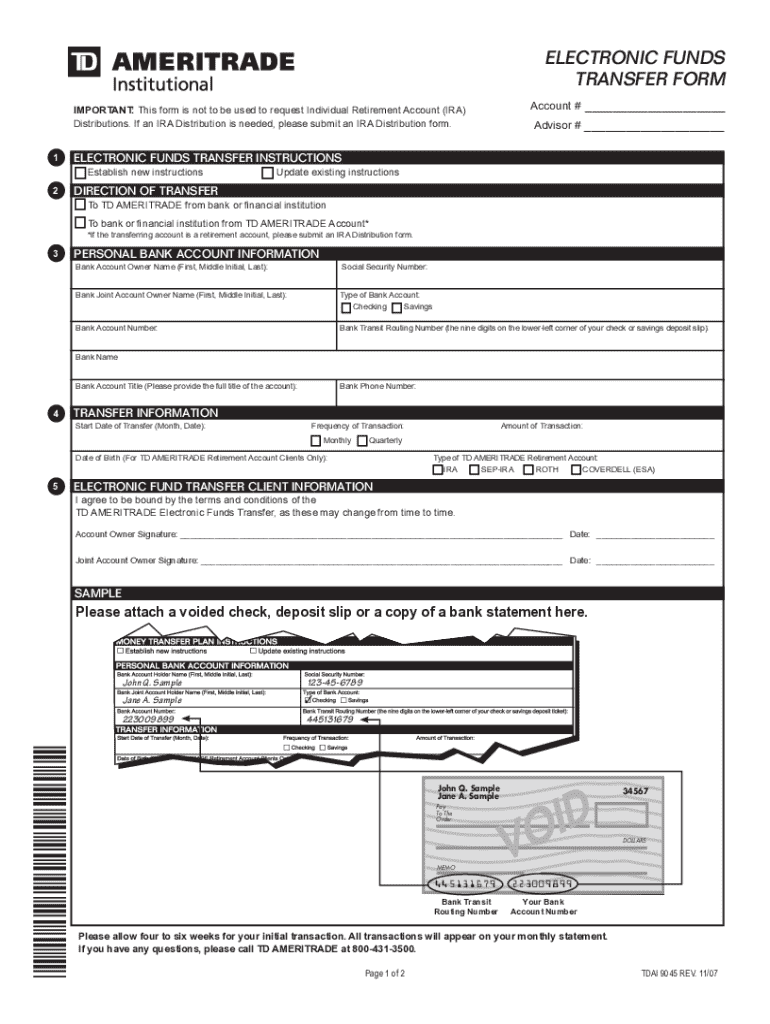
Discovering Biomarkers Of Human Disease And Development Using Form
Use a Discovering Biomarkers Of Human Disease And Development Using template to make your document workflow more streamlined.
What this biomarker form does
Discovering Biomarkers Of Human Disease And Development Using Form is a specialized document for recording information related to biomarkers, disease research, and human development. Because no issuing agency, official field list, filing deadline, or statutory submission requirement is identified for this named form, users should confirm the source document and institutional instructions before completion. In signNow, a sender uploads the document, places or reviews fillable fields, routes it to participants, collects signatures, and retains the completed file with an audit trail.
Key features for biomarker documentation
This form workflow helps research and healthcare teams prepare, sign, review, and retain biomarker records with clearer accountability.
Reusable setup
Upload the biomarker form once, then add structured signature and date fields so researchers can prepare repeatable packets without rebuilding each document manually.
Review routing
Route completed biomarker records to the required reviewers in sequence, preserving signer identity, timestamps, and document history for later internal review.
Template control
Use signNow templates to standardize consent, specimen, or development records while keeping each completed document connected to its signing activity.
Audit evidence
Capture electronic signatures with an audit trail that records actions and timestamps, helping teams demonstrate how this specific research document was completed.
Protected records
Keep sensitive research information within controlled workflows using encryption in transit and at rest, with access managed through team permissions.
Workflow connections
Connect completed forms with approved storage or business systems so biomarker documentation can move from signature to organized recordkeeping.
Who benefits from biomarker form workflows
The right workflow depends on whether one researcher, a development team, or an enterprise must manage recurring biomarker records.
Independent clinical researchers can send participant-facing biomarker documentation for electronic completion, then retain the signed record and audit history with the study materials. Biotechnology companies can standardize biomarker development forms across research teams, using templates and controlled routing for recurring collaboration with investigators and reviewers. Enterprise healthcare and life-sciences organizations can connect high-volume biomarker workflows to governed permissions, audit trails, and approved storage systems for cross-department oversight.
These tasks are executed by both individual contributors and centralized administrators depending on organizational policy and required controls.
How this biomarker form workflow works
signNow turns the uploaded biomarker document into a routed electronic workflow with fields, signatures, completion evidence, and organized records.
Upload: Upload the biomarker form Map fields: Detect and place fillable fields Route: Send to participants and reviewers Complete: Sign, audit, and store
 Best ROI. Our customers achieve an average 7x ROI within the first six months.
 Scales with your use cases. From SMBs to mid-market, airSlate SignNow delivers results for businesses of all sizes.
 Intuitive UI and API. Sign and send documents from your apps in minutes.
How the biomarker audit trail works
The audit trail records the events surrounding this form’s completion, giving reviewers a chronological record beyond the visible signature.
Authenticate signer:
Capture timestamps:
Record document history:
Seal completion:
Link audit evidence:
Export audit trail:
Security for biomarker records
Data encryption:
Control assurance:
Security certification:
HIPAA safeguards:
Signature compliance:
Protection standards:
Best practices for biomarker form completion
Accurate field mapping, controlled access, and documented retention make this specialized research workflow easier to review and defend.
Map every required research field
Separate study access responsibilities
Check completion evidence together
Archive according to policy
Legal standing of signed biomarker records
For U.S. transactions, an electronic signature on this form can be admissible when the signer shows intent, consents to electronic records, the signature is attributable, and the record remains reproducible under ESIGN, 15 U.S.C. ch. 96, and applicable state law such as UETA. Wills, testamentary trusts, court orders, and certain family-law documents are excluded.



Pricing for biomarker form workflows
The verified signNow details below show the available Business pricing and selected capabilities; competitor figures were not verified in the supplied source.
| Features | signNow | DocuSign | Adobe Sign | PandaDoc | Dropbox Sign |
|---|---|---|---|---|---|
| Annual Business starting price | $8/user/month annually | Not verified | Not verified | Not verified | Not verified |
| Free trial availability | 7 days, no card | Not verified | Not verified | Not verified | Not verified |
| Bulk send availability | Business Premium plan | Not verified | Not verified | Not verified | Not verified |
| Audit trail availability | Business plan included | Not verified | Not verified | Not verified | Not verified |
| HIPAA compliance availability | Compliant; BAA required | Not verified | Not verified | Not verified | Not verified |
Rollout and retention for biomarker forms
A controlled rollout starts with field preparation, then adds participants, permissions, audit export, and the retention rule applicable to the record.
Prepare the form:
Begin first workflow:
Onboard the team:
Seven-day trial:
Export after signing:
HIPAA records:
Research retention:
Policy review:
Challenges with this biomarker form
The named form does not identify an issuing agency or official field list, making source-document verification necessary before a workflow is published. Biomarker records may contain sensitive research or health information that requires restricted access, careful recipient selection, and an approved retention policy. Automatic field detection can misplace signature, date, or acknowledgment fields when the uploaded source document has an unusual layout. A completed signature alone may not satisfy institutional research requirements if consent, study approval, or participant authentication controls are separately required.
Troubleshooting biomarker form workflows
These answers address field setup, plan capabilities, electronic-signature validity, privacy, audit evidence, and the missing official filing information.
Upload the original document again and inspect detected fields before sending. signNow templates can preserve the corrected layout, but the sender remains responsible for confirming that every biomarker field and signature location matches the source document.
The Business plan includes legally binding eSignatures, templates, audit trails, and mobile apps. Business Premium adds bulk send, while Enterprise adds advanced signer authentication and formula or conditional fields for more complex workflows.
signNow supports ESIGN and UETA compliance, but the legal effect depends on intent, consent, attribution, and record reproducibility. Confirm whether the institution requires additional controls, a BAA, or a specific research approval process.
Use role-based permissions and verify each recipient before sending. For records containing protected health information, signNow states that HIPAA compliance requires a business associate agreement, and the organization must still apply its own privacy controls.
Review the completed document together with its audit trail. The audit history records signing activity and timestamps, helping identify whether the correct participant, reviewer, and document version completed the workflow.
The supplied information does not identify an official filing deadline or issuing agency for this named form. Confirm the study protocol, sponsor instructions, or institutional policy before relying on a delivery date or retention period.
Key performance indicators that demonstrate SignNow's proven track record.
BE READY TO GET MORE
Get this form now!

If you believe that this page should be taken down, please follow our DMCA take-down process.