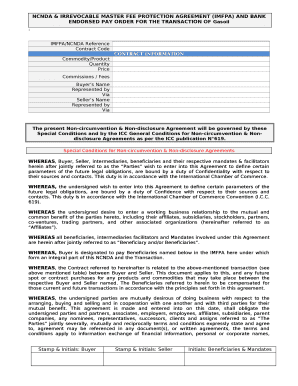
Imfpa Form
Use a Imfpa template to make your document workflow more streamlined.
What Imfpa Form means for signers
Imfpa Form is a document name, but the supplied materials do not identify its issuing agency, purpose, required fields, filing deadline, or legal exclusions. That means users should first obtain the authoritative instructions and confirm whether electronic completion is permitted. If it is permitted, signNow can support the workflow by uploading the document, detecting or adding fillable fields, routing it to named signers, capturing signatures and timestamps, and retaining an audit trail. ESIGN and UETA can support electronic transactions when intent, consent, attribution, and record retention requirements are satisfied; they do not define Imfpa Form’s substantive requirements.
Who uses Imfpa Form
Business teams
Organizations using Imfpa Form should confirm the form’s issuing authority, required fields, signer roles, and filing destination before sending it through signNow.
Professional users
Legal, accounting, healthcare, and administrative teams can use signNow to coordinate completion when the form permits electronic execution under applicable law.
Complete Imfpa Form in signNow
Use this workflow after confirming that the Imfpa Form authority permits electronic completion and signature.
Upload form:
Upload the source document. Review fields:
Check detected fields manually. Set signers:
Add authorized signers and routing. Send form:
Send through signNow. Store records:
Review signatures and audit evidence.
Recommended Imfpa Form workflow setup
Configure the workflow around the form authority, signer identity, document sensitivity, and required record-retention period.
| Setting | Recommendation |
|---|---|
| Authentication method | Email link with SMS OTP |
| Signature type | Electronic signature with signer intent |
| Audit trail | Retain completion evidence with document |
| Document retention | Follow the issuing authority’s rule |
| Encryption | TLS 1.2/1.3 and AES-256 |
 Best ROI. Our customers achieve an average 7x ROI within the first six months.
 Scales with your use cases. From SMBs to mid-market, airSlate SignNow delivers results for businesses of all sizes.
 Intuitive UI and API. Sign and send documents from your apps in minutes.
Why teams look for DocuSign alternatives
Organizations seek alternatives when they need different pricing models, stronger native automation, simpler bulk affidavit workflows, or more flexible identity-verification options than those available in a legacy envelope-based vendor.

Signer authentication for Imfpa Form
Signer authentication:
Two-factor security:
SMS OTP:
ID verification:
PKI certificates:
X.509 certificates:



Best practices for Imfpa Form
Accurate preparation, controlled access, and complete evidence reduce avoidable problems when Imfpa Form is completed electronically.
Review every field before sending
Preserve the audit trail with records
Limit access to sensitive information
Confirm retention before deleting records
Challenges when completing Imfpa Form
The supplied materials do not identify Imfpa Form’s issuing agency, required fields, or filing deadline, so users must verify the authoritative instructions first. Automatic field detection may not recognize an unusual Imfpa Form layout, requiring a manual comparison before signature fields are sent. Electronic execution may be unsuitable if the form’s governing authority requires notarization, wet ink, personal appearance, or a specific filing method. A completed Imfpa Form without its audit trail may provide weaker evidence about signer identity, consent, timing, and document history.
Risks when Imfpa Form is mishandled
Intent evidence
Attribution gap
Privacy exposure
Filing rejection
Imfpa Form troubleshooting questions
Resolve document, authentication, compliance, and record-handling questions before submitting an Imfpa Form workflow.
Upload the source file again and check that the PDF opens normally. signNow Business supports templates and audit trails, but the platform cannot correct a damaged or incomplete source document.
Use signNow’s field editor to place required inputs manually when automatic detection misses a field. Review every field against the authoritative Imfpa Form instructions before sending.
Business is listed at $8/user/month with annual billing and includes legally binding eSignatures and audit trails. Confirm current plan terms before relying on any invite or usage limit.
signNow states that HIPAA compliance requires a business associate agreement. Do not place protected health information in Imfpa Form workflows unless the use case and agreement support that handling.
The ESIGN Act and UETA generally recognize electronic signatures when intent, consent, attribution, and record retention requirements are satisfied. They do not establish Imfpa Form’s filing rules or replace agency instructions.
Export the completed document and its signNow audit trail, then retain both under the applicable Imfpa Form authority. The correct retention period is not verified from the supplied source material.
Key performance indicators that demonstrate SignNow's proven track record.
BE READY TO GET MORE
Get this form now!

If you believe that this page should be taken down, please follow our DMCA take-down process.