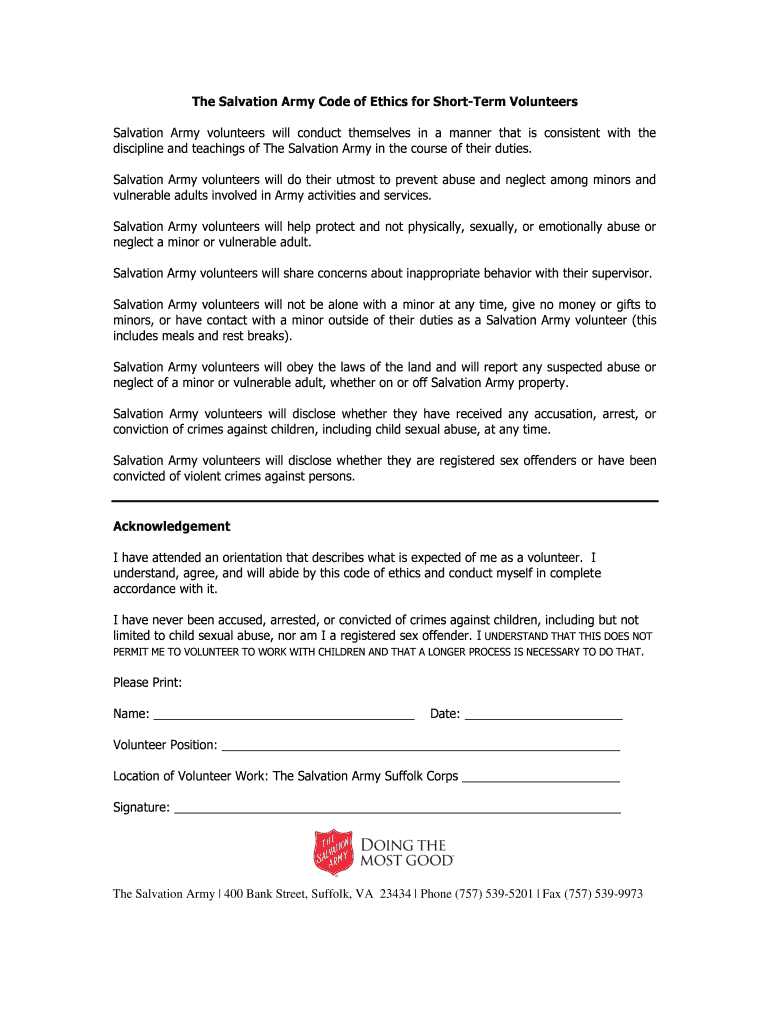
Salvation Army Code Of Ethics Form
Use a Salvation Army Code Of Ethics template to make your document workflow more streamlined.
What this ethics form does
The Salvation Army Code Of Ethics Form is an organizational acknowledgment record confirming that a designated employee, volunteer, contractor, or other participant received and accepted applicable ethics requirements. It is not identified here as an IRS, USCIS, or other federal filing with a universal statutory deadline. In signNow, an administrator uploads the approved form, reviews auto-detected fields, assigns the signer, and sends it electronically. The signer reviews and completes the acknowledgment, while signNow retains the completed document and audit trail for authorized organizational records management.
Who uses this ethics form
Organizational administrators
Salvation Army administrators can distribute the Code Of Ethics Form to employees, volunteers, contractors, or other designated participants who must acknowledge organizational conduct requirements. The form is suited to an acknowledgment workflow rather than a tax filing, government application, or document requiring a special statutory signature format.
Managers and compliance teams
Managers and compliance teams can use the form when onboarding personnel, renewing annual acknowledgments, or documenting policy updates. They should identify the required signer, confirm the approved wording, and retain the signed record according to organizational policy and applicable state requirements.
How the ethics form workflow works
The signNow workflow converts the Salvation Army Code Of Ethics Form from an uploaded document into a controlled signing and records process.
Upload the form: Upload the Salvation Army Code Of Ethics Form to signNow. Check the fields: Review detected fields and add missing signer, date, or acknowledgment fields. Send for signature: Send the prepared form to the designated Salvation Army signer. Archive the record: Store the completed PDF and audit trail with the organization’s records.
Recommended setup for this ethics form
Configure the Salvation Army Code Of Ethics Form around signer identity, approved wording, auditable completion, and controlled access to records.
| Setting | Recommendation |
|---|---|
| Authentication method | Email access with SMS verification |
| Signature type | Typed or drawn electronic signature |
| Audit trail | Enable completion history export |
| Document retention | Follow Salvation Army records policy |
| User provisioning | Assign authorized administrator roles |
 Best ROI. Our customers achieve an average 7x ROI within the first six months.
 Scales with your use cases. From SMBs to mid-market, airSlate SignNow delivers results for businesses of all sizes.
 Intuitive UI and API. Sign and send documents from your apps in minutes.
What the audit trail records
For this ethics acknowledgment, the audit trail connects the signer, signing actions, timestamps, completed document, and retained evidence.
Authenticate signer:
Capture timestamps:
Hash document:
Seal document:
Retain history:
Export trail:
Record-keeping practices for this ethics form
Retain the executed Salvation Army Code Of Ethics Form as an auditable organizational record, using documented policy controls rather than an assumed statutory period.
Confirm the organization’s retention rule
Export the signed record
Restrict access to completed forms
Control the template version
Risks of mishandling the ethics form
Evidence gap
Signer mismatch
Version dispute
Access exposure
Privacy and disclosure pitfalls
Personal information may remain visible in completed ethics records shared with people who do not need access. A signer may acknowledge an outdated code of ethics when the organization replaces the governing policy. Missing electronic-consent evidence can make it harder to demonstrate that the signer intended to complete the form. Broad folder permissions can expose signed acknowledgments beyond authorized Salvation Army administrators.
Compare signNow pricing for this form
For Salvation Army Code Of Ethics Form workflows, signNow pricing is verified; competitor prices and feature details are not verified here.
| Features | signNow | DocuSign | Adobe Sign | PandaDoc | Dropbox Sign |
|---|---|---|---|---|---|
| Annual Business price | $8/user/month annually | Not verified | Not verified | Not verified | Not verified |
| Free trial availability | 7 days, no credit card | Not verified | Not verified | Not verified | Not verified |
| Bulk send availability | Business Premium includes bulk send | Not verified | Not verified | Not verified | Not verified |
| Audit trail availability | Included with Business plan | Not verified | Not verified | Not verified | Not verified |
| HIPAA compliance availability | Available with required BAA | Not verified | Not verified | Not verified | Not verified |
Examples of ethics-form use
The form can support distributed acknowledgment workflows when the organization controls its wording, signer list, access permissions, and records policy.
Healthcare compliance
A healthcare organization uses the form to collect staff acknowledgments of conduct requirements before granting access to internal systems.
- Restricted access to signed records
The organization can send the ethics acknowledgment electronically, retain the completed document, and review the audit trail when confirming who signed and when. If the form contains protected health information, the organization should separately evaluate HIPAA obligations and ensure the selected signNow arrangement includes the required BAA.
Nonprofit operations
A regional nonprofit distributes the form to employees and volunteers who complete ethics acknowledgments from offices, homes, or mobile devices.
- One controlled template for distributed teams
A reusable signNow template can keep the wording and required fields consistent while allowing designated administrators to send the form. The organization remains responsible for identifying the correct signers, maintaining its retention policy, and checking that the final record matches the approved ethics-code version.
Troubleshooting the ethics-form workflow
These answers address field detection, signer routing, audit records, electronic-signature rules, plan selection, and sensitive information handling for this form.
Upload the original Salvation Army Code Of Ethics Form again and inspect the detected fields before sending. signNow’s Business plan includes templates and audit trails, but field detection should be reviewed manually when the source PDF has unusual layouts or scanned pages.
Open the recipient settings and confirm the designated signer’s email address. If stronger verification is required by organizational policy, use available authentication controls; advanced signer authentication is associated with Enterprise capabilities in the supplied plan details.
A completed record should include the signed PDF and its audit trail. signNow Business includes audit trails, which preserve signing activity for review. Export both records and store them under the Salvation Army organization’s approved access and retention policy.
Electronic signatures generally receive legal recognition under ESIGN and applicable UETA provisions when intent, consent, attribution, and record retention are demonstrated. Confirm that the signer can access the electronic record and follow any required consumer disclosure process.
Business is listed at $8 per user per month when billed annually, with a 7-day free trial and no credit card required. Business Premium is listed at $15 and adds bulk send, while Enterprise is listed at $30 annually.
If the acknowledgment contains protected health information, signNow lists HIPAA compliance with a BAA required. The organization must determine whether the form actually contains PHI and complete the BAA and internal safeguards before using that workflow.
Key performance indicators that demonstrate SignNow's proven track record.
BE READY TO GET MORE
Get this form now!

If you believe that this page should be taken down, please follow our DMCA take-down process.