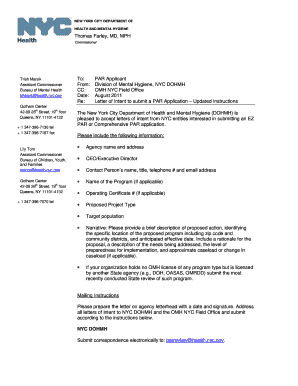
Letter Of Intent Instructions For Nyc Providers Aug Nyc Form
Use a Letter Of Intent Instructions For NYC Providers Aug Nyc template to make your document workflow more streamlined.
What this NYC intent letter does
The Letter Of Intent Instructions For Nyc Providers Aug Nyc Form records preliminary intentions between NYC healthcare providers or related parties before a final agreement is executed. It identifies the proposed relationship, responsibilities, conditions, and review expectations without automatically making every term binding. In signNow, a sender uploads the letter, reviews detected fields, assigns signers, and sends it electronically. Each signer reviews the stated terms and signs, while signNow records timestamps, actions, and completion evidence for later retrieval.
Who uses this NYC intent letter
Healthcare providers
NYC healthcare providers use the letter to document preliminary service, referral, or partnership intent before counsel finalizes binding terms.
Practice leadership
Practice owners, administrators, and prospective partners use it to record proposed responsibilities, conditions, and review expectations.
How to complete the intent letter
Prepare the Letter Of Intent Instructions For Nyc Providers Aug Nyc Form in signNow using this focused document workflow.
Upload letter:
Upload the prepared NYC intent letter to signNow. Check fields:
Review detected fields and add missing signer fields. Assign signers:
Assign each field to the correct provider or representative. Send document:
Send invitations and monitor completion status. Store records:
Download the signed letter and audit trail.
Recommended workflow configuration
Configure the Letter Of Intent Instructions For Nyc Providers Aug Nyc Form around verified signer identity, traceable approvals, and controlled document storage.
| Setting | Recommendation |
|---|---|
| Authentication method | Email verification with SMS OTP |
| Signature type | Typed or drawn electronic signature |
| Audit trail | Capture timestamps, IP addresses, and actions |
| Document retention | Retain under the organization’s contract policy |
| Encryption | TLS 1.2 or 1.3 and AES-256 |
 Best ROI. Our customers achieve an average 7x ROI within the first six months.
 Scales with your use cases. From SMBs to mid-market, airSlate SignNow delivers results for businesses of all sizes.
 Intuitive UI and API. Sign and send documents from your apps in minutes.
Processing stages for the intent letter
Use a controlled sequence to prepare, circulate, sign, and preserve the Letter Of Intent Instructions For Nyc Providers Aug Nyc Form.
Prepare the document
Deliver to signers
Complete signer review
Archive completed records
Privacy and disclosure issues to prevent
Personal addresses, license details, or provider identifiers may remain visible when signed intent letters are emailed without redaction controls. Missing consent language can leave signers unclear about electronic records, future communications, and whether the letter represents binding commitment. Unrestricted workspace access can expose draft intent letters containing negotiated terms, provider information, or confidential business relationships. Using one shared signing link without signer verification can make attribution difficult when several NYC providers review the same letter.
Legal standing of electronic intent letters
An electronic Letter Of Intent Instructions For Nyc Providers Aug Nyc Form may be admissible when the parties demonstrate intent, consent, attribution, and reliable record retention under ESIGN, 15 U.S.C. ch. 96, and New York’s Electronic Signatures and Records Act, N.Y. State Tech. Law §§301–309. Wills, court orders, and family-law decrees remain excluded from ESIGN’s electronic-record framework.

Record-keeping practices for this form
Use a clear records process because an intent letter may contain sensitive provider terms without having one universal federal retention period.
Separate binding and nonbinding terms
Preserve the signed letter and audit trail
Set a documented retention policy
Control access to sensitive drafts
Platform requirements for signing
The Letter Of Intent Instructions For Nyc Providers Aug Nyc Form can be prepared through signNow in Chrome, Firefox, Safari, or Edge on Windows 10, macOS, iOS, and Android.
Browsers Chrome, Firefox, Safari, and Edge Operating systems Windows 10, macOS, iOS, and Android Mobile apps signNow mobile apps for iOS and Android
For managed deployments, administrators should control workspace access, signer permissions, and retention policies. signNow supports mobile signing through iOS and Android apps, while organizations can connect records to approved storage or business systems after completion.



Questions about completing this intent letter
These answers address signer identity, New York electronic-signature rules, field detection, plan capabilities, and record handling for this provider intent letter.
Upload the original PDF again and inspect every detected field before sending. signNow’s Business plan includes templates and audit trails, but automatic field recognition should be reviewed against the actual NYC provider letter.
Check the signer’s email address, resend the invitation, or create a signing link. Business includes legally binding eSignatures and audit trails; the signer can often complete the letter without creating a separate account.
Use SMS OTP or another available authentication control when the letter contains provider identifiers or confidential terms. Stronger verification supports attribution, but it does not replace the signer’s review and consent.
New York uses the Electronic Signatures and Records Act, N.Y. State Tech. Law §§301–309, rather than UETA. ESIGN and ESRA support electronic records, but the parties must still demonstrate intent, consent, attribution, and reliable retention.
A letter can be electronically signed only when its terms and transaction are eligible for electronic records. Wills, court orders, and family-law decrees are excluded from ESIGN’s framework and require separate legal handling.
Business Premium adds bulk send when the same approved letter must reach multiple providers. Business provides templates and audit trails; select the plan based on the number of individualized invitations and required controls.
Key performance indicators that demonstrate SignNow's proven track record.
BE READY TO GET MORE
Get this form now!

If you believe that this page should be taken down, please follow our DMCA take-down process.