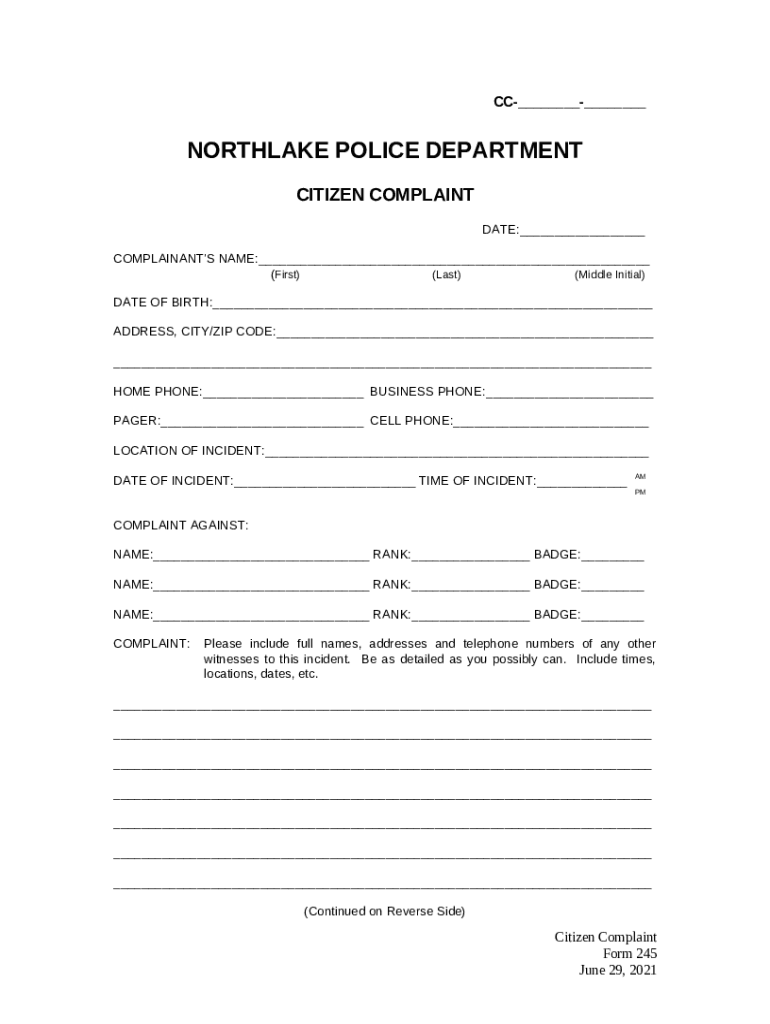
Address, Cityzip Code Fax Email Form
Use a Fillable Online ADDRESS, CITYZIP CODE Fax Email Print template to make your document workflow more streamlined.
What this contact form does
Address, Cityzip Code Fax Email Form is a structured contact-information document for recording a person’s street address, city, ZIP code, fax number, and email address. It is not identified here as an IRS, USCIS, healthcare, or state-issued filing, so no issuing agency, filing deadline, or tax threshold should be inferred. In signNow, a sender can upload the document, allow field detection or place fields manually, send it to a recipient, collect an optional signature, and store the completed PDF with an audit trail. ESIGN and UETA may support electronic signatures when intent, consent, attribution, and record retention requirements are met.
Features for completing contact details
signNow connects field preparation, recipient routing, optional signatures, audit evidence, mobile completion, and encryption for this contact-information document.
Structured fields
Separate address, city, ZIP code, fax, and email fields make the document easier to complete, review, and route without combining unrelated contact details.
Field preparation
Upload the form to signNow, let the editor detect fillable areas, or place fields manually when the original layout needs correction.
Recipient routing
Assign recipient fields and optional signature fields before sending, so each person sees only the information and actions relevant to the workflow.
Audit trail
A completed form can be paired with signNow’s audit trail, preserving signing events, timestamps, and document history for later review.
Mobile completion
Signers can review and complete the form from signNow mobile apps, supporting address and contact-data collection away from a desk.
Data protection
TLS 1.2/1.3 protects data in transit and AES-256 protects stored data, supporting controlled handling of contact information.
Who benefits from this contact form
The form is most useful when organizations need consistent contact details before communication, approval, or document-signing workflows.
Solo property managers use the form to collect tenant addresses, city and ZIP codes, fax numbers, and email details before preparing lease communications. Small healthcare practices use it to gather patient contact information for administrative records, while limiting access to staff who need the completed form. Enterprise operations teams use standardized copies to collect branch contact details, route completed forms for approval, and preserve a signNow audit trail.
These tasks are executed by both individual contributors and centralized administrators depending on organizational policy and required controls.
How this contact form works
Use a short signNow workflow to prepare the exact contact fields, obtain any required signature, and preserve the completed document.
Upload form: Upload the Address, Cityzip Code Fax Email Form. Prepare fields: Review detected fields or place them manually. Route document: Add the recipient’s email and signature fields. Store record: Collect completion and preserve the audit trail.
 Best ROI. Our customers achieve an average 7x ROI within the first six months.
 Scales with your use cases. From SMBs to mid-market, airSlate SignNow delivers results for businesses of all sizes.
 Intuitive UI and API. Sign and send documents from your apps in minutes.
How the audit trail records completion
The audit trail documents what happened to this contact form after sending, signing, and completion, rather than describing initial field setup.
Signer authentication:
Timestamp capture:
Document history:
Completion sealing:
Audit events:
Audit export:
Recommended workflow setup
Configure the Address, Cityzip Code Fax Email Form around the information collected, the people who must sign, and the organization’s retention policy.
| Setting | Recommendation |
|---|---|
| Authentication method | Email link with SMS OTP |
| Signature type | Typed or drawn electronic signature |
| Audit trail | Retain with completed PDF |
| Document retention | Follow documented business policy |
| Encryption | TLS 1.2/1.3 and AES-256 |
Security for contact information
TLS 1.2/1.3 in transit:
AES-256 at rest:
SOC 2 Type II certified:
ISO 27001 certified:
GDPR and CCPA compliant:
HIPAA compliant with BAA:
Mobile options for this form
Address, Cityzip Code Fax Email Form can be prepared through signNow mobile apps on iOS and Android, with TLS-protected connections when information is transmitted.
Mobile apps iOS and Android apps Offline mode Offline signing supported Camera capture Camera document capture
Teams can capture a paper copy with a mobile camera, add or correct contact fields, and route the document for signing. Offline signing can help when connectivity is unavailable, but synchronize the completed record and audit trail before relying on it operationally.
Best practices for accurate contact forms
Accurate field design, limited data collection, deliberate signer assignment, and documented retention make this contact form easier to process securely.
Separate every contact field clearly
Require only necessary information
Assign signatures to named recipients
Retain records under written policy
Privacy pitfalls in contact data collection
Placing a full street address, fax number, and email address in one unrestricted field makes routing, review, and correction difficult. Collecting contact details without explaining the purpose can create unnecessary privacy exposure, especially when the completed form is shared beyond the original recipient. Sending the completed form to every team member can expose personal contact information; restrict access to people responsible for the stated workflow. Treating an email address as consent or a signature can create an evidentiary gap when the transaction requires signer intent and attribution.
Documents outside this form’s scope
May require state-compliant notarization
Excluded from ESIGN
Certain decrees excluded
State recording rules apply
Legal standing of electronic completion
For a U.S. business transaction, an electronic signature on Address, Cityzip Code Fax Email Form may be legally effective under ESIGN and applicable UETA rules when the signer demonstrates intent, consents, can be attributed, and the record can be retained and reproduced. Wills, certain court orders, and specified family-law documents remain excluded.

Troubleshooting contact form workflows
Resolve field-detection, signature, privacy, plan, and data-quality questions before distributing the completed Address, Cityzip Code Fax Email Form.
If signNow does not detect the address, city, ZIP code, fax, or email fields, upload a clearer PDF or place fields manually in the editor. Auto-detection depends on the document layout and does not verify the information entered.
The Business plan includes templates, audit trails, and mobile apps, but bulk send is listed for Business Premium. If multiple recipients need separate copies, confirm the plan before creating a bulk workflow.
An email field collects contact information; it is not itself an electronic signature. Add a designated signature field when the recipient must sign, then preserve the completed record and audit trail under ESIGN and UETA requirements.
For consumer-facing collection, ESIGN requires disclosure of the right to receive paper records, access to the electronic format, and a withdrawal process under 15 U.S.C. §7001(c). Configure that disclosure outside the contact fields when applicable.
HIPAA applies only when the workflow handles protected health information and the covered-entity arrangement requires it. signNow identifies HIPAA compliance as requiring a BAA; confirm that requirement before collecting patient contact details.
signNow encrypts data in transit with TLS 1.2/1.3 and at rest with AES-256. Encryption does not correct an incorrectly entered ZIP code or email address, so review the completed form before sending it onward.
Key performance indicators that demonstrate SignNow's proven track record.
BE READY TO GET MORE
Get this form now!

If you believe that this page should be taken down, please follow our DMCA take-down process.