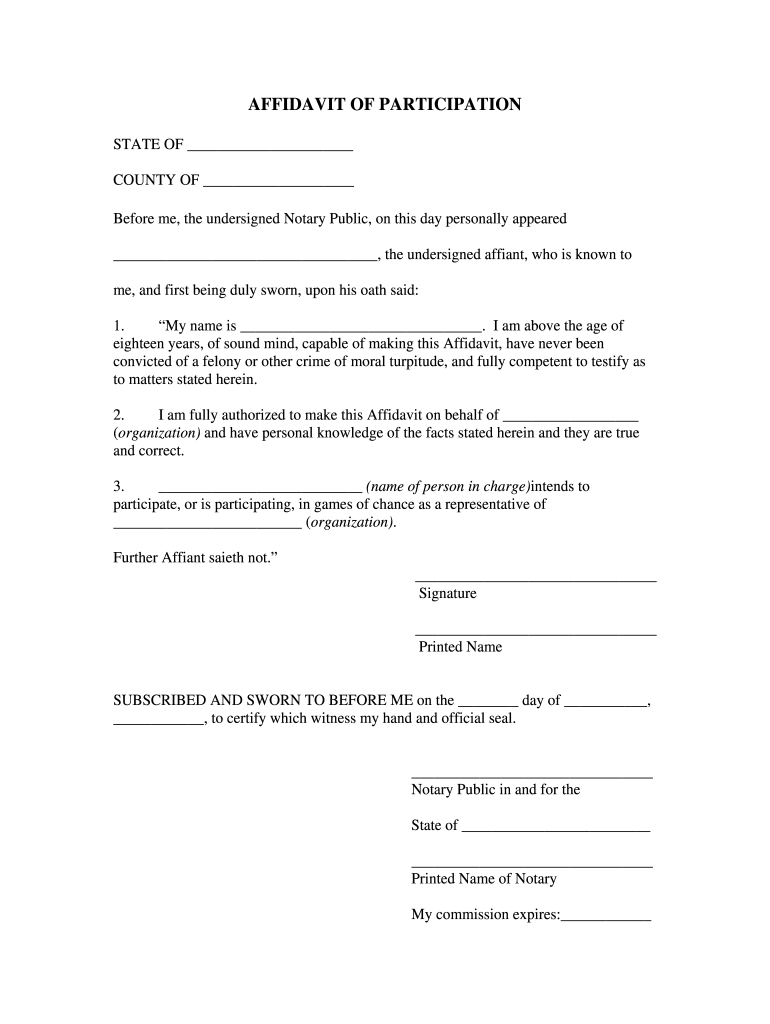
Participation Affidavit Form
Use a Participation Affidavit template to make your document workflow more streamlined.
What the participation affidavit does
A Participation Affidavit Form records a person’s signed statement that they participated in a specified activity, program, transaction, or process. The signer enters the requested facts, reviews the completed document, and signs to confirm its accuracy. An organization can upload the form to signNow, use automatic field detection, add or correct fields, send it to designated participants, and retain the signed PDF with an audit trail. Legal effect depends on the form’s issuer, state law, and any required notarization or filing procedure.
Who uses this affidavit form
Program administrators
Organizations use a Participation Affidavit Form to document an individual’s statement, eligibility, consent, or involvement in a defined program or transaction. The signer completes the requested facts, reviews supporting information, and signs the record for submission or internal retention.
Authorized reviewers
Schools, nonprofit organizations, agencies, and business teams may use this form when participation must be documented consistently. The responsible reviewer should confirm the form’s specific issuing instructions, signer identity requirements, and any state-specific notarization or filing rules.
Business types using the affidavit
Participation Affidavit Form workflows fit organizations that must collect repeatable signed statements from participants and preserve evidence of completion.
Solo practitioners can use a reusable Participation Affidavit Form template, send it to each participant, and retain the signed statement without coordinating paper copies or repeated field placement. The practitioner remains responsible for confirming issuer instructions and any state-specific notarization requirement. Nonprofit and education teams can route participation affidavits to multiple signers, assign reviewer permissions, and preserve a consistent audit trail. Shared templates reduce transcription differences while delegated sending lets authorized staff manage requests under an administrator’s controls. Enterprise program administrators can connect signNow to approved systems, manage user access, and standardize affidavit workflows across departments. Role-based permissions and audit-trail retention help separate preparation, review, signing, and records-management responsibilities.
These tasks are executed by both individual contributors and centralized administrators depending on organizational policy and required controls.
How the affidavit workflow works
The signNow workflow follows the form from upload through signed-record storage without changing its underlying statements.
Upload: Upload the Participation Affidavit Form PDF. Prepare: Auto-detect fields and correct the layout. Send: Send assigned fields to each participant. Complete: Store the signed PDF and audit trail.
 Best ROI. Our customers achieve an average 7x ROI within the first six months.
 Scales with your use cases. From SMBs to mid-market, airSlate SignNow delivers results for businesses of all sizes.
 Intuitive UI and API. Sign and send documents from your apps in minutes.
Complete the form in signNow
Use the original Participation Affidavit Form, verify every required statement, and preserve the final signed record with its audit trail.
Upload form:
Upload the Participation Affidavit Form PDF Check fields:
Review detected fields and add missing inputs Assign signers:
Assign signature fields to each participant Send form:
Send the completed document for electronic signatures
Choose a signing method
- Open the Participation Affidavit Form in the signNow web app when an administrator needs to review fields, assign signers, and preserve a centralized record for the transaction.
- Use the signNow mobile app when a participant must review and sign the affidavit from an iOS or Android device while away from a desk.
- Choose kiosk mode when participants sign sequentially at a supervised location, such as an office, event, or service desk, using the Business Premium plan.
- Generate a shareable signing link when the same Participation Affidavit Form must be distributed through an approved portal or controlled email workflow.
What the audit trail records
For a Participation Affidavit Form, the audit trail connects the signer, document, actions, and completion record for later review.
Authenticate signer:
Capture timestamps:
Hash document:
Seal record:
Log activity:
Retrieve evidence:
Platform requirements for signing
Complete the Participation Affidavit Form through Chrome, Firefox, Edge, or Safari on Windows 10, macOS 12, iOS 16, or Android 11. The signNow mobile app supports document review and signing on iOS and Android devices.
Desktop browsers Chrome, Firefox, Edge, Safari Apple and Windows Windows 10, macOS 12, iOS 16 Android access Android 11, signNow mobile app
Organizations should test the affidavit workflow on managed devices before sending it broadly. Confirm camera permissions when capturing supporting pages, require a supported browser version, and configure signNow access, API connections, SSO provisioning, or stronger signer authentication according to the organization’s security policy.
Legal standing and evidentiary value
A Participation Affidavit Form can carry evidentiary value when the signer demonstrates intent, consents to electronic records, can be attributed to the signature, and the record remains reproducible. ESIGN and UETA support electronic transactions, but wills, certain court orders, and family law decrees remain excluded.

Retain and protect the affidavit record
Preserve the signed form, audit evidence, and applicable retention rule together so reviewers can verify what was signed and when.
Match retention to the form’s purpose
Export the signed record and audit trail
Limit access to participant information
Confirm state and program requirements
Troubleshoot affidavit completion
These answers address signing, consent, identity, plan, and record-retention questions specific to a Participation Affidavit Form workflow.
On the Business plan, upload the Participation Affidavit Form, place signature and date fields, and send it through signNow. The signer can often complete the request without creating an account. The final record includes an audit trail documenting the signing event.
The Business plan includes legally binding eSignatures, templates, and audit trails at $8/user/month when billed annually. Confirm the current plan and billing term before assigning a workflow to a team or program administrator.
For consumer-facing participation records, provide the required ESIGN disclosure, explain the right to receive paper records, confirm electronic access, and explain withdrawal procedures. These requirements arise under 15 U.S.C. §7001(c), not from signNow.
Use email delivery for ordinary participation requests or add SMS authentication when signer identity needs stronger confirmation. signNow supports two-factor authentication options, while the appropriate level depends on the form issuer and applicable state or program rules.
A signed affidavit is not automatically valid for a will, codicil, testamentary trust, court filing, or family law decree. ESIGN’s exclusions apply under 15 U.S.C. ch. 96, so follow the required paper, notary, or court process.
Export the completed Participation Affidavit Form and its audit trail from signNow, then store both together under the organization’s retention policy. The audit trail records actions, timestamps, and signer information supporting attribution and record reproduction.
Key performance indicators that demonstrate SignNow's proven track record.
BE READY TO GET MORE
Get this form now!

If you believe that this page should be taken down, please follow our DMCA take-down process.