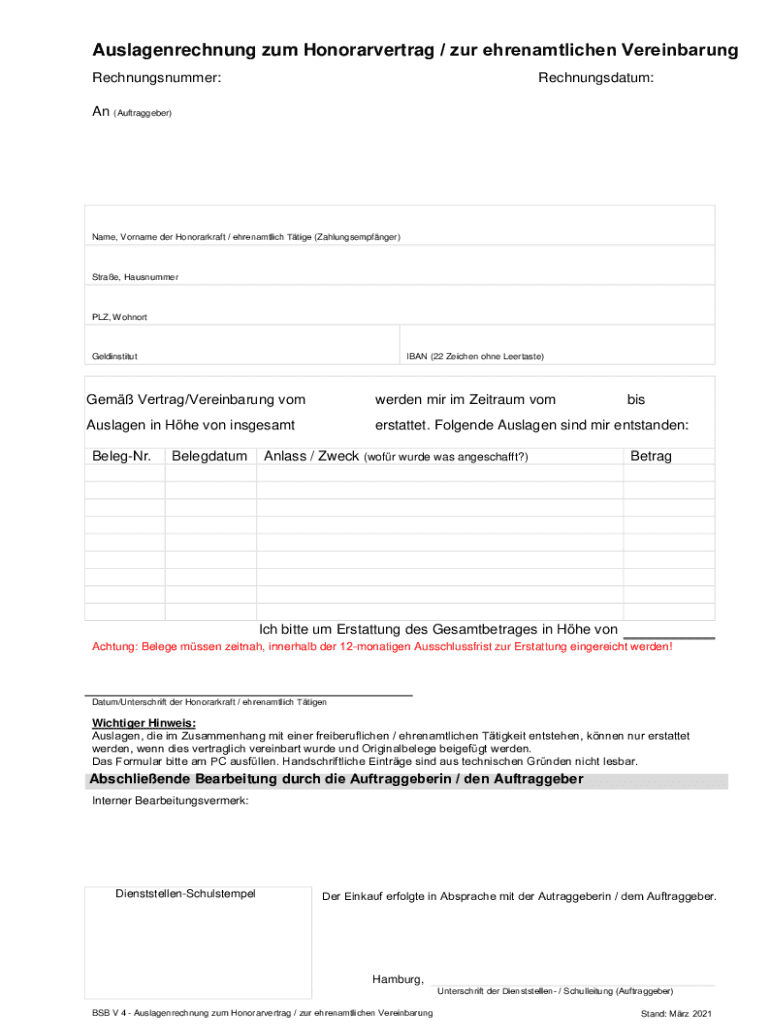
Automatically Generated Invoice Number And Date Form
Use a Klicken Sie Hier, Damit Die Rechnungsnummer Und Das Rechnungsdatum Automatisch Generiert Werden template to make your document workflow more streamlined.
What this invoice number and date form does
This form creates an invoice record with its invoice number and invoice date generated during completion. In signNow, upload the invoice template, review the detected fillable fields, confirm where the generated values belong, and assign the people who prepare, review, or sign it. The finished document can be distributed electronically and stored with an audit trail showing actions, timestamps, and signer details. The form helps standardize invoice records, but it does not determine your accounting policy, tax treatment, numbering sequence, or retention period.
How dynamic invoice completion works
The workflow connects field detection, controlled review, electronic signing, and record preservation for this invoice form.
Upload invoice: Upload the invoice template and let signNow identify fillable areas. Map fields: Confirm generated number and date fields match invoice labels. Route document: Route the completed invoice to designated reviewers and signers. Preserve evidence: Save the signed invoice with its completion evidence.
Complete the invoice form in signNow
Follow this workflow to prepare, review, sign, and preserve an invoice with its generated number and date.
Upload template:
Upload the invoice template to signNow. Check fields:
Review detected invoice-number and date fields. Assign participants:
Add the preparer, reviewer, and signer. Send form:
Send the invoice for completion. Store record:
Store the signed PDF and audit trail.
How the invoice form audit trail works
The audit trail links each invoice-number and invoice-date action to an identifiable signer, timestamp, document state, and exportable record.
Signer authentication:
Timestamp capture:
Document hashing:
Tamper-evident sealing:
Event logging:
Audit export:
 Best ROI. Our customers achieve an average 7x ROI within the first six months.
 Scales with your use cases. From SMBs to mid-market, airSlate SignNow delivers results for businesses of all sizes.
 Intuitive UI and API. Sign and send documents from your apps in minutes.
Features for invoice number and date workflows
signNow combines field detection, reusable templates, routing, signing, and audit evidence for invoices that require controlled number and date completion.
Field detection
Detected fields help place invoice-number and invoice-date inputs on the uploaded template, reducing manual setup before the document enters review.
Role-based routing
Structured routing assigns preparation, review, and signature responsibilities so invoice corrections can be addressed before completion.
Electronic signing
Electronic signing records signer intent and completion events alongside the invoice document for easier internal review.
Audit trail
The audit trail records document activity connected to the invoice’s signing process, supporting later verification of the completed record.
Reusable templates
Templates preserve the approved invoice layout, field placement, and routing pattern for recurring invoice preparation.
Mobile access
Mobile apps let authorized users review and sign invoice records without returning to paper-based circulation.



Mobile options for invoice completion
signNow supports invoice review and signing through its iOS and Android apps. A camera can capture a paper invoice for preparation, while mobile access lets authorized participants review generated invoice fields and sign from a supported device.
Mobile apps iOS and Android signNow apps support invoice review and signing. Camera capture Camera capture can create a document from a paper invoice. Offline signing Offline work depends on app availability and later synchronization.
For controlled business deployment, manage app access through organizational policies, confirm connectivity before synchronization, and verify that the completed invoice, generated fields, and audit trail reach the approved storage location. Mobile signing does not replace your internal numbering, approval, or retention controls.
Challenges with invoice number and date generation
Manual invoice numbering can create duplicate identifiers when several people prepare invoices simultaneously. Dates entered in different formats make invoice sorting, reconciliation, and period review more difficult. A detected field placed over the wrong invoice label can produce an apparently complete but inaccurate record. Sending without a reviewer can leave incorrect amounts, invoice numbers, or dates undiscovered until after signature.
Best practices for invoice number and date fields
Use controlled fields, deliberate approvals, and preserved completion evidence when preparing this invoice form in signNow.
Verify invoice fields before sending
Control numbering and date rules
Separate preparation and approval
Preserve the signed record
Security for signed invoice records
AES-256:
Transport security:
SOC 2 Type II:
ISO 27001:
Electronic records:
Audit evidence:
Why reliable invoice fields matter
Accurate invoice numbers and dates improve record matching, approval review, and payment administration. When parties intend to sign electronically and the record remains reproducible, ESIGN and applicable state electronic-transactions law can support evidentiary use; the form does not replace requirements for excluded records such as wills or court filings.

Risks of incomplete invoice records
Record matching
Period errors
Dispute evidence
Audit gaps
Key performance indicators that demonstrate SignNow's proven track record.
Troubleshooting invoice completion issues
These answers address field detection, routing, audit evidence, plan limits, and electronic-record consent for this invoice workflow.
Upload the invoice template again and inspect the detected fields before sending. signNow’s editor lets you reposition or add fields, so verify that the invoice-number and invoice-date fields align with the printed labels and use the intended formats.
Open the document settings and confirm the assigned participant for each field. A field may remain incomplete when it belongs to another signer or when the recipient has not opened the signing request.
Use signNow’s audit trail to review timestamps, signer activity, and document history. The audit record helps identify whether the invoice number or date changed before signing, during routing, or after completion.
Business includes legally binding eSignatures, templates, and audit trails at $8 per user per month with annual billing. Confirm current plan terms before relying on plan limits for invoice volume.
signNow states that paid plans include 100 signature invites per user per year, with overage fees. Business Premium adds bulk send, which may suit repeated invoice distributions.
For consumer-facing records, ESIGN requires disclosure of the right to paper records, electronic access capability, and procedures for withdrawing consent under 15 U.S.C. §7001(c). Configure the workflow accordingly when consumers sign.
BE READY TO GET MORE
Get this form now!

If you believe that this page should be taken down, please follow our DMCA take-down process.