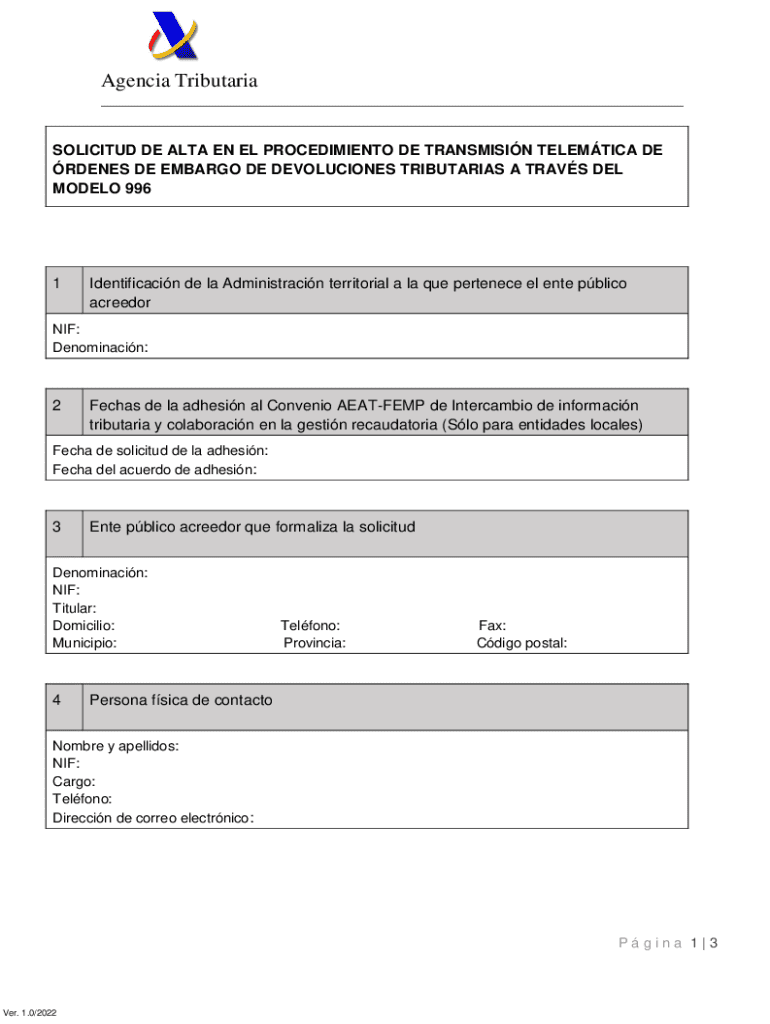
Solicitud DE Alta En El Procedimiento DE Transmisi N Telem Tica DE Rdenes DE Embargo Form
Use a Solicitud De Alta En El Procedimiento De Transmisi n Telem tica De rdenes De Embargo template to make your document workflow more streamlined.
What this embargo transmission form does
This form is an electronic request to enroll or register a procedure for transmitting embargo orders by telematic means. In practice, the preparer enters the order and party information required by the receiving authority, uploads the document to signNow, places fields where needed, and routes it for signature. Each signer reviews the request before signing. The completed PDF and audit trail can then be exported for the agency’s submission process and retained under the organization’s records policy. The receiving authority’s instructions control required fields and filing acceptance.
Who benefits from electronic embargo requests
The strongest fit is for teams that prepare, route, sign, and preserve repeated requests to transmit embargo orders electronically.
A solo collection attorney can prepare one electronic embargo-order transmission request, assign the required signers, and preserve the completed PDF and audit trail without maintaining paper routing files. A county or municipal enforcement office can coordinate recurring embargo-order transmissions through reusable signNow templates, controlled signer roles, and documented completion records for each request. A financial-services operations team can route high-volume embargo-order requests through delegated senders, structured approvals, and integrations while separating preparation, signing, and archival responsibilities.
These tasks are executed by both individual contributors and centralized administrators depending on organizational policy and required controls.
Challenges with embargo transmission requests
Missing order identifiers or recipient details can delay review because the receiving authority may be unable to match the transmission request to the underlying embargo order. Assigning one shared email address to multiple signers weakens attribution and can make the audit trail unclear about who approved each transmission request. Sending an incomplete request before confirming required signatures can create a record that must be corrected, resent, and separately retained. Keeping only the signed PDF without its audit trail removes supporting evidence about signer identity, timestamps, and the sequence of actions.
How to complete this request
Follow the document-specific routing sequence below to prepare, sign, review, and preserve the electronic embargo-order transmission request.
Upload the form:
Upload the completed embargo transmission request to signNow. Prepare fields:
Review detected fields and add missing signer, date, or approval fields. Assign signers:
Assign each signer and set the required signing order. Send for signing:
Send the request through signNow email delivery or a signing link. Store the record:
Review the signed PDF and audit trail before submission or archival.
 Best ROI. Our customers achieve an average 7x ROI within the first six months.
 Scales with your use cases. From SMBs to mid-market, airSlate SignNow delivers results for businesses of all sizes.
 Intuitive UI and API. Sign and send documents from your apps in minutes.
How the electronic workflow works
The request moves from document preparation to controlled routing, signature completion, and evidence-preserving archival.
Upload: Upload the embargo transmission request into signNow. Prepare: Auto-detect fields, then confirm required information and signer assignments. Route: Send the request through the selected signing route. Complete: Collect signatures and preserve the completed record.
Recommended workflow setup
Configure this request around verified signer identity, a complete audit record, secure storage, and the receiving authority’s retention requirements.
| Setting | Recommendation |
|---|---|
| Authentication method | Email verification with SMS authentication |
| Signature type | Electronic signature with signer intent |
| Audit trail | Retain completed audit trail with PDF |
| Document retention | Follow receiving authority policy |
| Encryption | TLS 1.2/1.3 and AES-256 protection |
Inside the audit trail for this request
The audit trail records evidence of who handled the embargo transmission request, when actions occurred, and how the completed record can be retrieved.
Authenticate signer:
Capture timestamp:
Record document integrity:
Seal completion:
Track audit events:
Export evidence:
Features for electronic embargo requests
signNow connects preparation, signer routing, evidence capture, and archival around the specific request to transmit an embargo order electronically.
Document preparation
Upload the existing embargo transmission request and prepare it without recreating its underlying information in a separate form.
Signer routing
Assign each required signer to a defined role, preserving the intended approval sequence for the transmission request.
Reusable templates
Use reusable templates for recurring requests while retaining the form’s specific order and recipient information.
Audit evidence
Capture timestamps, actions, and completion history so reviewers can examine how the request was executed.
Mobile signing
Support signing from desktop or mobile when authorized personnel need to complete the request outside the office.
Record export
Export the signed request and audit trail together for controlled storage and later review.
Platform requirements for this form
Prepare the electronic embargo transmission request in Chrome, Firefox, Safari, or Edge on Windows or macOS. signNow also provides mobile apps for iOS and Android, allowing authorized users to review and sign from supported mobile devices.
Browsers Chrome, Firefox, Safari, Edge Operating systems Windows, macOS, iOS, Android Mobile access Desktop and mobile signNow apps
Organizations should manage access through approved devices and accounts, especially when the request contains sensitive enforcement information. Enterprise deployments may also evaluate API access, SSO provisioning, role controls, and certificate or long-term-validation requirements before placing this workflow into production.



Processing stages for embargo transmission requests
Use these four stages to organize preparation, signature routing, completion, and record handling for this electronic embargo-order transmission request.
Prepare the request
Deliver to signers
Complete signer actions
Archive completed records
Rules and exclusions to check
Missing required fields
Weak attribution
Incorrect recipient
Lost audit trail
Troubleshooting electronic embargo requests
Resolve routing, authentication, field, and evidence issues before this embargo-order transmission request is delivered to its receiving authority.
Upload the source PDF again and check whether fields are flattened or protected. signNow Business can place fillable fields, but password-restricted files may require removal of editing restrictions before preparation.
Confirm that every signer has a separate email address and assigned role. signNow’s signing order and reminders can route the request sequentially, while the Business plan provides templates and audit trails for repeat submissions.
Use SMS authentication or another available verification control when the agency requires stronger attribution. signNow supports audit trails and can support ESIGN and UETA evidence, but the agency’s own identity rules still govern acceptance.
Business includes 100 signature invites per user annually when billed annually, with overage fees. Business Premium adds bulk send, while Enterprise adds advanced signer authentication and conditional fields for more complex routing.
Electronic signatures generally receive legal recognition under ESIGN and UETA when intent, consent, attribution, and record retention are established. Confirm the receiving agency’s submission rules before treating this request as fully electronic.
Export the completed PDF and audit trail after final signature. signNow records signing events and timestamps, but the agency or organization responsible for the embargo process must determine the applicable retention period.
Key performance indicators that demonstrate SignNow's proven track record.
BE READY TO GET MORE
Get this form now!

If you believe that this page should be taken down, please follow our DMCA take-down process.