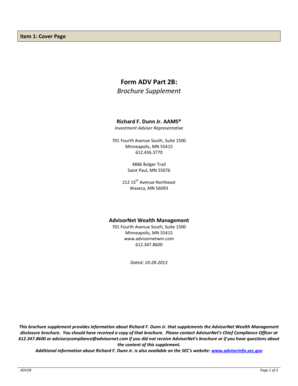
Item 1 Cover Page Form Adv Part 2B Brochure Supplement Richard F
Use a Item 1 Cover Page Form ADV Part 2B Brochure Supplement Richard F template to make your document workflow more streamlined.
What this adviser supplement does
Item 1 Cover Page Form Adv Part 2B Brochure Supplement Richard F is an adviser disclosure document identifying Richard F and presenting information clients need about the adviser’s services, qualifications, and disciplinary history. It works by placing the approved disclosure content into a controlled document, presenting it to the recipient, capturing any required acknowledgment or signature, and preserving the completed record. Form ADV Part 2B requirements arise under the Investment Advisers Act framework and SEC rules; the exact information must match the firm’s approved disclosure materials.
Who uses the Richard F supplement
Registered advisers
Investment advisers use this document to present Richard F’s adviser-specific disclosures, including relevant qualifications, services, and disciplinary information, to the intended client audience. Compliance staff can prepare the approved PDF, assign signer fields, and preserve the completed version with its audit evidence.
Compliance teams
Operations and compliance teams use signNow to distribute the same approved supplement through controlled workflows. Shared templates, role assignments, and audit trails help show which version was sent, who signed, and when the record was completed.
Teams that manage this supplement
A registered investment adviser’s compliance administrator can maintain the approved Form ADV Part 2B supplement as a shared template, restrict editing permissions, and delegate sending to authorized operations staff without changing the disclosure text. An adviser or client-service team can send Richard F’s supplement to identified recipients, monitor completion, and retrieve the signed document and audit trail from the same signNow workspace.
How the supplement signing flow works
The signNow workflow keeps the approved adviser disclosure intact while documenting delivery, signing, and completion.
Upload document: Upload the approved supplement PDF to signNow. Prepare fields: Review detected fields and add signer fields. Send for signature: Send the supplement to Richard F or the designated recipient. Preserve evidence: Store the signed PDF with its audit trail.
 Best ROI. Our customers achieve an average 7x ROI within the first six months.
 Scales with your use cases. From SMBs to mid-market, airSlate SignNow delivers results for businesses of all sizes.
 Intuitive UI and API. Sign and send documents from your apps in minutes.
Complete the supplement in signNow
Use these steps to prepare, sign, and retain the specific Richard F brochure supplement.
Upload file:
Upload the approved Richard F supplement. Review content:
Check detected fields and disclosure text. Assign roles:
Assign the required signer and recipient fields. Complete record:
Send, monitor, and download the completed record.
Recommended workflow settings
Use controlled access, documented signing evidence, and the firm’s approved retention policy for this adviser supplement.
| Setting | Recommendation |
|---|---|
| Authentication and signature | SMS OTP with typed signature |
| Audit trail | Export completion history with signed PDF |
| Document retention | Follow the firm’s SEC recordkeeping policy |
| Encryption | TLS in transit and AES-256 at rest |
| User provisioning | Role-based access for compliance staff |



Challenges when preparing the supplement
Adviser information in the uploaded Richard F supplement does not match the firm’s currently approved disclosure language. Signature and acknowledgment fields are assigned to the wrong recipient before the document is sent. A revised supplement is issued without preserving the earlier signed version and completion evidence. Access permissions allow unauthorized users to edit or distribute the adviser disclosure.
Risks of incomplete supplement records
Disclosure gap
Client misunderstanding
Attribution dispute
Version conflict
Recordkeeping practices for the supplement
Accurate disclosure control and reliable evidence matter when preparing and retaining this adviser supplement.
Archive the signed supplement with evidence
Verify every disclosure before sending
Control template and editing access
Export and retain final records
Pricing for completing the supplement
signNow pricing is verified; competitor pricing and feature details are marked Not verified when unavailable in the supplied data.
| Features | signNow | DocuSign | Adobe Sign | PandaDoc | Dropbox Sign |
|---|---|---|---|---|---|
| Annual starting price | $8/user/month, Business plan, billed annually | Not verified | Not verified | Not verified | Not verified |
| Free trial availability | 7-day trial, no credit card required | Not verified | Not verified | Not verified | Not verified |
| Audit trail availability | Included with Business plan | Not verified | Not verified | Not verified | Not verified |
| Bulk send availability | Business Premium includes bulk send | Not verified | Not verified | Not verified | Not verified |
Troubleshooting the Richard F supplement
These answers address field preparation, signing evidence, plan selection, and privacy questions for this adviser disclosure document.
Upload the source PDF again and inspect the detected fields before sending. If a field is missing, add it manually and assign it to the correct signer. The Business plan includes templates and audit trails for controlled repeat workflows.
Use a signer role rather than editing the disclosure after assignment. If Richard F’s information is inaccurate, stop the transaction, revise the approved source document, and create a new signing request so the audit trail matches the final version.
signNow supports legally binding electronic signatures and audit trails under ESIGN and UETA. Legal validity still depends on intent, consent, attribution, and reliable record retention; confirm any adviser-specific SEC obligations separately.
The Business plan is listed at $8 per user monthly when billed annually and includes audit trails. Business Premium is $15 per user monthly annually and adds bulk send for repeated supplement distribution.
Use signNow’s audit trail to review timestamps, signer actions, and completion history, then export the signed PDF and related evidence. Do not treat platform storage alone as a substitute for the firm’s recordkeeping policy.
If the supplement contains personal or health information, apply access controls and the relevant privacy policy. signNow identifies HIPAA compliance as requiring a BAA; HIPAA does not automatically govern every investment adviser record.
Key performance indicators that demonstrate SignNow's proven track record.
BE READY TO GET MORE
Get this form now!

If you believe that this page should be taken down, please follow our DMCA take-down process.