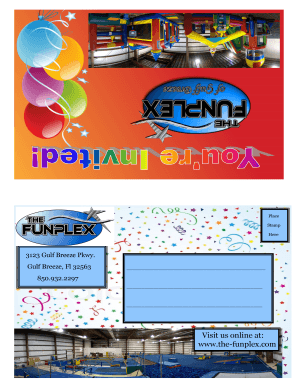
Birthday Party Invitation Gb Gulf Breeze Gymnastics Form
Use a Birthday Party Invitation GB Gulf Breeze Gymnastics template to make your document workflow more streamlined.
What this Gulf Breeze Gymnastics form does
The Birthday Party Invitation Gb Gulf Breeze Gymnastics Form is a party-information document for sharing a child’s celebration details with invited families. It can identify the guest, event date, start time, Gulf Breeze Gymnastics location, RSVP deadline, organizer contact, and practical arrival or pickup instructions. The invitation is not automatically a gymnastics waiver, medical authorization, registration record, or payment form. With signNow, an organizer can upload the invitation, place fields, send it for review or acknowledgment, and retain the completed document with an audit trail when an electronic record is appropriate.
Who uses this invitation form
Invited families
Parents or guardians can receive a child’s party date, time, Gulf Breeze Gymnastics location, RSVP deadline, and organizer contact details in one invitation record.
Gymnastics organizers
Gymnastics staff or event organizers can prepare, review, distribute, and retain party invitations while keeping waivers, medical forms, and payment records separate.
Features that fit this party invitation
The workflow keeps Gulf Breeze Gymnastics party details organized while separating invitations from waivers, registrations, payments, and other documents.
Reusable fields
Use reusable fields for the child’s name, party date, Gulf Breeze Gymnastics location, RSVP deadline, and organizer contact details, reducing repetitive typing when preparing invitations for multiple guests.
Review workflow
Send a review copy to a parent or organizer before distribution, helping identify incorrect dates, times, names, or pickup instructions before families receive the invitation.
Acknowledgment capture
Collect an electronic acknowledgment when the organizer requires confirmation that a parent received party details, while keeping the invitation separate from any legally required waiver.
Mobile access
Access the invitation from a desktop or mobile device to update event details, review responses, or share the finalized copy without relying on paper records.
Audit trail
Maintain an audit trail for invitation acknowledgments, recording signing activity and timestamps when an electronic confirmation is used for the event.
Controlled storage
Store the completed invitation and related acknowledgment in an organized record location, with access limited to the organizer and authorized Gulf Breeze Gymnastics personnel.
Best practices for this gymnastics invitation
Accurate event details, limited data collection, and a final review help Gulf Breeze Gymnastics families receive clear birthday invitations.
Confirm event details before sending
Collect only invitation information
Review the invitation layout carefully
Store finalized records securely
 Best ROI. Our customers achieve an average 7x ROI within the first six months.
 Scales with your use cases. From SMBs to mid-market, airSlate SignNow delivers results for businesses of all sizes.
 Intuitive UI and API. Sign and send documents from your apps in minutes.
How to complete the invitation
Prepare the Gulf Breeze Gymnastics party details first, then use signNow to place fields, distribute the invitation, and preserve the completed record.
Upload form:
Upload the completed Birthday Party Invitation Gb Gulf Breeze Gymnastics Form to signNow. Check fields:
Let signNow detect fillable fields, then verify each field’s placement and label. Add recipient:
Add the organizer or parent recipient and select review or signature fields. Send invitation:
Send the invitation and monitor its status from the signNow workspace. Store record:
Review the completed copy, then store it with its audit trail.
Ways to send this gymnastics invitation
- Use the web app when the organizer is preparing the Gulf Breeze Gymnastics invitation on a desktop and needs full document review before sending.
- Use the mobile app when the organizer needs to check party details, send an invitation, or review an acknowledgment away from the desk.
- Use kiosk mode when families complete acknowledgments at a supervised Gulf Breeze Gymnastics reception or party check-in station using the same device.
- Use a shareable signing link when the organizer needs to distribute one controlled invitation acknowledgment link through an approved family communication channel.



Security for invitation records
Transport security:
Stored data:
Security report:
Information security:
Electronic signatures:
Invitation records:
Platform requirements for the invitation
The Birthday Party Invitation Gb Gulf Breeze Gymnastics Form can be prepared in signNow through Chrome, Firefox, Safari, or Edge on Windows and macOS, with mobile access through iOS and Android apps.
Browsers Chrome, Firefox, Safari, and Edge Desktop systems Windows and macOS desktops Mobile systems iOS and Android mobile apps
For Gulf Breeze Gymnastics organizers, use managed accounts and approved devices when invitations contain children’s names or parent contact details. Confirm access permissions before sharing, and retain only the finalized invitation and acknowledgment records required for the event’s administration.
Challenges when preparing the invitation
The invitation may omit the Gulf Breeze Gymnastics party address, arrival time, pickup instructions, or RSVP deadline, leaving families unsure how to respond or where to arrive. Children’s names and parent contact details can be included unnecessarily, increasing disclosure risk when invitations are forwarded, printed, or shared through group messaging. A last-minute change to the gymnastics party schedule may make previously distributed invitations inaccurate unless the organizer updates recipients promptly. An invitation can be mistaken for a facility waiver or registration form when separate consent, payment, or health documents are actually required.
Troubleshooting this gymnastics invitation
These answers address field detection, distribution, electronic acknowledgment, document scope, and record handling for the Gulf Breeze Gymnastics invitation.
Upload the invitation as a supported document, then confirm that signNow’s detected fields align with the child’s name, party date, location, RSVP deadline, and organizer contact fields. If detection is incomplete, place or resize fields manually before sending.
The Business plan includes templates and audit trails, while Business Premium adds bulk send. For multiple Gulf Breeze Gymnastics invitations, use Business Premium only when the documented workflow requires bulk distribution; otherwise prepare and send the invitation individually.
A birthday invitation is not automatically a waiver, medical authorization, or payment agreement. Keep those documents separate and use the appropriate facility-approved process. signNow can route records, but it does not change a document’s legal purpose or replace required consent.
For a consumer-facing electronic record, obtain consent and provide required access information under ESIGN, 15 U.S.C. §7001(c), when applicable. Use signNow’s audit trail to preserve invitation acknowledgment evidence, but confirm any facility-specific policy before relying on electronic delivery.
Review the child’s name, event date, start time, Gulf Breeze Gymnastics location, RSVP deadline, and pickup instructions before sending. If a detail changes, update the document and clearly distribute the corrected version rather than relying on an earlier copy.
signNow records signing activity and timestamps in an audit trail and can retain the completed document. Limit workspace access to authorized organizers, avoid unnecessary medical details, and use an approved storage location for invitations containing family contact information.
Key performance indicators that demonstrate SignNow's proven track record.
BE READY TO GET MORE
Get this form now!

If you believe that this page should be taken down, please follow our DMCA take-down process.