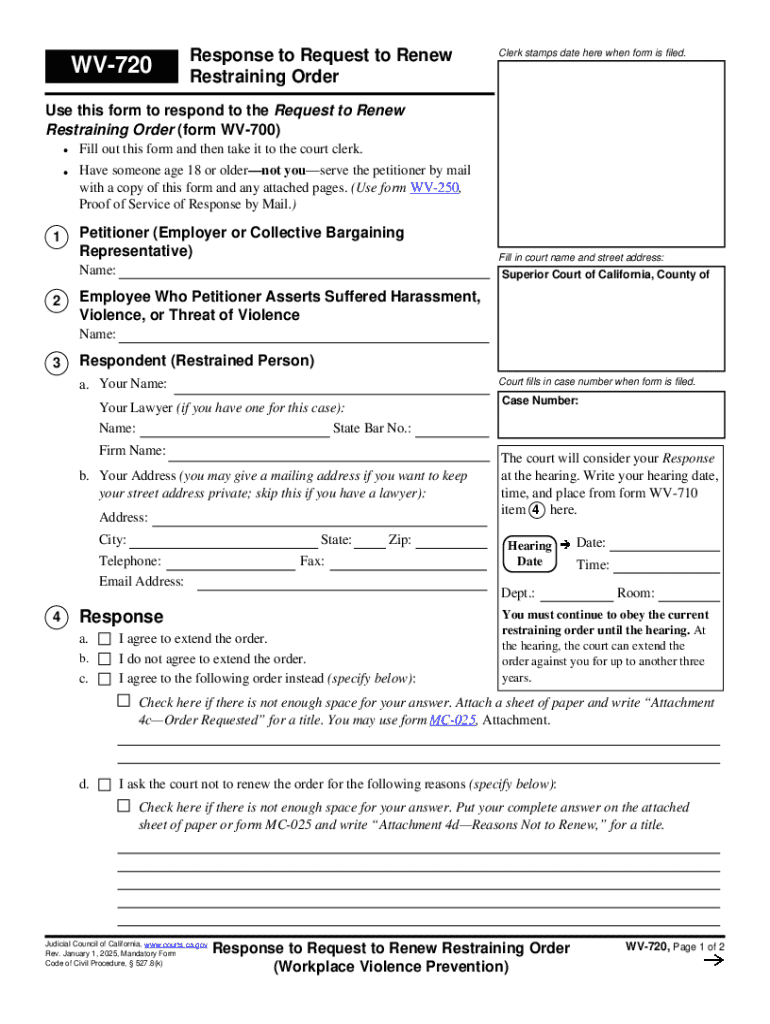
Wv 720 Form
Use a Wv 720 template to make your document workflow more streamlined.
What the Wv 720 Form does
Wv 720 Form is a document template that can be completed and signed electronically through signNow. Because the form’s issuing agency, filing purpose, field instructions, and submission deadline are not identified in the available form information, users should confirm those details on the form itself or with the responsible U.S. agency before filing. In signNow, upload the document, review detected fields, add signer and date fields, send it for signature, and retain the completed copy with its audit trail.
Why teams look for DocuSign alternatives
Organizations seek alternatives when they need different pricing models, stronger native automation, simpler bulk affidavit workflows, or more flexible identity-verification options than those available in a legacy envelope-based vendor.

Features for completing Wv 720 Form
signNow organizes the Wv 720 Form workflow from upload through signature and record retention without changing the form’s underlying agency requirements.
Document upload
Upload the Wv 720 Form and review the document before assigning fields, reducing omissions caused by manual recreation.
Field detection
Auto-detected fillable fields help identify places for names, dates, signatures, or other information already present in the document.
Signer routing
Assign each field to the correct signer so the Wv 720 Form follows the intended completion sequence.
Electronic signing
Collect electronic signatures when the form and receiving authority allow them under applicable U.S. law.
Audit trail
Capture timestamps, signer actions, and document history in an audit trail linked to the completed form.
Secure storage
Store the signed Wv 720 Form and completion evidence together for later review or authorized submission.
How the Wv 720 Form workflow works
The signNow workflow keeps the original Wv 720 Form intact while organizing completion, signing, and evidence.
Upload form: Upload the Wv 720 Form PDF Check fields: Review detected fields and add missing fields Route signing: Assign signers and send secure invitations Store record: Complete, download, and retain the audit trail
 Best ROI. Our customers achieve an average 7x ROI within the first six months.
 Scales with your use cases. From SMBs to mid-market, airSlate SignNow delivers results for businesses of all sizes.
 Intuitive UI and API. Sign and send documents from your apps in minutes.
Recommended Wv 720 Form setup
Use identifiable signers, preserve the completed record, and verify the receiving agency’s requirements before deployment.
| Setting | Recommendation |
|---|---|
| Authentication method | Email verification with SMS OTP |
| Signature type | Intent-based electronic signature |
| Audit trail | Retain the completion certificate |
| Document retention | Follow the responsible agency’s rule |
| Encryption | TLS 1.2/1.3 and AES-256 |
What the Wv 720 Form audit trail records
The audit trail separates the completed Wv 720 Form from evidence showing who signed, when actions occurred, and how the record was handled.
Signer authentication:
Timestamp capture:
Document hashing:
Tamper evidence:
Action history:
Audit export:



Mobile options for Wv 720 Form
The signNow mobile apps support Wv 720 Form work on iOS and Android, including document capture and offline signing workflows.
Mobile apps iOS and Android signNow apps Offline signing Offline signing available on mobile Camera capture Camera capture for document scans
Before relying on mobile completion, confirm that every field remains readable, signer identity requirements are satisfied, and the receiving agency accepts an electronically signed copy. Offline work should be synchronized and checked before the final record is submitted or archived.
Privacy and disclosure risks
Personal information may remain visible in downloaded copies shared with unauthorized recipients or stored outside the approved document repository. Missing electronic-consent evidence can weaken proof that a signer intended to complete the Wv 720 Form electronically. Incorrect signer permissions may expose editable Wv 720 Form fields or permit completion by the wrong person. A signed copy without its audit trail may provide weaker evidence of identity, timing, and document history.
Best practices for Wv 720 Form
Careful field review, signer assignment, evidence preservation, and agency verification reduce avoidable errors when processing Wv 720 Form.
Verify the original form
Assign fields carefully
Preserve completion evidence
Confirm agency acceptance
Key performance indicators that demonstrate SignNow's proven track record.
Wv 720 Form troubleshooting
These answers address specific upload, signing, plan, legal, and compliance questions that can arise when processing Wv 720 Form in signNow.
Upload the Wv 720 Form as a PDF and check whether signNow detects its existing fields. Add or adjust fields manually before sending, because automatic detection does not confirm that every agency-required field is present or correctly labeled.
Review the recipient role, field assignments, and signing order before resending. A recipient who receives no assigned field may only be able to view the Wv 720 Form, while an incorrect assignment can place a signature with the wrong party.
Use a signNow authentication option such as email verification or SMS OTP when the signer’s identity needs additional evidence. The chosen method should match the organization’s risk assessment and any instructions issued for the Wv 720 Form.
signNow provides audit trails and completion records that can support attribution, intent, and record integrity. Under ESIGN, 15 U.S.C. chapter 96, and UETA, electronic records generally require retention and accurate reproduction.
The Business plan includes templates, audit trails, mobile apps, and legally binding eSignatures at $8 per user per month when billed annually. It includes 100 signature invites per user per year; higher usage may incur overage fees.
HIPAA compliance requires a business associate agreement when protected health information is involved. A Wv 720 Form workflow should not be treated as HIPAA-compliant solely because it uses electronic signatures or an audit trail.
BE READY TO GET MORE
Get this form now!

If you believe that this page should be taken down, please follow our DMCA take-down process.