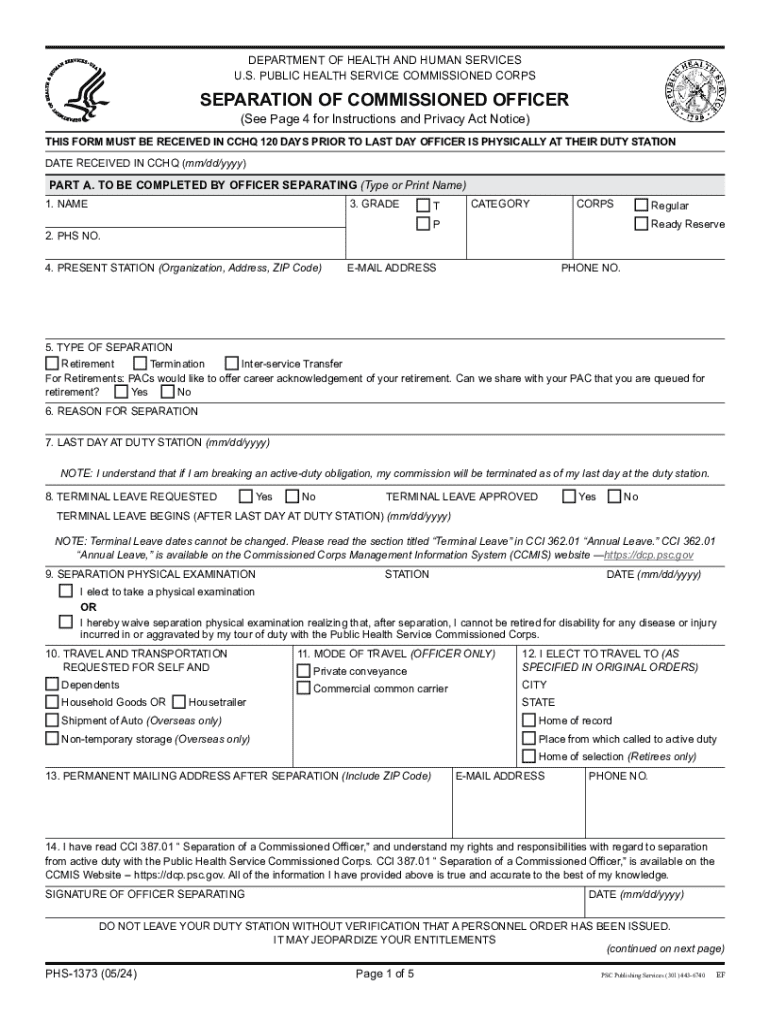
Phs 6134 Statement Of Service Form
Use a PHS 6134 Statement Of Service template to make your document workflow more streamlined.
What the Phs 6134 form does
The Phs 6134 Statement Of Service Form records a service statement that can be completed, routed, signed, and retained electronically when the underlying transaction permits electronic records. In signNow, upload the form, review auto-detected fillable fields, assign signature and date fields, and send it to the responsible signer. The signer reviews the document, provides an electronic signature, and receives a completed copy. signNow records the signing activity in an audit trail. Confirm the issuing authority’s instructions before relying on electronic completion, because the form’s legal requirements control.
How the form workflow works
The signNow workflow moves this service statement from upload through field review, signature collection, and evidence-preserving storage.
Upload document: Upload the service statement into signNow. Prepare fields: Review detected fields and assign each signer. Invite signer: Send invitations for secure electronic completion. Preserve record: Store the signed form with its audit trail.
Complete the form in signNow
Follow this sequence to prepare the Phs 6134 Statement Of Service Form, collect the required signature, and preserve the finished record.
Upload form:
Upload the Phs 6134 Statement Of Service Form to signNow. Check fields:
Review auto-detected fields and add missing entries. Assign signers:
Assign signature and date fields to each signer. Send form:
Send the completed workflow and monitor signing status. Store records:
Download the signed form and completion certificate.
Recommended workflow setup
Use these controls to prepare, sign, and retain the Phs 6134 Statement Of Service Form with traceable document handling.
| Setting | Recommendation |
|---|---|
| Authentication method | Email verification with SMS OTP |
| Signature type | Typed or drawn electronic signature |
| Audit trail | Capture timestamps, IP addresses, and actions |
| Document retention | Retain completed records under applicable policy |
| Encryption | TLS 1.2 or 1.3 in transit; AES-256 at rest. |
 Best ROI. Our customers achieve an average 7x ROI within the first six months.
 Scales with your use cases. From SMBs to mid-market, airSlate SignNow delivers results for businesses of all sizes.
 Intuitive UI and API. Sign and send documents from your apps in minutes.
How the audit trail records signing
The audit trail documents the technical events that connect each signer to the completed Phs 6134 Statement Of Service Form.
Authenticate signer:
Capture timestamp:
Hash document:
Seal record:
Log activity:
Export evidence:
Signer authentication and certificates
PKI certificates:
X.509 certificates:
Two-factor authentication:
SMS OTP:
ID verification:
Signing evidence:
Platform requirements for this form
Complete the Phs 6134 Statement Of Service Form through signNow in Chrome, Firefox, Safari, or Edge. Desktop preparation works on Windows and macOS, while iOS and Android apps support mobile review and signing. Use a current browser or app and a reliable connection when uploading documents or sending invitations.
Web browsers Chrome, Firefox, Safari, and Edge support web completion. Desktop systems Windows and macOS support desktop form preparation. Mobile apps iOS and Android support mobile review and signing.
Organizations using managed Windows, macOS, iOS, or Android devices should confirm browser updates, screen access, and user permissions before deployment. Administrators can also review API, SSO, and certificate requirements for regulated workflows. Keep the completed form and audit trail in an approved storage location with access limited to authorized personnel.



Challenges when completing the form
A scanned Phs 6134 Statement Of Service Form may contain fields that auto-detection cannot identify, requiring manual placement and review before sending. Sending the form to the wrong signer can weaken attribution evidence and delay completion when the responsible service provider must sign. Storing the signed form without its audit trail separates the document from the timestamps and actions needed to explain its completion history. Exposing service details or personal information to unauthorized recipients can create privacy obligations under organizational policy or applicable law.
Best practices for completing the form
Accurate field mapping, controlled access, and complete evidence records reduce avoidable disputes around the Phs 6134 Statement Of Service Form.
Verify every field before sending
Control the approved form template
Match authentication to signer risk
Archive the form and audit trail
Key performance indicators that demonstrate SignNow's proven track record.
Troubleshooting the service statement workflow
These answers address field detection, signing validity, evidence preservation, privacy, and plan limits when processing this specific service statement.
signNow’s auto-detection can miss or misplace fields when the uploaded form uses unusual formatting. Open the document editor, compare every field with the original Phs 6134 Statement Of Service Form, and correct assignments before sending.
The Business plan includes legally binding eSignatures, audit trails, templates, mobile apps, ISO 27001, SOC 2, and GDPR. Business Premium adds bulk send, while Enterprise adds formula fields, conditional fields, and advanced signer authentication.
A typed or drawn signature can satisfy ESIGN and UETA when the signer demonstrates intent, consents to electronic records, can be identified, and the signed record remains reproducible. For consumer-facing transactions, review the disclosure requirements in 15 U.S.C. §7001(c).
Use signNow’s audit trail and completion certificate to preserve timestamps, signer actions, IP information, and document history. Legal effect still depends on the transaction, signer intent, consent, and any applicable state or federal exception.
If the Phs 6134 Statement Of Service Form contains protected health information, signNow identifies HIPAA compliance as requiring a business associate agreement. Confirm that agreement and your organization’s safeguards before transmitting PHI.
Paid signNow plans include 100 signature invites per user per year, with overage fees applying to subscription plans. The Site License uses $1.50 per signature invite and is designed for unlimited users and high document volume.
BE READY TO GET MORE
Get this form now!

If you believe that this page should be taken down, please follow our DMCA take-down process.