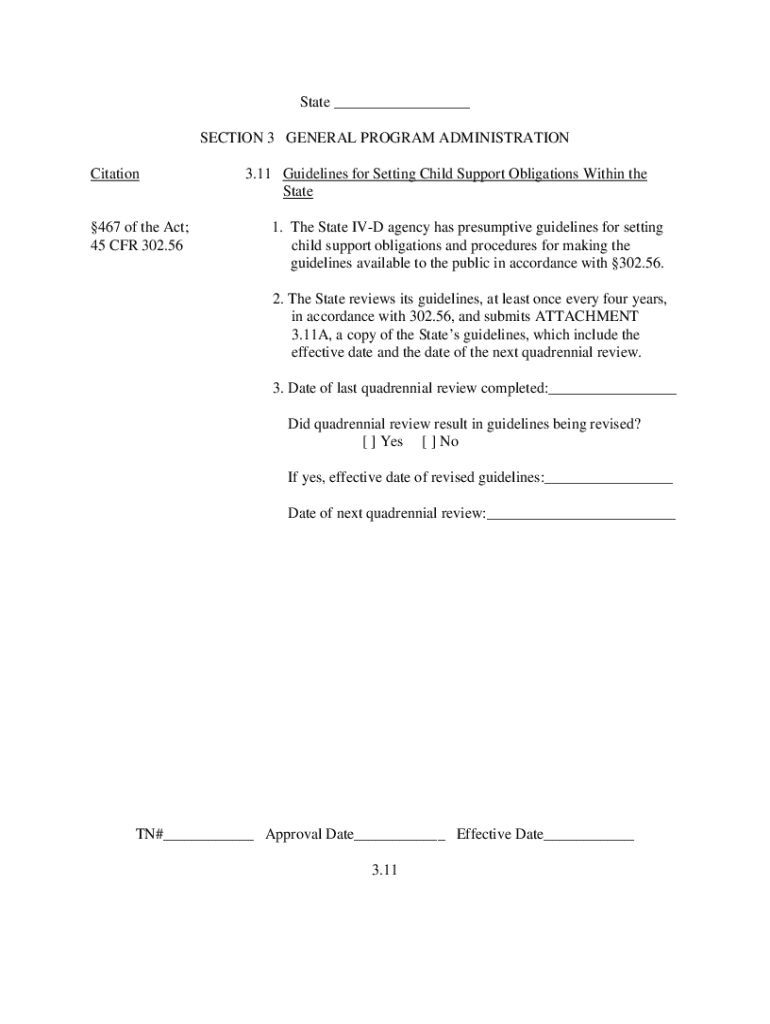
Section 3 General Program Administration Form
Use a SECTION 3 GENERAL PROGRAM ADMINISTRATION template to make your document workflow more streamlined.
What this administration form does
Section 3 General Program Administration Form is an administrative record used to collect structured information, approvals, and signatures for a defined organizational process. Because the title does not identify an issuing agency, statutory deadline, or universal filing rule, the organization using it must confirm the applicable internal policy, contract, or state requirement. In signNow, upload the approved document, review automatically detected fields, add missing fields, assign signers, send invitations, and retain the completed form with its audit trail. ESIGN and applicable state law may recognize qualifying electronic signatures.
Features that support this form
Section 3 General Program Administration Form becomes easier to prepare, route, complete, and retrieve when its fields and records are managed in one controlled workflow.
Field detection
Upload Section 3 General Program Administration Form and review detected fields before assigning required signatures, dates, initials, and text entries to each participant.
Signer routing
Route the administration form to named recipients in sequence or parallel, reducing manual forwarding while preserving the intended approval order.
Audit trail
Capture timestamps, signer actions, and authentication details in an audit trail that travels with the completed administration form.
Reusable templates
Use reusable templates when the same administration form is completed repeatedly, while keeping the approved source version under controlled access.
Mobile signing
Collect signatures from desktop or mobile devices when administrators or signers are working away from the office.
System integrations
Connect completed form workflows with systems such as Salesforce, NetSuite, Google Drive, Box, or Microsoft 365 for downstream processing.
How the administration form works
Section 3 General Program Administration Form moves from an approved source document to assigned signatures, completed records, and auditable storage.
Upload: Upload the approved administration form. Prepare: Review detected and required fields. Route: Send assigned fields to signers. Archive: Store the completed form and audit trail.
Complete the form in four steps
Use this signNow workflow to prepare, route, complete, and retain Section 3 General Program Administration Form.
Upload:
Upload the approved form file. Check fields:
Review and correct detected fields. Send:
Assign signers and send invitations. Store:
Download the signed form and audit trail.
 Best ROI. Our customers achieve an average 7x ROI within the first six months.
 Scales with your use cases. From SMBs to mid-market, airSlate SignNow delivers results for businesses of all sizes.
 Intuitive UI and API. Sign and send documents from your apps in minutes.
Recommended workflow configuration
Configure Section 3 General Program Administration Form around signer identity, evidence preservation, secure storage, and the retention rule governing its contents.
| Setting | Recommendation |
|---|---|
| Authentication and provisioning | Use role-based access with verified signer email |
| Signature type | Use typed or drawn electronic signatures |
| Audit trail | Retain the completed audit trail |
| Document retention | Apply the controlling records schedule |
| Encryption | Use TLS 1.2/1.3 and AES-256 |



Platform requirements for the form
Complete Section 3 General Program Administration Form through signNow using Chrome, Firefox, Safari, or Edge on Windows or macOS. signNow also provides iOS and Android mobile apps for reviewing and signing documents.
Browsers Chrome, Firefox, Safari, Edge Desktop Windows and macOS desktops Mobile iOS and Android apps
Organizations should manage supported browsers, mobile access, and account permissions together. Regulated deployments may also require SSO, API access, managed devices, and a documented retention process for the completed administration form and its audit trail.
Retention rules for signed records
Retention depends on the information and business process documented by Section 3 General Program Administration Form. Apply the controlling federal or state rule.
3 years for tax records
6 years for HIPAA records
3 years after hire
3 years for payroll records
5 years for injury records
Risks of incomplete administration records
Weak intent evidence
Misattributed entries
Evidence gaps
Disclosure exposure
Challenges when managing the form
Unassigned signature or date fields can leave Section 3 General Program Administration Form incomplete and make responsibility for individual entries difficult to establish. Sending the form to the wrong recipient can disclose administrative information and require access revocation, document replacement, and a new audit record. Using an outdated internal version can produce conflicting approvals when the organization changes its procedures without replacing saved templates. Saving only the signed PDF without its audit trail can weaken the evidence showing authentication, timestamps, and signer actions.
Security controls for signed records
Encryption:
Independent assurance:
Security management:
Healthcare safeguards:
Privacy controls:
Data protection:
Legal standing of the completed form
A completed Section 3 General Program Administration Form can support a U.S. business transaction when the signer demonstrates intent, consents to electronic records, can be identified, and the record remains reproducible with its audit trail under ESIGN and applicable state law. Wills, codicils, testamentary trusts, court filings, and family law decrees remain excluded.

Troubleshooting administration form workflows
Resolve field, identity, compliance, and plan questions before sending Section 3 General Program Administration Form for signature.
Upload Section 3 General Program Administration Form as a readable PDF or supported document file, then review signNow’s detected fields and add missing signature, date, or text fields manually before sending.
The signNow Business plan includes templates, audit trails, and legally binding eSignatures at $8 per user per month with annual billing. Business Premium adds bulk send at $15 per user per month.
If the administration form contains protected health information, use a signNow HIPAA-compliant workflow with a required BAA. Confirm the surrounding process also meets HIPAA privacy and security obligations.
For consumer-facing transactions, provide the ESIGN consumer disclosure and confirm electronic access capability under 15 U.S.C. §7001(c). signNow records consent and signing activity, but the disclosure process remains organizational.
Use SMS OTP or stronger signer authentication when an email link alone does not adequately establish identity. signNow plans provide authentication options, while Enterprise adds advanced signer authentication capabilities.
Subscription plans include 100 signature invites per user per year, with overage fees after the allowance. The Site License uses $1.50 per signature invite and supports unlimited users.
Key performance indicators that demonstrate SignNow's proven track record.
BE READY TO GET MORE
Get this form now!

If you believe that this page should be taken down, please follow our DMCA take-down process.