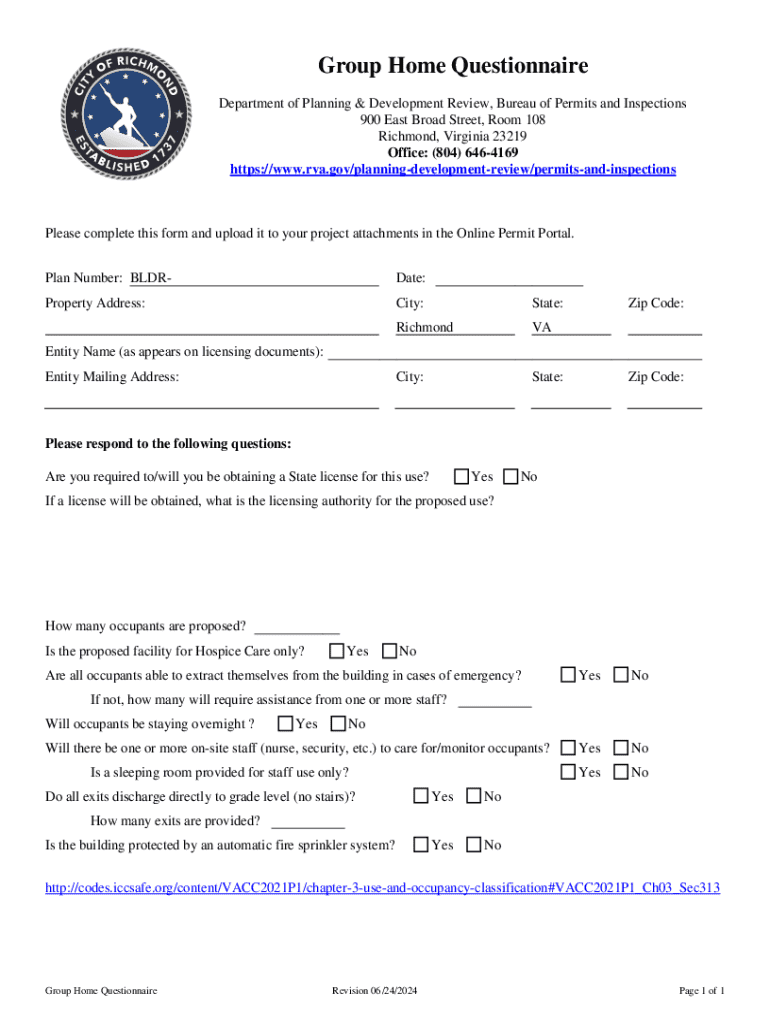
Richmond City, Office Of Building Inspection Form
Use a Richmond City, Office Of Building Inspection template to make your document workflow more streamlined.
What the Richmond City inspection form does
The Richmond City, Office Of Building Inspection Form is used to provide building-project information for local inspection or permitting review. It organizes applicant, property, contractor, project, and requested-inspection details in one record. The form may require signatures, certifications, plans, permits, or other attachments, depending on the project and city instructions. With signNow, upload the form, place or confirm fields, route it to the appropriate signer, and retain the completed PDF and audit trail. Verify current submission requirements with Richmond City before filing.
Complete the inspection form online
Use signNow to prepare the Richmond City form, route required signatures, and preserve the completed document with its audit trail.
Upload form:
Upload the Richmond City inspection form. Check fields:
Review detected fields and add missing ones. Assign people:
Assign required signers and reviewers. Complete record:
Send, sign, and download the completed record.
Recommended inspection form setup
Configure the Richmond City workflow around signer identity, document integrity, controlled access, and the city’s own retention requirements.
| Setting | Recommendation |
|---|---|
| Authentication method | Email verification with SMS code |
| Signature type | Typed or drawn electronic signature |
| Audit trail | Capture timestamps, IP, and actions |
| Document retention | Follow Richmond City retention instructions |
| User provisioning | Assign role-based access to staff |
 Best ROI. Our customers achieve an average 7x ROI within the first six months.
 Scales with your use cases. From SMBs to mid-market, airSlate SignNow delivers results for businesses of all sizes.
 Intuitive UI and API. Sign and send documents from your apps in minutes.
Platform requirements for form completion
Use an up-to-date Chrome, Firefox, Safari, or Edge browser on Windows or macOS. signNow also provides mobile apps for iOS and Android, with encrypted connections using TLS 1.2/1.3.
Supported browsers Chrome, Firefox, Safari, and Edge Operating systems Windows, macOS, iOS, and Android Connection security TLS 1.2/1.3 encrypted connections
Organizations should manage access through approved devices and user permissions. Where the Richmond City workflow includes sensitive project or ownership information, administrators should configure signNow access controls, audit-trail retention, and any required authentication before distribution.
What the inspection audit trail records
The audit trail documents how the Richmond City form moved from preparation through signing and record export.
Authenticate signer:
Capture timestamp:
Hash document:
Seal history:
Track events:
Export evidence:
Recordkeeping practices for inspection forms
Keep the signed form, supporting materials, and audit evidence together while following the retention rule that actually applies to the Richmond City record.
Export the completed inspection record
Confirm the applicable retention rule
Restrict project information access
Review the packet before submission
Retention schedule for inspection records
No universal federal retention period is established for this Richmond City form in the available source material. Follow the responsible city office’s written schedule and project requirements.
City rule controls retention
Completed packet retained
Audit evidence retained
Access remains controlled
Disposition documented
Challenges with this inspection form
Applicants may omit property details, project information, or contact fields required for Richmond City review. Scanned forms can contain unreadable plans, missing pages, or fields that automated detection cannot identify reliably. Different reviewers may require supporting permits, drawings, or ownership evidence before accepting an inspection request. Unsigned certifications or incomplete contractor information can delay routing, review, or follow-up communication.
Troubleshoot Richmond City form workflows
These answers address field detection, signer authentication, electronic-signature validity, document integrity, and Richmond City submission boundaries.
If signNow does not detect a field, add a text, date, checkbox, or signature field manually in the editor. Review every page before sending so property and project information remains attached to the correct location.
The Business plan includes templates, audit trails, mobile apps, and legally binding eSignatures. Business Premium adds bulk send, which is useful when the same inspection packet must go to multiple recipients.
Use signNow’s SMS authentication when the Richmond City workflow needs an additional identity check. For regulated records, configure the stronger authentication and retention controls required by the responsible agency or industry.
Electronic signatures generally receive legal recognition under ESIGN and Virginia’s UETA-based framework when intent, consent, attribution, and record reproduction are established. Confirm any city-specific submission rule separately.
If a signed PDF changes after completion, compare the document with the stored completed copy and audit trail. signNow records signing events, timestamps, and actions to support document history.
A Richmond City inspection form may still require attachments, fees, plans, or agency-specific delivery instructions. signNow can prepare and sign the packet, but it does not replace the city’s acceptance process.
Key performance indicators that demonstrate SignNow's proven track record.
BE READY TO GET MORE
Get this form now!

If you believe that this page should be taken down, please follow our DMCA take-down process.