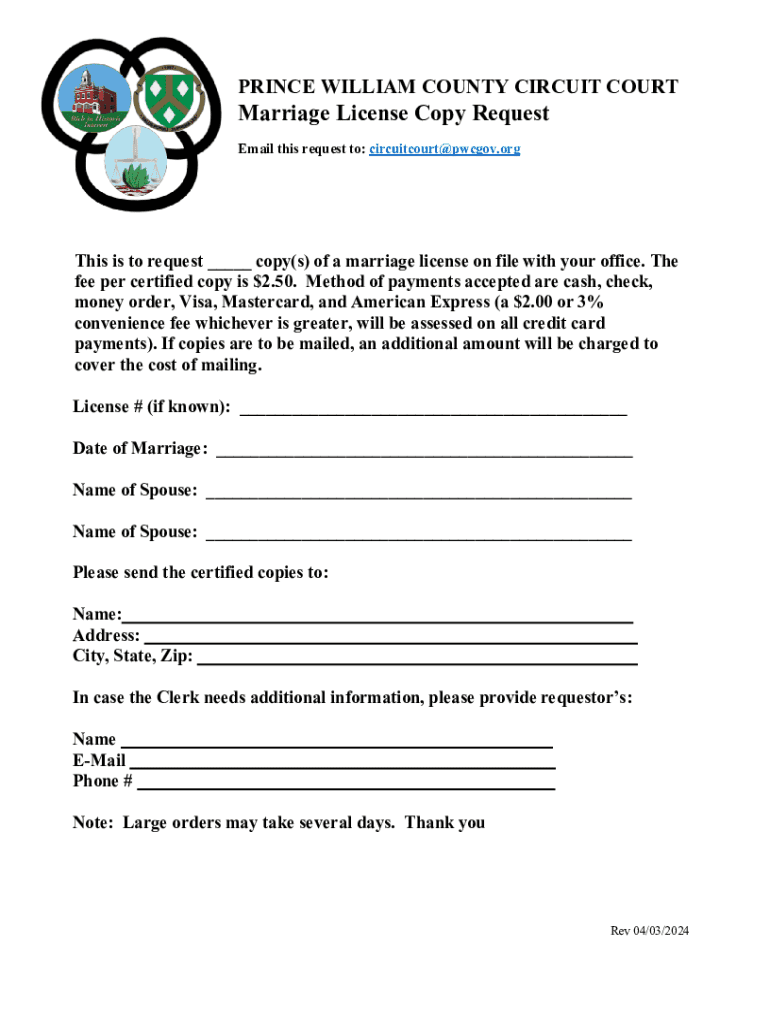
Marriage License Copy Request Form
Use a Marriage License Copy Request pdf template to make your document workflow more streamlined.
What the request form does
A Marriage License Copy Request Form asks an issuing vital-records office to release a certified or informational copy of a marriage record. The requester usually identifies the spouses, marriage date and location, purpose of the request, delivery details, and relationship or authorization. Requirements vary by state, county, and record type, so the issuing office controls eligibility, fees, identity verification, notarization, and delivery. signNow can prepare the PDF, route required signatures, record consent, and retain the completed request with an audit trail, but it does not replace the office’s filing or identity rules.
Who benefits from the request form
The form is useful wherever an authorized person must request a marriage-record copy and preserve evidence of the submitted information.
County vital-records offices can route authorization forms to eligible applicants, verify completed fields, and retain signed requests before releasing marriage-record copies under local procedures. Family-law practices can collect client authorization for marriage-record copies, preserve the signed request, and coordinate delivery without repeatedly exchanging editable documents by email. Genealogy and records-research businesses can organize client requests, capture consent, and maintain separate audit trails for each marriage-record copy request.
These tasks are executed by both individual contributors and centralized administrators depending on organizational policy and required controls.
How the request works
The process moves from form preparation to authorized signing, then preserves the completed request and its signing history.
Upload form: Upload the completed Marriage License Copy Request Form to signNow. Review fields: Auto-detect fillable fields and confirm requester information. Send request: Send the request to the authorized signer by email or link. Archive record: Store the signed copy and audit trail for controlled retrieval.
Steps to complete the request
Prepare the exact jurisdiction and requester information before sending the form for signature.
Upload form:
Upload the Marriage License Copy Request Form. Check fields:
Confirm detected fields and jurisdiction details. Add signer:
Add the authorized signer’s email address. Finish request:
Send, sign, and save the completed request.
 Best ROI. Our customers achieve an average 7x ROI within the first six months.
 Scales with your use cases. From SMBs to mid-market, airSlate SignNow delivers results for businesses of all sizes.
 Intuitive UI and API. Sign and send documents from your apps in minutes.
Features for marriage-record requests
signNow connects document preparation, signer routing, audit evidence, and controlled storage around the specific information required for a marriage-record copy request.
PDF preparation
Upload the Marriage License Copy Request Form and use field detection to prepare requester, spouse, jurisdiction, and authorization details without recreating the document.
Signer routing
Route the request to the person whose signature or authorization the issuing office requires, using email delivery or a controlled signing link.
Audit trail
Capture signing activity, timestamps, and document history so staff can show which version was completed and when the request was signed.
Reusable templates
Use templates for repeated requests while preserving jurisdiction-specific fields, office instructions, and recipient roles for each marriage-record application.
Mobile access
Review and sign from a desktop browser or mobile app, then download the completed PDF for submission according to state or county instructions.
Data protection
Protect marriage-record information with encrypted transmission and storage, access controls, and compliance features relevant to the organization’s obligations.
Why teams look for DocuSign alternatives
Organizations seek alternatives when they need different pricing models, stronger native automation, simpler bulk affidavit workflows, or more flexible identity-verification options than those available in a legacy envelope-based vendor.

Challenges when requesting a copy
Applicants may provide a ceremony date instead of the recorded marriage date requested by the vital-records office. A request can be returned when the county, state, or recording jurisdiction is identified incorrectly. The requester may omit a qualifying relationship, authorization, identification detail, or delivery address. Multiple signers can create conflicting versions when the final PDF is not centrally controlled.
Risks of an incomplete request
Record mismatch
Release delay
Rejected request
Privacy exposure
Request preparation and processing stages
The request timeline depends on signer response and the vital-records office, so confirm its current processing instructions before sending.
Prepare the request
Deliver to signers
Collect signatures
Complete and archive
Security for signed requests
Data encryption:
Security reporting:
Information security:
Health information:
Electronic signatures:
Encryption standards:
Platform options for the request
The Marriage License Copy Request Form can be prepared in signNow through Chrome, Firefox, Safari, or Edge on Windows or macOS. signNow also provides iOS and Android apps for mobile review and signing, while camera capture can help create a source document for upload.
Web browsers Chrome, Firefox, Safari, and Edge Mobile apps iOS and Android signNow apps Document capture Camera capture for source documents
Organizations should use managed devices when marriage-record information is sensitive, restrict downloaded copies, and assign access through administrative controls. Review whether the issuing office requires an original identification document, notarization, certified copy, or in-person delivery before relying on a mobile-signed PDF.
Best practices for marriage-record requests
Accurate jurisdiction details, controlled access, and a complete audit record help prevent rejected requests and unnecessary disclosure of personal information.
Verify the issuing office first
Separate required information clearly
Restrict access and preserve evidence
Archive according to governing rules
Troubleshooting the request workflow
Use these answers to resolve form-preparation, signing, acceptance, and record-protection questions before submitting a marriage-record request.
Upload the original PDF again and confirm it is not password-protected or corrupted. signNow Business includes templates, legally binding eSignatures, and audit trails for routing the request. The issuing office still determines whether the final signed form meets its submission requirements.
Use signNow’s field-detection and editing tools to inspect every requester, spouse, date, jurisdiction, and delivery field. Correct detected field types before sending, because an editable text field may not satisfy an office’s signature or notarization instruction.
A Marriage License Copy Request Form may require a handwritten signature, notarization, identity document, or in-person submission under state or county rules. ESIGN and UETA support electronic records, but they do not override those issuing-office requirements.
For a consumer-facing electronic record, provide the ESIGN disclosure and confirm the signer can access the record. SignNow can capture consent and maintain an audit trail, while the requester must follow the office’s separate authorization rules.
Business Premium includes bulk send and quick invite links; Business includes templates and audit trails. Choose the plan based on routing volume and authentication needs rather than assuming every plan includes bulk delivery.
Business and higher plans include signNow’s audit trails, while HIPAA use requires a business associate agreement. Store only the marriage-record request data needed for the stated purpose and restrict access to authorized personnel.
Key performance indicators that demonstrate SignNow's proven track record.
BE READY TO GET MORE
Get this form now!

If you believe that this page should be taken down, please follow our DMCA take-down process.