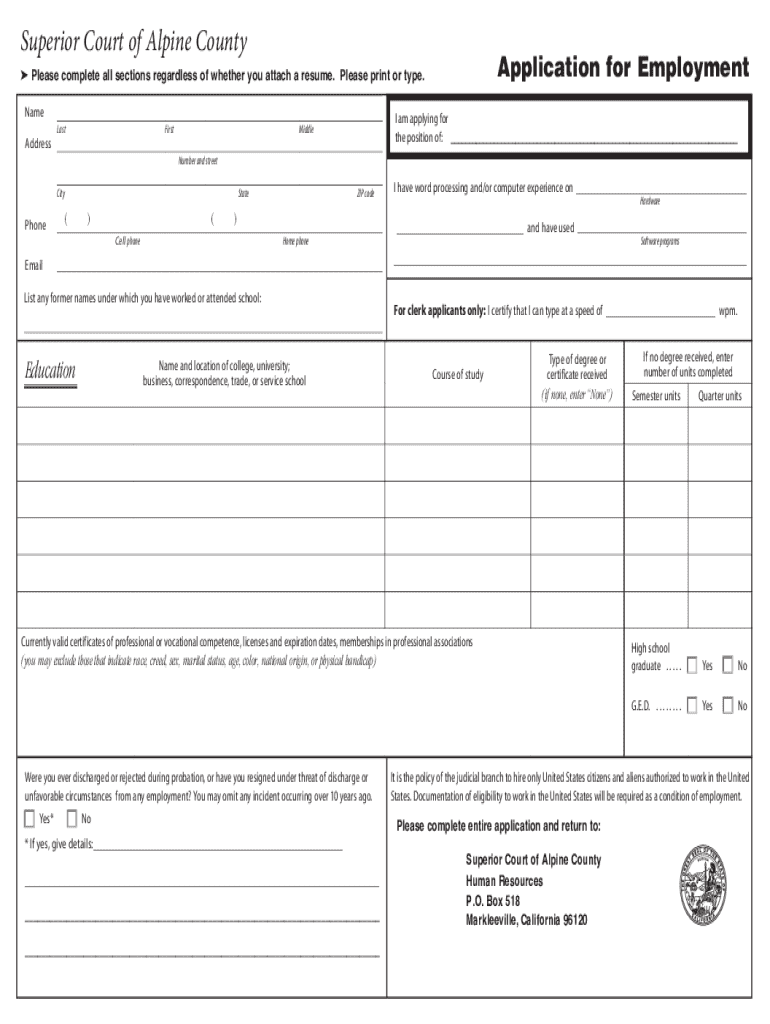
There Is A Section For A Job Application To Write About ' Form
Use a There Is A Section For A Job Application To Write About ' template to make your document workflow more streamlined.
What this application form does
The There Is A Section For A Job Application To Write About ' Form is a digital application document that provides a dedicated place for a candidate to describe a relevant experience, qualification, or other job-related information. Because the supplied form name does not identify an issuing agency, official fields, filing deadline, or required signer, those details should be confirmed with the employer before completion. In signNow, a sender uploads the form, reviews detected fields, assigns applicant fields, sends it for completion, and stores the finished copy with an audit trail.
Who uses this application form
Job applicants
Applicants and hiring teams can use the There Is A Section For A Job Application To Write About ' Form to collect the specific job-related information requested by an employer. Review every prompt, provide accurate responses, and preserve the completed record for recruiting documentation.
Hiring teams
Human resources teams can distribute the There Is A Section For A Job Application To Write About ' Form through a controlled workflow, collect applicant responses, and retain the signed document with its audit trail. Access permissions should match the employer’s hiring process.
Features for completing this form
signNow organizes the form’s response, signature, delivery, and recordkeeping steps in one auditable workflow for applicants and hiring teams.
Field detection
Upload the exact There Is A Section For A Job Application To Write About ' Form and review its detected fields before adding applicant-specific text or signature requirements.
Role assignment
Assign the application’s response and signature fields to the correct applicant so another recipient cannot accidentally complete the candidate’s section.
Controlled delivery
Send the prepared application by email or signing link, allowing the applicant to open it without exchanging editable attachments.
Mobile completion
Applicants can complete the form from a desktop or mobile device while signNow records the signing event and document history.
Audit trail
Keep the completed application and audit trail together so hiring personnel can review what was signed and when it was completed.
Reusable template
Use reusable templates when the same application prompt is issued repeatedly, while checking each version against the employer’s current requirements.
 Best ROI. Our customers achieve an average 7x ROI within the first six months.
 Scales with your use cases. From SMBs to mid-market, airSlate SignNow delivers results for businesses of all sizes.
 Intuitive UI and API. Sign and send documents from your apps in minutes.
Recommended workflow setup
Configure the application workflow around applicant identity, assigned fields, audit evidence, protected storage, and the employer’s documented access policy.
| Setting | Recommendation |
|---|---|
| Authentication method | Email link with SMS OTP |
| Signature type | Typed or drawn electronic signature |
| Audit trail | Enable completion history and export |
| Document retention | Apply the employer’s written retention policy |
| Encryption and provisioning | TLS 1.2/1.3, AES-256, controlled users |
How to complete this form
Use this sequence to prepare, send, complete, and preserve the There Is A Section For A Job Application To Write About ' Form in signNow.
Upload the form:
Upload the application template to signNow. Check the fields:
Review detected fields and add missing prompts. Assign the applicant:
Assign response and signature fields to the applicant. Send for completion:
Send the application by email or signing link. Save the record:
Store the signed form with its audit trail.
Platform requirements for this application form
Use a current browser with TLS 1.2 or later to open, complete, and sign the There Is A Section For A Job Application To Write About ' Form. Chrome, Firefox, Safari, and Edge work on Windows, macOS, iOS, and Android; signNow mobile apps are also available.
Desktop browsers Chrome and Firefox on Windows 10 or later Apple devices Safari on macOS 12 or later Android access Chrome on Android 11 or later
Organizations should manage access through approved Windows, macOS, iOS, or Android devices and current browser releases. Enterprise teams can connect API access, SSO provisioning, and managed certificate or long-term validation settings when this application form requires stronger identity controls or centralized record management.



Best practices for this application form
Accurate field assignment, limited disclosure, and documented retention help keep this application workflow understandable and controlled.
Confirm the employer’s exact prompt
Assign applicant fields carefully
Export the audit trail with the form
Protect applicant information during storage
Privacy challenges when completing the form
Including sensitive personal information in the application response can expose applicant data to recipients who were not assigned access. Leaving the employer’s consent or signature requirement undefined can create uncertainty about whether the application record was completed intentionally. Assigning the response field to the wrong recipient may allow another person to provide or alter the applicant’s answer. Sharing an unrestricted signing link can expose the application to unintended viewers unless identity and access controls are configured.
Troubleshooting this application workflow
Resolve field, access, plan, legal, and recordkeeping questions before sending the completed application.
Upload the original There Is A Section For A Job Application To Write About ' Form again and inspect the detected fields. If a prompt is not recognized, add a text field manually before assigning it to the applicant.
The Business plan provides templates and audit trails, while Business Premium adds bulk send. Select the plan based on whether one application or repeated applicant distributions require bulk delivery.
Ask the applicant to reopen the signing link in a current browser and check the assigned email address. If SMS authentication is enabled, confirm that the phone number can receive the verification code.
A completed application may be supported by ESIGN and applicable state electronic-transactions law when intent, consent, attribution, and record reproduction are established. Consumer-facing workflows may also require the ESIGN disclosure under 15 U.S.C. §7001(c).
Review the application’s actual prompts before sending. The supplied form name does not identify an agency, filing deadline, or official field list, so the employer remains responsible for confirming required information.
Export the completed document and its audit trail from signNow after signing. Restrict access to authorized hiring personnel and apply the employer’s retention policy because no form-specific federal retention period is identified.
Key performance indicators that demonstrate SignNow's proven track record.
BE READY TO GET MORE
Get this form now!

If you believe that this page should be taken down, please follow our DMCA take-down process.