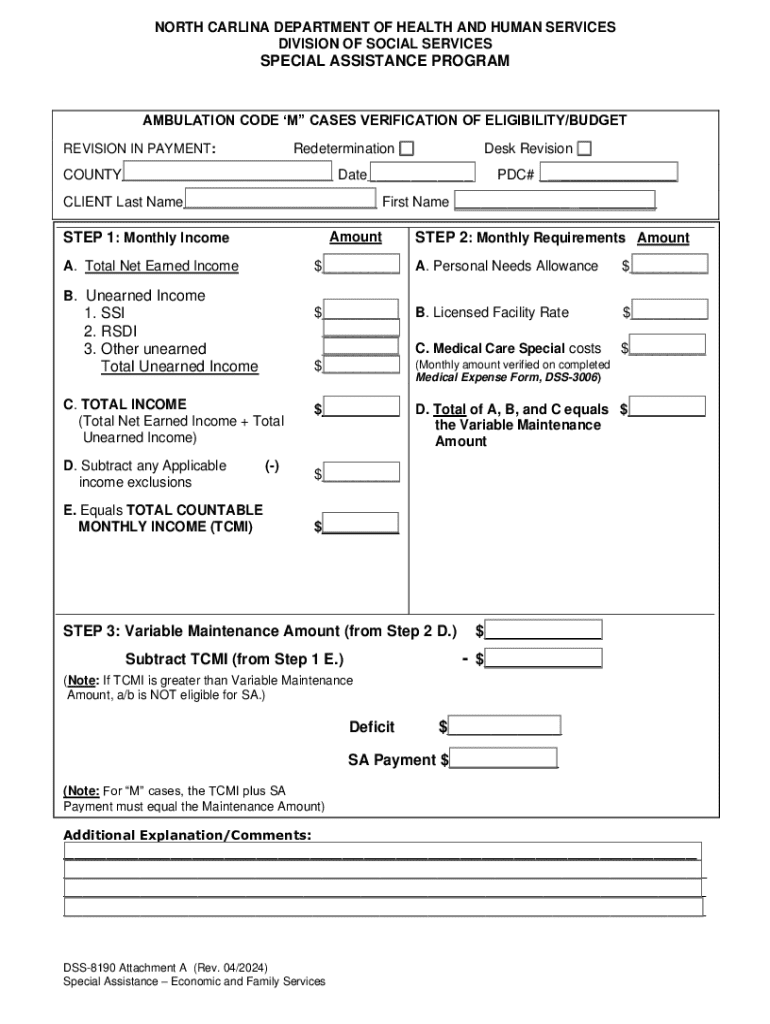
Economic Servicesguilford County, Nc Form
Use a Economic ServicesGuilford County, NC template to make your document workflow more streamlined.
What the county economic services form does
Economic Servicesguilford County, Nc Form is a county-specific document used within Guilford County economic services workflows. The supplied form name does not identify an issuing program, form number, fields, filing deadline, or statutory retention period, so those details should be confirmed against the current county source. signNow can upload the PDF, detect and verify fillable fields, route assigned sections to applicants or staff, collect electronic signatures where permitted, and preserve a completion record with an audit trail. ESIGN and UETA generally support electronic records, subject to applicable exceptions and county policy.
Who uses this county services form
Applicants
Applicants can complete assigned county economic services sections, provide required household information, and sign acknowledgments electronically when county policy permits.
County staff
County staff can prepare packets, route fields to authorized reviewers, and retain completed forms with their audit evidence.
Business types using county service forms
Economic Servicesguilford County, Nc Form is most useful where applicants, county staff, and authorized reviewers must complete one coordinated electronic record.
Guilford County economic services staff can route applicant forms, eligibility attestations, and reviewer approvals while preserving an auditable completion record. Applicants and household members can complete assigned sections remotely, reducing repeated office visits when electronic records and signatures are permitted. County program administrators can standardize recurring packets with templates, controlled roles, and retention procedures aligned with local records policy.
These tasks are executed by both individual contributors and centralized administrators depending on organizational policy and required controls.
Features for county economic services forms
signNow combines field preparation, controlled routing, signer verification, and audit evidence for Economic Servicesguilford County, Nc Form workflows.
Field preparation
Upload the Economic Servicesguilford County, Nc Form, detect existing fields, and add signature, initials, date, or required-response fields before sending.
Role-based routing
Route the county form to applicants, household members, caseworkers, or authorized reviewers in the required signing order.
Audit trail
Capture timestamps, IP details, signer actions, and completion history alongside the executed county form.
Mobile signing
Let recipients review and sign the county form from signNow mobile apps or supported desktop browsers.
Record storage
Store the signed form and completion certificate together for later case review or records management.
Signer verification
Use SMS authentication or stronger controls when county policy requires additional signer verification.
 Best ROI. Our customers achieve an average 7x ROI within the first six months.
 Scales with your use cases. From SMBs to mid-market, airSlate SignNow delivers results for businesses of all sizes.
 Intuitive UI and API. Sign and send documents from your apps in minutes.
How the county form workflow works
The Economic Servicesguilford County, Nc Form moves through four controlled stages, from document preparation to signed-record storage.
Upload: Upload the county form PDF Prepare: Detect and verify required fields Assign: Route fields to recipients Complete: Collect signatures and store evidence
Complete the county form in signNow
Use this sequence to prepare, route, sign, and retain the Economic Servicesguilford County, Nc Form with a documented signing history.
Upload form:
Upload the county form PDF Check fields:
Review detected fields and add missing ones Assign roles:
Assign signer and recipient roles Send form:
Send for secure electronic signatures Store records:
Store the completed form and audit trail
Security controls for county form records
Transit encryption:
Stored encryption:
Security certification:
Information security:
Health information:
Signature compliance:
How the audit trail records county forms
signNow records authentication, document integrity, and signer activity so completed county forms can be reviewed and exported later.
Signer authentication:
Timestamp capture:
Document hashing:
Tamper-evident sealing:
Event logging:
Audit export:
Processing stages for county form completion
The workflow moves from field preparation through recipient signing and ends with a completed record suitable for controlled county archival.
Document preparation
Delivery to signers
Signer turnaround
Completion and archival
Best practices for county form handling
Careful field review, consent handling, recipient assignment, and controlled archival reduce errors when processing this county economic services form.
Verify the current county form
Assign fields to correct people
Document electronic consent
Archive the signed record
Privacy pitfalls in county form workflows
Personal identifiers may remain visible when completed economic services forms are shared beyond authorized county staff. A consumer may sign before reviewing electronic-record consent or understanding available paper-record rights. Broad folder permissions can expose household income, contact, or eligibility information to unauthorized users. Incomplete recipient roles can leave required county acknowledgments unsigned or difficult to attribute.



Key performance indicators that demonstrate SignNow's proven track record.
Troubleshoot Economic Servicesguilford County forms
Use these answers to resolve field, routing, consent, plan, and records questions before sending this county economic services form.
Upload the original county form PDF again and inspect detected fields. signNow supports templates and field placement, but staff should confirm every required response before sending.
Add each applicant, household member, or county reviewer as a separate recipient and assign fields explicitly. Role-based routing prevents one signer from completing another person’s required section.
Business includes legally binding eSignatures, templates, audit trails, and mobile apps at $8/user/month with annual billing. The plan includes 100 signature invites per user annually.
Business Premium adds bulk send and costs $15/user/month with annual billing. It may fit repeated county packets, but its 100 annual signature invites per user still apply.
signNow supports ESIGN and UETA. For consumer-facing electronic records, provide the required paper-record disclosure, demonstrate electronic access, and explain consent withdrawal under 15 U.S.C. §7001(c).
Export the completed form and audit trail after signing, then apply Guilford County’s records policy. No federal retention period is established here for this unidentified county form.
BE READY TO GET MORE
Get this form now!

If you believe that this page should be taken down, please follow our DMCA take-down process.