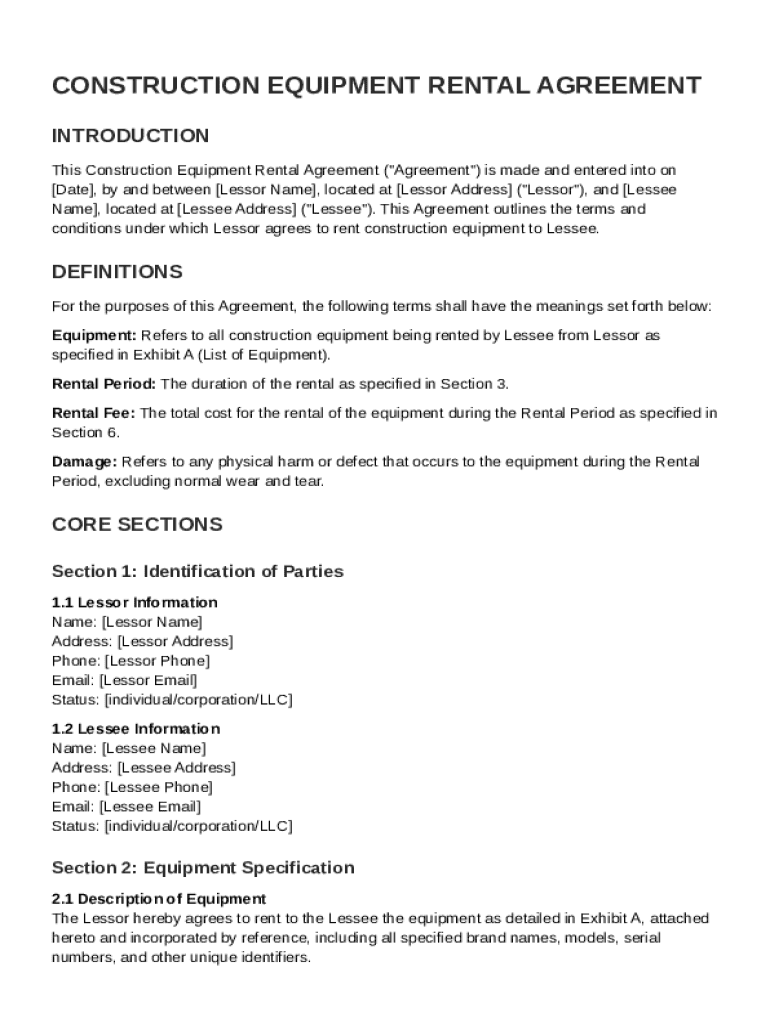
Construction Equipment Rental Agreement Form
Use a Construction Equipment Rental Agreement Template template to make your document workflow more streamlined.
What the rental agreement does
A Construction Equipment Rental Agreement Form records the deal between an equipment owner and renter before construction machinery is released. It identifies the equipment, serial number or other asset description, rental period, rates, deposit, permitted use, maintenance duties, damage responsibility, insurance, and return conditions. The owner uploads the document to signNow, reviews detected fields, assigns signer roles, and sends invitations or a signing link. Each party reviews and signs electronically, while signNow preserves the completed document and audit trail. State contract law and the ESIGN Act or UETA govern enforceability; terms should be reviewed for the transaction’s jurisdiction.
Features for construction equipment rentals
A structured digital workflow keeps equipment terms, signer responsibilities, completion evidence, and reusable rental documents together for construction businesses.
Asset details
Record the equipment description, serial number, rental period, rates, deposit, permitted use, maintenance duties, and return condition in one reviewable agreement. Clear fields reduce later disagreements about what was delivered and what the renter accepted.
Required fields
Send the owner and renter defined signing roles so each party signs the same construction equipment agreement. Required fields prevent submission until essential terms, acknowledgments, and dates are completed.
Audit trail
Capture signatures, timestamps, signer actions, and delivery details in an audit trail. The record helps connect the completed agreement to the people and events involved in the transaction.
Reusable templates
Reuse a reviewed rental agreement template for excavators, lifts, loaders, and other equipment. Update asset-specific fields before sending while preserving the approved structure and required disclosures.
Mobile signing
Let equipment owners and contractors review agreements from desktop or mobile devices. signNow mobile apps support field completion and signing when work occurs at a jobsite or branch office.
Record control
Retain the signed agreement and completion evidence together for contract administration. Export records when project, accounting, insurance, or dispute-resolution procedures require a stable copy.
How to complete the rental agreement
Prepare the equipment details and rental terms first, then use signNow to route the agreement, capture signatures, and preserve completion evidence.
Upload document:
Upload the completed equipment rental agreement. Place fields:
Review detected fields and add missing signer fields. Send agreement:
Enter renter and owner details, then send invitations. Store records:
Review signed copies and export the audit trail.
What the rental audit trail records
The audit trail documents who handled the construction equipment agreement, when actions occurred, and how the completed record can be retrieved.
Authenticate signers:
Capture timestamps:
Protect document record:
Link signer actions:
Retrieve evidence:
Archive securely:
 Best ROI. Our customers achieve an average 7x ROI within the first six months.
 Scales with your use cases. From SMBs to mid-market, airSlate SignNow delivers results for businesses of all sizes.
 Intuitive UI and API. Sign and send documents from your apps in minutes.



Platform requirements for signing
Use signNow through Chrome or Edge on Windows or macOS, or through signNow mobile apps on iOS and Android. A current browser, internet connection, and TLS 1.2/1.3 support allow secure access to the rental agreement workflow.
Desktop browsers Chrome and Edge Desktop systems Windows and macOS Mobile apps iOS and Android
Construction teams should apply device management, access controls, and account permissions when rental agreements contain pricing, identity, or project information. Organizations using API access, SSO, or regulated workflows should confirm the required signNow plan, authentication configuration, and retention process before deployment.
Security for rental agreements
Transport encryption:
Stored data:
Security assurance:
Information security:
U.S. eSignature:
Protected health data:
Best practices for rental agreements
Accurate asset details, defined responsibilities, and preserved completion evidence make a construction equipment rental agreement easier to administer and review.
Identify the exact equipment
Define dates and charges
Allocate operating responsibilities
Preserve completion evidence
Rental agreement processing stages
Move from equipment details to an executed agreement by checking terms, routing the document, collecting signatures, and preserving the completed record.
Prepare agreement
Deliver to signers
Collect signatures
Archive completion
Risks of incomplete rental agreements
Rental dispute
Repair liability
Evidence weakness
Proof gap
Construction equipment rental agreement FAQ
Resolve field, authentication, plan, consent, and recordkeeping questions before sending a construction equipment rental agreement for signature.
Upload the rental agreement as a PDF or supported document, then use signNow’s field detection and editor to place signer, date, and initials fields. Confirm every required field before sending.
The Business plan includes templates and audit trails, while Business Premium adds bulk send. For repeated equipment agreements, save one reviewed template and update asset details before each send.
Use signNow’s signer authentication options, including SMS verification where configured, and retain the completed document with its audit trail. ESIGN and UETA recognize electronic signatures when intent, consent, attribution, and record retention are established.
Business, Business Premium, and Enterprise plans include 100 signature invites per user annually, with overage fees. The Site License uses $1.50 per signature invite and is designed for usage-based, high-volume sending.
For a consumer renter, provide the ESIGN Act disclosure, explain the right to receive paper records, and confirm electronic access. These requirements arise under 15 U.S.C. §7001(c), not from the rental template itself.
The signed agreement and certificate of completion can be retained with signNow’s audit trail, including signing actions, timestamps, and IP information. Set retention according to the transaction, contract, and applicable state-law requirements.
Key performance indicators that demonstrate SignNow's proven track record.
BE READY TO GET MORE
Get this form now!

If you believe that this page should be taken down, please follow our DMCA take-down process.