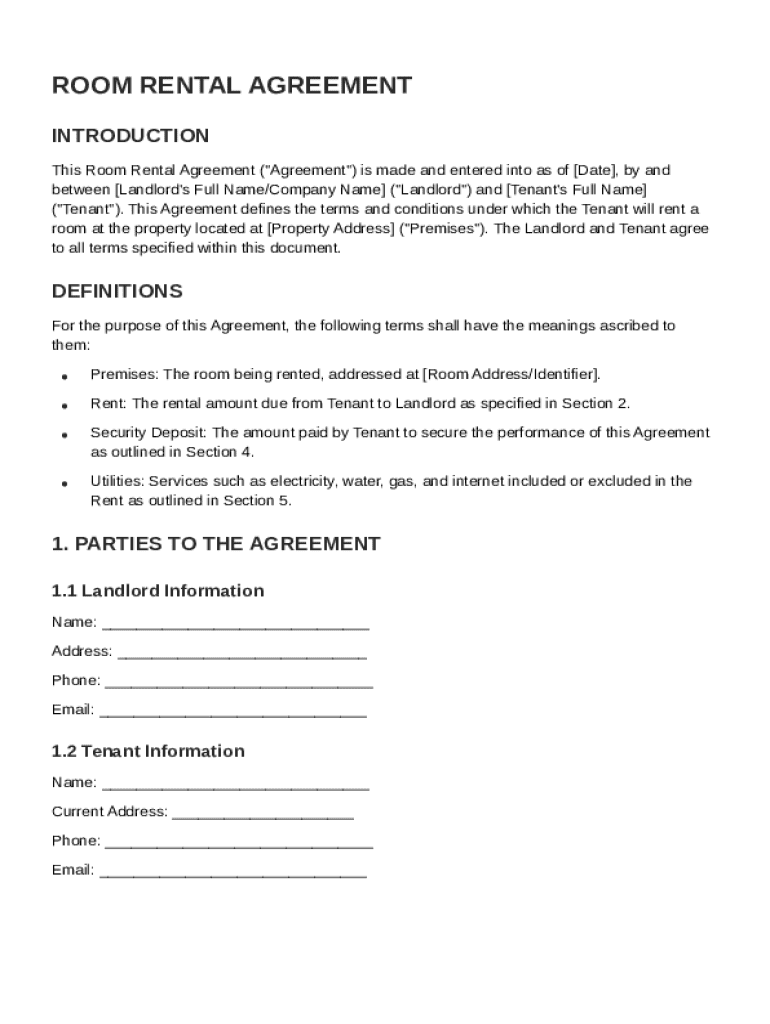
Room Rental Agreement Form
Use a Room Rental Agreement Template template to make your document workflow more streamlined.
What this room rental form does
Room Rental Agreement Form records the terms between a person renting a room and the property owner or authorized landlord. It identifies the parties, property and room, occupancy dates, rent, deposit, utilities, shared-space rules, maintenance duties, notice requirements, and signatures. In the United States, enforceability depends on the agreement’s language and applicable state and local landlord-tenant law. With signNow, a prepared agreement can be uploaded, fields can be detected or placed, signers can receive assigned fields, and the completed document can be stored with an audit trail.
Who uses this agreement form
Property management
Property owners and managers use the agreement to record rent, deposits, occupancy terms, maintenance duties, house rules, and termination conditions before a room is occupied.
Private landlords
Individuals and small businesses use it to document shared housing arrangements, confirm payment expectations, and preserve signed copies for future tenancy discussions.
Businesses benefiting from room agreements
Room Rental Agreement Form supports landlords and housing operators that need clear occupancy terms, reliable signatures, and organized records.
Solo landlords use this form to document one room’s rent, deposit, shared-space access, utilities, house rules, and notice terms before handing over possession. Property management companies use reusable room rental templates to coordinate multiple occupants, standardize required fields, and retain signed agreements with searchable audit records. University housing operators and co-living businesses use structured agreements to clarify occupancy dates, payment obligations, shared facilities, guest policies, and resident responsibilities across managed properties.
These tasks are executed by both individual contributors and centralized administrators depending on organizational policy and required controls.
Features for room rental agreements
Room Rental Agreement Form workflows combine structured rental terms with signing, routing, audit, and storage features for landlords and housing operators.
Field placement
Upload a prepared Room Rental Agreement Form, then place landlord, tenant, date, initials, and signature fields without rebuilding the document.
Signer routing
Route the agreement to the landlord and tenant in a defined signing order, reducing missed signatures and clarifying each party’s responsibility.
Reusable templates
Use reusable templates for recurring room arrangements while updating property addresses, room details, rent, deposits, and dates for each tenancy.
Audit trail
Capture timestamps, signer actions, and completion information in an audit trail that helps connect the final agreement to its signing event.
Mobile signing
Complete the room agreement from desktop or mobile workflows when landlords or tenants are not meeting in person.
Record storage
Store the completed agreement with its audit trail so authorized users can retrieve the final rental terms during later reviews.
Complete the room rental agreement
Prepare the room terms first, then use signNow to place fields, route the agreement, capture signatures, and preserve the completed record.
Upload form:
Upload the completed Room Rental Agreement Form. Check fields:
Review detected fields and add missing terms. Assign signers:
Assign signing fields to landlord and tenant. Send agreement:
Send the agreement for electronic signatures. Store records:
Download the completed agreement and audit trail.
 Best ROI. Our customers achieve an average 7x ROI within the first six months.
 Scales with your use cases. From SMBs to mid-market, airSlate SignNow delivers results for businesses of all sizes.
 Intuitive UI and API. Sign and send documents from your apps in minutes.
How the rental audit trail works
The signNow audit trail records technical evidence around the Room Rental Agreement Form rather than merely storing the final signed pages.
Authenticate signer:
Capture timestamps:
Hash document:
Seal activity:
Connect evidence:
Export trail:
Recommended agreement workflow setup
Configure the Room Rental Agreement Form around signer identity, clear intent, audit evidence, controlled retention, and protection of rental records.
| Setting | Recommendation |
|---|---|
| Authentication method | Email verification with SMS OTP |
| Signature type | Electronic signature with signer intent |
| Audit trail | Retain completed audit trail export |
| Document retention | Follow applicable state landlord-tenant law |
| Encryption | TLS in transit and AES-256 at rest |
Security for room rental agreements
Stored data protection:
Encrypted data transfer:
Security certification:
Control assurance:
Privacy framework:
Signature compliance:



Mobile options for room agreements
signNow supports Room Rental Agreement Form workflows through mobile apps for iOS and Android. Users can capture a paper agreement with a device camera, review fields, and continue signing workflows from supported mobile devices.
Mobile apps iOS and Android apps Offline signing Offline signing availability Document capture Camera document capture
Mobile signing helps landlords and tenants complete room agreements away from an office, while organizations should manage device access, authentication, and local storage carefully. Confirm that offline work, camera capture, and later synchronization match the organization’s recordkeeping and privacy procedures.
Record-keeping practices for agreements
Good records connect the signed Room Rental Agreement Form, its audit trail, and the applicable state or industry retention rule.
Set a documented retention period
Export the audit trail
Archive completed agreements securely
Check every material field
Retention schedule for rental records
Room Rental Agreement Form has no single nationwide retention period; apply the rule tied to the record’s purpose and the governing state law.
State-required period
3 years for tax records
6 years for understatement
6 years for HIPAA records
3 years for payroll records
State rules and document limits
State notarization
Residential rules
Wills excluded
Deed requirements
Challenges with room rental agreements
Room Rental Agreement Form may expose addresses, identity details, rent amounts, and deposit information when shared with unauthorized recipients. Missing room descriptions, utility responsibilities, or house rules can create disputes about what the tenant and landlord originally agreed. Unclear start dates, notice periods, or termination language can make enforcement depend on state landlord-tenant law and additional evidence. Failure to preserve the completed agreement and audit trail can weaken the record used to prove who signed and when.
Key performance indicators that demonstrate SignNow's proven track record.
Room rental agreement troubleshooting
These answers address field setup, signer authentication, electronic-signature validity, plan limits, and record preservation for Room Rental Agreement Form.
Upload the completed Room Rental Agreement Form as a PDF or supported document, then use signNow field placement to identify landlord and tenant signature, date, initials, and required text fields before sending.
Review the agreement’s required terms and add missing fields manually. signNow templates can preserve recurring room-rental sections, but the landlord remains responsible for confirming property details, rent, deposits, and state-required disclosures.
signNow Business includes legally binding eSignatures and audit trails. ESIGN and UETA generally support electronic signatures when intent, consent, attribution, and record retention requirements are satisfied; state landlord-tenant rules still control the rental terms.
Use signer authentication appropriate to the transaction, such as email verification or SMS OTP. Stronger identity checks may be appropriate when the agreement includes sensitive personal information or higher-value deposits.
The Business plan is listed at $8/user/month with annual billing and includes 100 signature invites per user per year. Business Premium is $15/user/month annually and includes bulk send; overage fees may apply.
Export the completed agreement and audit trail, then store them under the retention rule selected for the rental record. State landlord-tenant requirements vary, so confirm the applicable rule before deleting signed records.
BE READY TO GET MORE
Get this form now!

If you believe that this page should be taken down, please follow our DMCA take-down process.