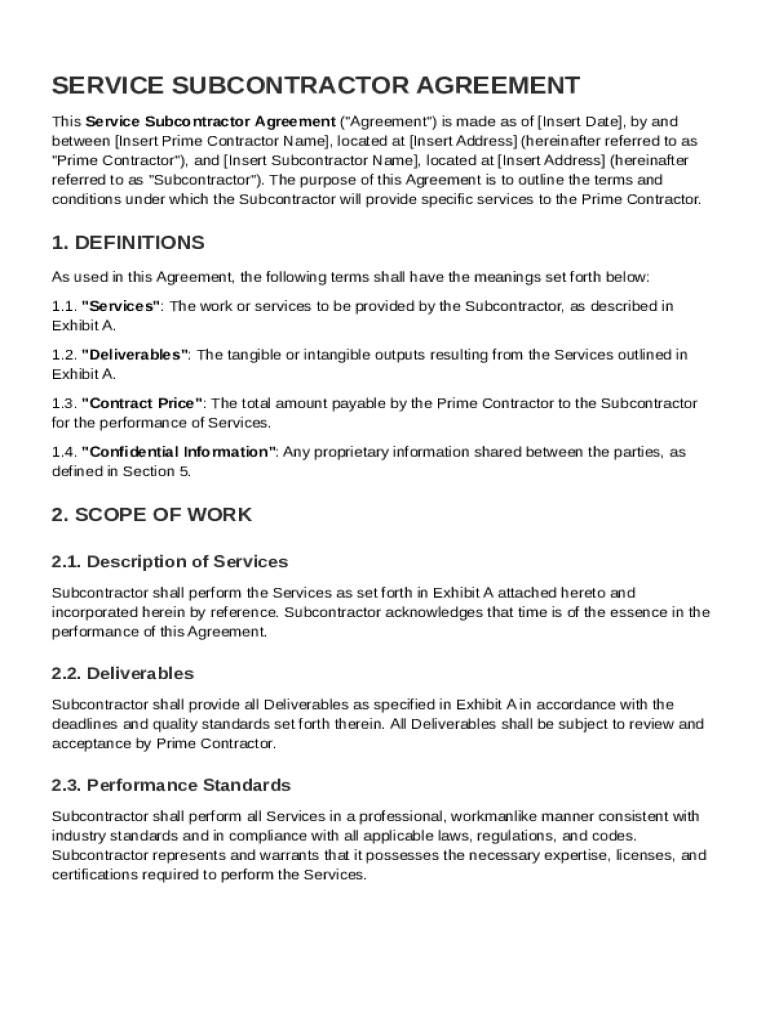
Service Subcontractor Agreement Form
Use a Service Subcontractor Agreement Template template to make your document workflow more streamlined.
What the Service Subcontractor Agreement Form does
The Service Subcontractor Agreement Form is a written contract that records the relationship between a hiring business and an independent subcontractor performing defined services. It usually identifies the parties, describes the work, sets compensation and timing, and assigns responsibilities for materials, insurance, confidentiality, compliance, and changes. Because no official federal version or issuing agency is identified for this business form, the parties should adapt its terms to the project and applicable state law. In signNow, the prepared document can be uploaded, fields assigned, signed, and stored with an audit trail.
Who uses the Service Subcontractor Agreement Form
Construction firms
Construction companies use the Service Subcontractor Agreement Form to define subcontractor scope, payment terms, insurance responsibilities, change-order procedures, and completion expectations before work begins. signNow lets project teams prepare a reusable version, route it to the subcontractor and authorized representative, and retain the signed record with its audit trail.
Service businesses
Specialty contractors and property-service businesses use the Service Subcontractor Agreement Form to document recurring engagements with electricians, cleaners, landscapers, repair technicians, and other independent service providers. A structured agreement clarifies deliverables, deadlines, invoicing requirements, confidentiality, and responsibility for permits or materials before signatures are collected.
How this subcontractor agreement works
The workflow turns the prepared Service Subcontractor Agreement Form into a traceable electronic record without changing the underlying business terms.
Prepare document: Upload the agreement and confirm its pages and attachments. Add fields: Place fields for scope, rates, dates, approvals, and signatures. Route signatures: Route the agreement to each required signer in order. Finish record: Download the executed agreement with its audit trail.
Complete the agreement in signNow
Use the actual agreement file, verify every business term, and then route the final version to the required signers.
Upload form:
Upload the current Service Subcontractor Agreement Form to signNow. Check fields:
Review detected fields and add scope, payment, insurance, and signature fields. Assign roles:
Assign each field to the contractor, subcontractor, or authorized reviewer. Send agreement:
Send the completed agreement for electronic signatures and monitor status. Store record:
Store the executed agreement and audit trail with project records.
 Best ROI. Our customers achieve an average 7x ROI within the first six months.
 Scales with your use cases. From SMBs to mid-market, airSlate SignNow delivers results for businesses of all sizes.
 Intuitive UI and API. Sign and send documents from your apps in minutes.
How the audit trail protects this agreement
The audit trail documents who handled the Service Subcontractor Agreement Form, what changed, and when each signature event occurred.
Authenticate signer:
Capture timestamps:
Hash document:
Seal record:
Create certificate:
Export history:
Challenges when preparing this agreement
Parties often leave the work description, acceptance criteria, payment schedule, or change-order process too vague to administer confidently. A subcontractor agreement may omit insurance, licensing, confidentiality, indemnification, or responsibility for permits and materials. Paper routing can leave project managers unsure whether every required signer reviewed the final version before work starts. Different agreement copies can create disputes when revisions, attachments, rates, or completion dates are not tracked together.
Risks of an incomplete subcontractor agreement
Scope disputes
Signature gap
Payment ambiguity
Coverage dispute
Evidence gap
Recommended agreement workflow setup
Configure the Service Subcontractor Agreement Form around signer identity, version control, audit evidence, and secure retention for each project.
| Setting | Recommendation |
|---|---|
| Authentication method | Email verification with SMS OTP |
| Signature type | Typed or drawn electronic signature |
| Audit trail | Enabled with completion certificate |
| Document retention | Secure archive with project records |
| Encryption | TLS 1.2/1.3 and AES-256 |
Best practices for retaining this agreement
Preserve the signed agreement as evidence of the negotiated scope, payment terms, responsibilities, and signature history, while applying the retention rules relevant to the project.
Retain the agreement with payment records
Export the completion evidence
Limit access to executed records
Check state requirements before reuse
Legal standing of this agreement
A signed Service Subcontractor Agreement Form can support a U.S. business transaction when the parties show intent, consent to electronic records, signer attribution, and reliable retention under ESIGN, 15 U.S.C. chapter 96, and applicable UETA or New York ESRA rules. Wills, court orders, and certain family-law documents remain excluded.

Pricing for subcontractor agreement workflows
signNow pricing is verified from its annual plans; competitor prices and feature details are marked Not verified where the supplied vendor data does not confirm them.
| Features | signNow | DocuSign | Adobe Sign | PandaDoc | Dropbox Sign |
|---|---|---|---|---|---|
| Starting price | $8/user/month annually; Business plan | Not verified | Not verified | Not verified | Not verified |
| Free trial | 7 days; no credit card required | Not verified | Not verified | Not verified | Not verified |
| Bulk send | Business Premium includes bulk send | Not verified | Not verified | Not verified | Not verified |
| Audit trail | Included with Business plan | Not verified | Not verified | Not verified | Not verified |
| HIPAA compliance | Available with BAA requirement | Not verified | Not verified | Not verified | Not verified |
| Annual invite limit | 100 signature invites per user | Not verified | Not verified | Not verified | Not verified |
Troubleshoot Service Subcontractor Agreement Form workflows
These answers address signing, plan, compliance, and recordkeeping questions that arise when teams execute this subcontractor agreement electronically.
The Business plan includes templates and audit trails, so upload the agreement, review detected fields, and assign signer roles before sending. If the workflow needs bulk send, use Business Premium, which includes bulk send and quick invite links. Confirm the selected plan before preparing multiple subcontractor agreements.
Business includes legally binding eSignatures and audit trails. For regulated work involving protected health information, signNow identifies HIPAA compliance as requiring a BAA. Confirm the agreement’s data scope, execute the required BAA, and obtain legal or compliance review before including PHI.
The agreement remains legally useful when the parties demonstrate intent, consent to electronic records, signer attribution, and record retention under ESIGN and applicable state law. Keep the completed document and audit trail reproducible; electronic signing does not cure missing contract terms or state-specific requirements.
Use signNow’s audit trail to review signer identity information, timestamps, IP details, and document activity. If a signature appears missing, open the recipient’s assigned fields, correct the routing, and resend the current agreement rather than editing an already executed record.
Business Premium includes bulk send for repeated agreement workflows. It is suited to sending substantially similar Service Subcontractor Agreement Forms to multiple subcontractors, but each agreement should still be checked for project-specific scope, pricing, insurance, and deadlines before execution.
The Business plan is listed at $8 per user per month when billed annually, with a seven-day free trial and no credit card required. Subscription plans include 100 signature invites per user annually, so review invite usage and applicable overage terms before scaling.
Key performance indicators that demonstrate SignNow's proven track record.
BE READY TO GET MORE
Get this form now!

If you believe that this page should be taken down, please follow our DMCA take-down process.