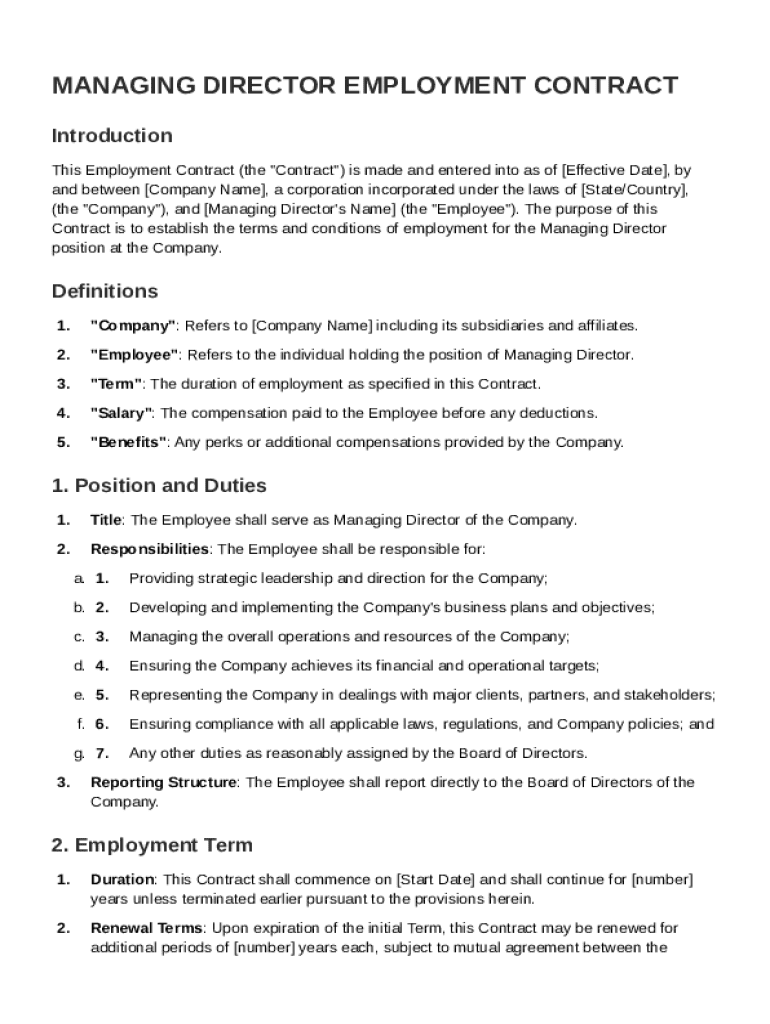
Manag Director Employment Contract Form
Use a Manag Director Employment Contract Template template to make your document workflow more streamlined.
What the employment contract form does
The Manag Director Employment Contract Form records the terms under which a managing director works for an organization. It identifies the parties, role, responsibilities, compensation, authority, confidentiality duties, termination terms, and signatures specified by the agreement. In signNow, the employer uploads the document, confirms or adds fillable fields, assigns them to the managing director and authorized representatives, and sends the contract for electronic signature. The completed PDF and audit trail preserve the signing history. ESIGN and applicable state law may support electronic execution when intent, consent, attribution, and record retention are established.
Who uses this employment contract form
Employers
Employers use the Manag Director Employment Contract Form to document a managing director’s appointment, duties, compensation, authority, confidentiality obligations, and termination terms before work begins.
Managing directors
Managing directors review the assigned employment terms, complete required personal details, and sign the final agreement after confirming the employer’s stated conditions.
How this employment contract works in signNow
Complete the Manag Director Employment Contract Form by preparing its fields, routing it to authorized signers, and preserving the finished agreement with signing evidence.
Upload agreement: Upload the employment contract PDF to signNow. Prepare fields: Auto-detect fields, then correct and assign them. Send for signature: Send the agreement to the director and employer signer. Archive evidence: Store the signed PDF with its audit trail.
Features for managing director agreements
signNow organizes the fields, signing order, evidence, and storage steps needed to complete a Manag Director Employment Contract Form electronically.
Reusable template
Upload the Manag Director Employment Contract Form once, then reuse its prepared fields as a template for recurring director appointments or renewals.
Assigned fields
Assign signature, initials, date, and text fields to the director, employer representative, and other required participants before sending.
Audit trail
Capture timestamps, signer actions, and completion evidence in an audit trail connected to the signed employment agreement.
Signing order
Send the agreement sequentially so the director signs after the employer’s designated reviewer completes the required fields.
Completed record
Keep the completed agreement and certificate of completion together for HR, legal, and management review.
Mobile signing
Use mobile signing when a director needs to review and execute the agreement outside the office.
 Best ROI. Our customers achieve an average 7x ROI within the first six months.
 Scales with your use cases. From SMBs to mid-market, airSlate SignNow delivers results for businesses of all sizes.
 Intuitive UI and API. Sign and send documents from your apps in minutes.
How signNow records this agreement’s audit trail
The signNow audit trail connects signer identity, document activity, timestamps, and completion evidence for each Manag Director Employment Contract Form.
Signer authentication:
Timestamp capture:
Document hashing:
Tamper evidence:
Completion certificate:
Audit retrieval:
Choose the signing method for this agreement
- Use the signNow web app when HR or legal staff prepare the agreement, place fields, and coordinate multiple signers from a desktop workflow.
- Use the signNow mobile app when a director or authorized representative reviews and signs the agreement away from the office.
- Use kiosk mode when several directors or representatives sign agreements on a controlled shared device during an organized session.
- Use a shareable signing link when the recipient should open the prepared Manag Director Employment Contract Form without a separate email invitation.



Signer authentication and document security
Digital certificates:
Two-factor authentication:
Signer verification:
Transport encryption:
Storage encryption:
Signing evidence:
Privacy and disclosure issues to prevent
Including compensation, authority, or termination terms in an unsecured copy can expose sensitive employment information to unintended recipients. Sending the agreement before the director reviews electronic-record consent can weaken evidence that the signer intended to transact electronically. Assigning signature fields to the wrong person can leave the employer unable to attribute approval to an authorized representative. Keeping only the signed PDF without its audit trail can make later verification of identity, timing, and signing actions harder.
Risks of incomplete agreement handling
Consent evidence
Attribution dispute
Authority challenge
Record deficiency
Retention periods for signed employment agreements
Keep the completed agreement, supporting records, and audit trail according to the applicable employment, tax, and dispute requirements.
Employer policy period for agreements
Three years for payroll records
Three years from tax filing
Six years for substantial understatement
Dispute period under state law
Record-keeping practices for this agreement
Preserve the signed agreement with its audit evidence, apply the right legal retention rule, and limit access to authorized employment-record reviewers.
Export the agreement and audit evidence
Apply the correct retention authority
Control access to sensitive terms
Verify fields before sending
Troubleshooting the employment contract workflow
Resolve field, signing, authentication, plan, and retention questions before relying on a completed Manag Director Employment Contract Form.
Upload the agreement as a PDF, place signature and date fields, assign each field to the correct participant, and send it through the prepared workflow. Business includes templates and audit trails for this process.
The Business plan supports legally binding eSignatures, templates, mobile apps, and audit trails at $8 per user monthly when billed annually. Business Premium adds bulk send and costs $15 per user monthly annually.
ESIGN and UETA generally recognize electronic signatures when intent, consent, attribution, and record retention requirements are satisfied. For consumer-facing transactions, review the electronic-record disclosure requirements in 15 U.S.C. §7001(c).
Use SMS authentication or another available signer-verification control, confirm the recipient’s email address, and retain the audit trail with the completed agreement. The evidence should connect the director’s actions to the signed record.
Business Premium includes bulk send, while Enterprise adds advanced signer authentication, formula fields, and conditional fields. Choose based on the agreement’s routing and authentication requirements rather than the document’s title.
Export the completed agreement and its certificate of completion from signNow, then store them under the employer’s records policy. Tax-related records generally follow IRC §6501(a), while payroll records follow FLSA 29 CFR §516.5.
Key performance indicators that demonstrate SignNow's proven track record.
BE READY TO GET MORE
Get this form now!

If you believe that this page should be taken down, please follow our DMCA take-down process.