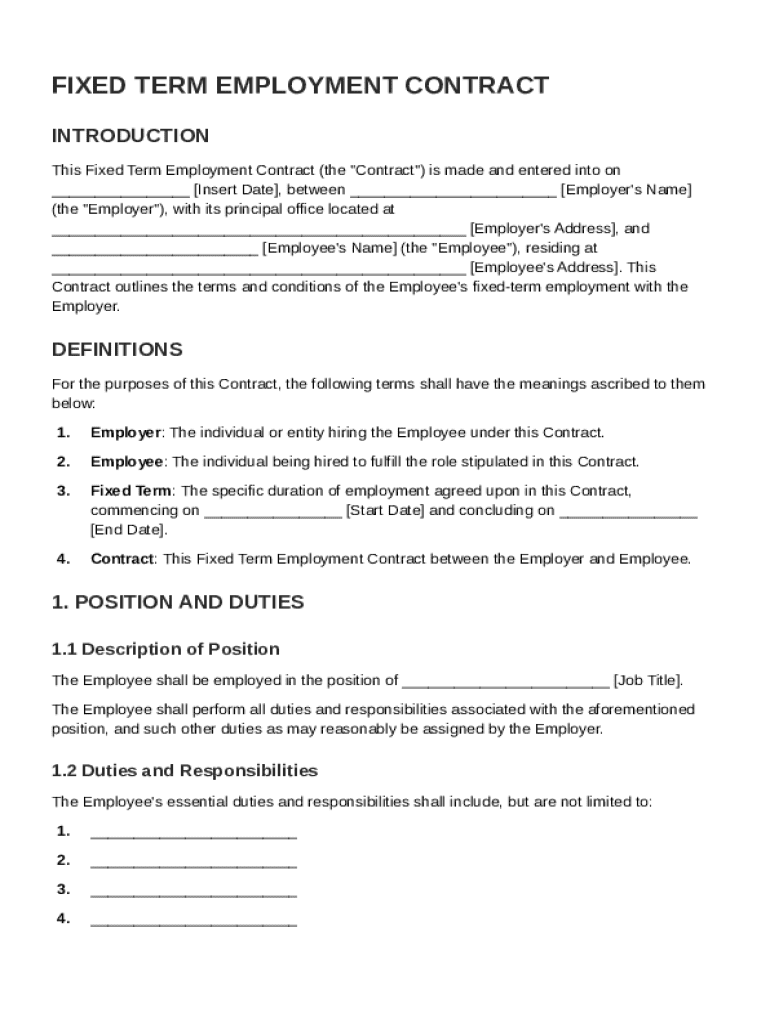
Fixed Term Employment Contract Form
Use a Fixed Term Employment Contract Template template to make your document workflow more streamlined.
What a fixed-term employment contract form does
A Fixed Term Employment Contract Form records an employer’s agreement with an employee for work during a defined period. It identifies the parties, role, duties, compensation, start date, end date, termination terms, and signatures. Unlike an at-will arrangement, its stated duration creates a reference point for renewal or expiration, although enforceability depends on the contract language and applicable state law. signNow lets the sender upload the form, detect or place fields, route it for signature, and retain the completed agreement with an audit trail.
Who uses this employment contract form
Small businesses
Small businesses can use the form for defined-duration hires, recording the employee’s role, compensation, dates, duties, and signature evidence. A reusable signNow template helps owners prepare consistent agreements while preserving a separate completed PDF and audit trail for each worker.
HR departments
HR and legal teams can standardize seasonal, project-based, or replacement employment agreements. Shared templates, controlled access, and delegated sending help authorized staff issue the correct version while maintaining a traceable approval and signature workflow.
Business types using fixed-term agreements
The form is useful wherever employment begins and ends on defined dates, especially when multiple workers require consistent terms and documented signatures.
Seasonal employers can issue contracts with defined start and end dates, then preserve each signed agreement and audit trail for workforce administration and renewal decisions. Construction companies can send project-duration employment agreements to site-based workers, collecting signatures on mobile devices before work begins or assignments change. Growing enterprises can centralize approved templates, delegate sending to HR staff, and apply role-based access while processing fixed-term agreements across departments and locations.
These tasks are executed by both individual contributors and centralized administrators depending on organizational policy and required controls.
How to complete this contract online
Prepare the fixed-term agreement in signNow, assign the employer and employee fields, and preserve the completed record after signing.
Upload contract: Upload the approved contract PDF. Add fields: Detect or place fields for both parties. Route signatures: Send the agreement through the required signing order. Preserve record: Store the executed PDF with its audit trail.
How the audit trail records contract signing
signNow records technical evidence around each fixed-term contract signing event, creating a retrievable completion history separate from the contract’s legal terms.
Authenticate signer:
Capture timestamp:
Hash document:
Seal history:
Log event context:
Export audit trail:
 Best ROI. Our customers achieve an average 7x ROI within the first six months.
 Scales with your use cases. From SMBs to mid-market, airSlate SignNow delivers results for businesses of all sizes.
 Intuitive UI and API. Sign and send documents from your apps in minutes.
Ways to send and sign the contract
- Use the web app when HR or legal staff prepare the contract, assign fields, and send it from a centralized desktop workflow for review and signature.
- Use the mobile app when a manager or employee needs to review and sign the fixed-term agreement from an iOS or Android device away from the office.
- Use kiosk mode when several workers sign contracts at one supervised location, such as an onboarding desk, while keeping each signing session separate.
- Use a shareable signing link when distributing the same approved contract process to identified recipients without creating a separate email invitation for every transaction.
Features for fixed-term contract workflows
A fixed-term agreement needs accurate dates, defined employment terms, accountable signatures, and accessible records; these signNow features address those workflow requirements.
Structured fields
Reusable fields for employee name, position, pay, work location, start date, end date, and signatures reduce omissions when preparing repeated fixed-term agreements.
Signer routing
Routing sends the contract to the employer and employee in the required order, supporting review before the final signature is applied.
Audit evidence
Audit trails preserve timestamps, signer activity, and completion evidence alongside the executed contract for later employment-record review.
Reusable templates
Templates let HR teams reuse approved fixed-term language while updating role-specific dates, compensation, and duties for each employee.
Mobile signing
Mobile signing allows managers and employees to complete the agreement without returning paper copies to an office.
Controlled storage
Secure storage keeps the signed PDF and related completion record available to authorized users after the contract is executed.
Recommended contract workflow setup
Use a controlled workflow that matches the contract’s signer roles, preserves completion evidence, and applies the retention schedule required for the employment records involved.
| Setting | Recommendation |
|---|---|
| Authentication method | Email verification with SMS authentication |
| Signature type | Typed or drawn electronic signature |
| Audit trail | Export completion evidence with signed PDF |
| Document retention | Apply documented state employment-record schedule |
| Encryption | TLS 1.2/1.3 and AES-256 protection |
Security for signed employment records
Transport encryption:
Storage encryption:
Security certification:
Information security:
Electronic signatures:
Regulated workflows:



Retention practices for fixed-term contracts
Retain the signed agreement, audit evidence, and related employment records according to the obligations that apply to the role and state.
Map retention to applicable employment records
Export the complete audit trail
Archive the original signed PDF securely
Review expiration and renewal records
Retention schedules for related records
A fixed-term contract may accompany payroll, health, safety, or tax records, so apply the rule governing each related record class.
3 years for payroll records
6 years for HIPAA records
5 years for injury records
30 years for exposure records
3 years for tax records
State-law limits and exclusions
State notarization
Wills and codicils
Court documents
Real-estate deeds
Key performance indicators that demonstrate SignNow's proven track record.
Questions about fixed-term contract signing
These answers address field preparation, electronic signing, plan limits, audit evidence, and record retention for a Fixed Term Employment Contract Form.
Upload the original contract PDF again and inspect whether fields are flattened, protected, or image-only. signNow can place fields manually when automatic detection cannot identify employee, employer, date, or signature locations. Confirm every required field before sending.
Review the signing order and recipient email addresses, then resend the fixed-term contract if necessary. signNow’s Business plan includes templates and audit trails, allowing the sender to preserve the corrected transaction separately from the incomplete invitation.
Electronic signatures may support the agreement under ESIGN and applicable UETA rules when intent, consent, attribution, and record reproduction are established. State contract law still controls employment terms, and consumer-facing records may require the ESIGN disclosure in 15 U.S.C. §7001(c).
Use signNow’s audit trail and completion certificate to document signer identity, timestamps, and transaction history. For a dispute, preserve the executed PDF and audit export together; legal sufficiency depends on the facts and applicable state law.
The Business plan is listed at $8 per user per month with annual billing and includes 100 signature invites per user annually. Business Premium adds bulk send at $15 per user per month; overage and plan terms should be reviewed before large hiring cycles.
Apply the retention period required for the employment records associated with the agreement rather than assuming one universal contract period. For example, FLSA payroll records generally require three years under 29 CFR §516.5; state rules may require longer retention.
BE READY TO GET MORE
Get this form now!

If you believe that this page should be taken down, please follow our DMCA take-down process.