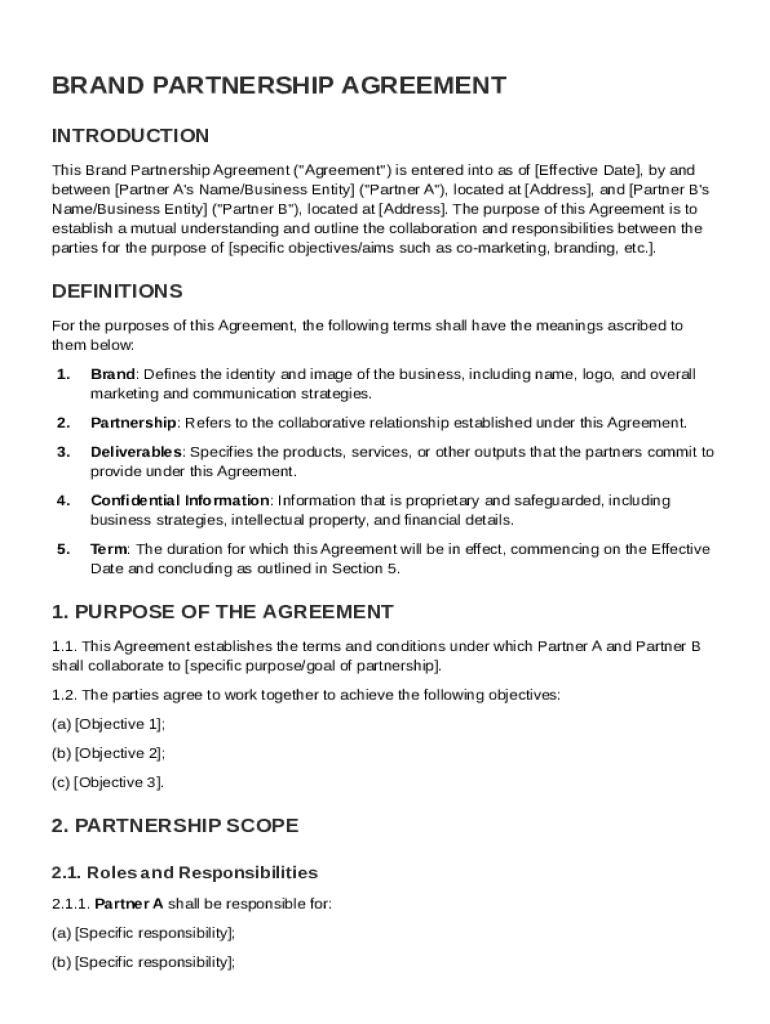
Brand Partnership Agreement Form
Use a Brand Partnership Agreement Template template to make your document workflow more streamlined.
What this partnership agreement does
A Brand Partnership Agreement Form records the terms between a brand and a partner before a campaign, promotion, or co-marketing activity begins. It identifies the parties, describes deliverables and approved brand use, sets payment and approval terms, and documents signatures showing intent to be bound. In the United States, electronic execution may be recognized under the ESIGN Act and applicable state law, including UETA, when consent, attribution, and record retention requirements are met. signNow lets a sender upload the agreement, detect fillable fields, route it for signature, and retain the completed record with an audit trail.
Who uses this partnership agreement
Marketing agencies
Marketing agencies use the Brand Partnership Agreement Form to define campaign scope, approved brand assets, deliverables, usage rights, payment terms, and approval procedures before work begins. The signed record gives account teams and brand contacts one clear reference for partnership obligations.
Content partnerships
Influencer and content teams use the form to document sponsorship duties, disclosure expectations, content approvals, exclusivity, licensing, and termination terms. It helps both parties confirm who may use campaign materials and how changes must be authorized before publication.
How this agreement works
The Brand Partnership Agreement Form moves from document preparation to assigned signatures, completion evidence, and controlled record storage.
Upload: Upload the agreement and inspect detected fields. Assign: Assign signing and approval fields to parties. Route: Send the document through signNow. Complete: Collect signatures and retain evidence.
How to complete the agreement
Use this sequence to prepare, route, sign, and retain a Brand Partnership Agreement Form in signNow.
Upload document:
Upload the completed Brand Partnership Agreement Form. Check fields:
Review detected fields and add missing fields. Assign roles:
Assign each field to a signer. Send agreement:
Send the agreement for electronic signature. Store records:
Store the signed copy and audit trail.
Key features for partnership agreements
signNow organizes the Brand Partnership Agreement Form around field accuracy, signer routing, approval evidence, reusable templates, and retained records.
Field detection
Upload the agreement and review automatically detected fields before assigning each signature, initials, date, or approval field to the correct brand or partner representative.
Signer routing
Route the agreement to brand and partner signers in the required order, keeping approval responsibilities visible before campaign work or content publication begins.
Reusable templates
Reuse an approved Brand Partnership Agreement Form template while preserving defined deliverables, licensing terms, disclosures, payment conditions, and termination language across campaigns.
Audit trail
Capture signer actions, timestamps, delivery history, and completion evidence so both parties can review how the agreement was executed and when.
Mobile signing
Let authorized teams review and sign from desktop or mobile devices when partnership work spans offices, events, agencies, and external collaborators.
Record storage
Keep the completed agreement and its audit record together for internal review, contractual administration, and retention according to the applicable record category.
 Best ROI. Our customers achieve an average 7x ROI within the first six months.
 Scales with your use cases. From SMBs to mid-market, airSlate SignNow delivers results for businesses of all sizes.
 Intuitive UI and API. Sign and send documents from your apps in minutes.
Security for partnership records
Transport encryption:
Stored data:
Independent assurance:
Security management:
Electronic signatures:
Privacy frameworks:
Recommended agreement setup
Configure the Brand Partnership Agreement Form around signer identity, evidence, access control, and the record category being retained.
| Setting | Recommendation |
|---|---|
| Authentication method | Email verification with SMS OTP |
| Signature type | Typed or drawn eSignature |
| Audit trail | Export completion certificate with document |
| Document retention | Six years for HIPAA records |
| Encryption | AES-256 at rest and TLS 1.2/1.3 |
Inside the partnership audit trail
The audit trail connects the Brand Partnership Agreement Form to signer activity, timestamps, document history, and an exportable completion record.
Signer authentication:
Timestamp capture:
Document integrity:
Evidence sealing:
Action history:
Audit export:
Platform requirements for signing
Open the Brand Partnership Agreement Form in Chrome, Firefox, Safari, or Edge on Windows or macOS. signNow also provides iOS and Android apps for mobile review and signing over TLS-protected connections.
Browsers Chrome, Firefox, Safari, Edge Desktop systems Windows and macOS desktops Mobile apps iOS and Android mobile apps
Teams can route agreements from managed desktops or mobile devices, then retain the signed file and audit trail in the signNow account. Larger deployments can connect signNow through available integrations, assign roles, and apply organization-specific access policies before sending partnership documents.



Legal standing of the agreement
A signed Brand Partnership Agreement Form can support a U.S. business transaction when the parties show intent, consent to electronic records, signer attribution, and reliable record retention under the ESIGN Act, 15 U.S.C. ch. 96, and applicable state law such as UETA. ESIGN excludes wills, certain court filings, family law decrees, and other listed records.

Retention periods for signed agreements
Choose the retention period by record category, tax treatment, industry context, and applicable federal or state requirements.
Three years from filing
Six years after filing
Indefinite for fraud
Six years for HIPAA
Six years for broker records
Risks of incomplete agreements
Incomplete execution
Scope dispute
Rights conflict
Evidence gap
Troubleshooting partnership agreements
Resolve the specific field, delivery, consent, plan, and enforceability questions that arise when sending this agreement for signature.
Upload the final Brand Partnership Agreement Form as a PDF, then review signNow’s detected fields before sending. If a field is missing, add it manually and assign it to the correct brand representative or partner. Business includes templates and audit trails for repeat agreements.
Confirm that the recipient email is correct and that the signer role matches the assigned field. Resend from the document workflow rather than creating a second copy. A completed signNow audit trail records delivery and signing actions for the Brand Partnership Agreement Form.
Business includes legally binding eSignatures, templates, and audit trails, while Business Premium adds bulk send. Choose Business Premium when the same partnership agreement must be distributed to many separately assigned recipients. Confirm the annual or month-to-month price before deployment.
For consumer-facing agreements, provide the required electronic-record disclosure and show that the signer can access the format. ESIGN requires consent and access procedures under 15 U.S.C. §7001(c). Configure the workflow so the disclosure is presented before signing the agreement.
A partnership agreement is generally outside the ESIGN exclusions, but state law and the transaction matter. Wills, codicils, testamentary trusts, court filings, and family law decrees are excluded. Obtain legal review before using this workflow for an excluded document.
Business is listed at $8 per user per month when billed annually and includes 100 signature invites per user per year. Subscription plans may charge overages; the Site License is $1.50 per signature invite. Review usage before sending large agreement batches.
Key performance indicators that demonstrate SignNow's proven track record.
BE READY TO GET MORE
Get this form now!

If you believe that this page should be taken down, please follow our DMCA take-down process.