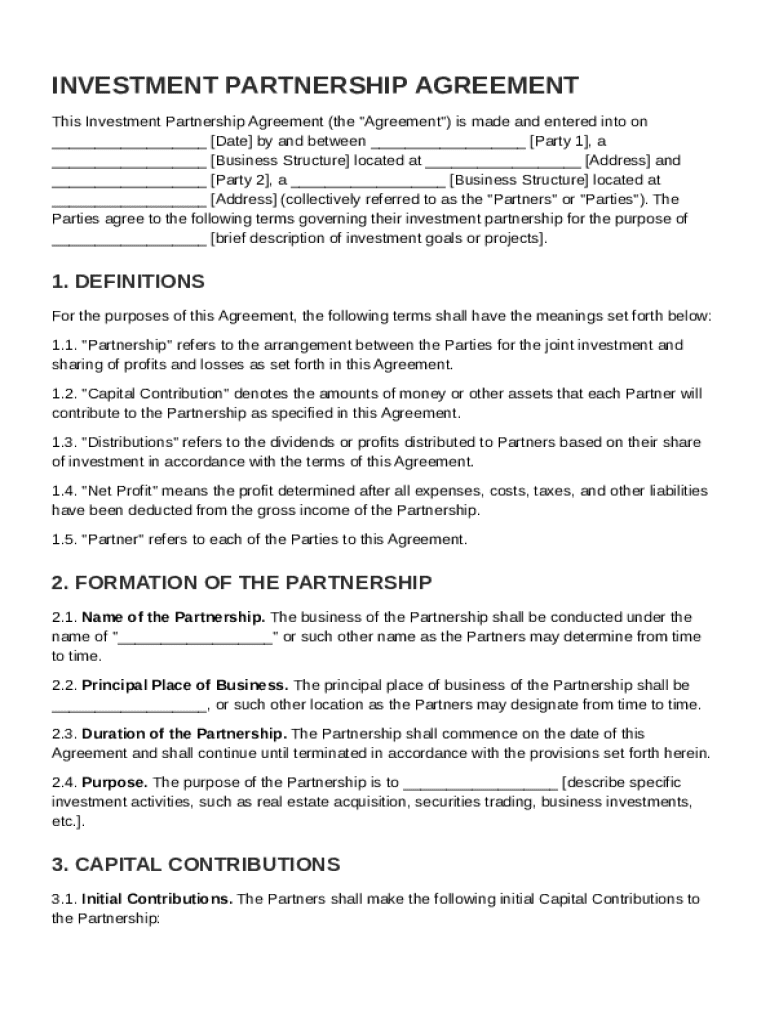
Investment Partnership Agreement Form
Use a Investment Partnership Agreement Template template to make your document workflow more streamlined.
What an investment partnership agreement does
An Investment Partnership Agreement Form records how partners will contribute capital, share ownership and distributions, make decisions, handle liabilities, and exit an investment arrangement. It is a private business agreement rather than a universal federal filing form, so its required terms depend on the partnership, transaction, and applicable state law. In signNow, upload the agreement, review detected fields, assign each partner, send it for electronic signature, and retain the completed document with its audit trail. ESIGN and UETA can support electronic execution when their requirements are met.
Business types that use this agreement
Investment Partnership Agreement Forms help investors and organizations document shared financial commitments before the partnership begins operating.
Solo real estate investors can document capital contributions, ownership shares, property decisions, and distribution terms before accepting funds from a co-investor or operating partner. Investment partnerships and private funds can route standardized agreements to multiple partners, preserving each signer’s approval evidence while reducing version confusion across transactions. Enterprise finance and legal teams can connect signed agreements to controlled records, review negotiated terms, and retain audit trails for tax, governance, and dispute analysis.
These tasks are executed by both individual contributors and centralized administrators depending on organizational policy and required controls.
Key features for investment agreements
The workflow keeps partnership terms, signer responsibilities, evidence, and completed records together from preparation through final execution.
Field placement
Upload the Investment Partnership Agreement Form and place signature, initials, date, and required approval fields without recreating the agreement.
Signer routing
Assign each partner a defined signing role and sequence so ownership terms, capital commitments, and approval provisions are completed by the correct people.
Audit trail
Capture signer identity, timestamps, IP information, and completed actions in an audit trail supporting the signed investment record.
Recordkeeping
Keep the final agreement and completion certificate together, preserving a readable record for partners, accountants, and legal reviewers.
Reusable template
Send the agreement from a reusable template after reviewing partnership-specific contributions, distributions, voting rights, and exit terms.
Mobile access
Complete the agreement from desktop or mobile devices when partners are working across offices, properties, or investment teams.
 Best ROI. Our customers achieve an average 7x ROI within the first six months.
 Scales with your use cases. From SMBs to mid-market, airSlate SignNow delivers results for businesses of all sizes.
 Intuitive UI and API. Sign and send documents from your apps in minutes.
Recommended agreement workflow setup
Configure the signing process around partner identity, execution evidence, secure storage, and the agreement’s actual tax or regulatory record category.
| Setting | Recommendation |
|---|---|
| Authentication method | Email links with SMS OTP |
| Signature type | Typed or drawn electronic signature |
| Audit trail | Capture timestamps, IP, and actions |
| Document retention | Apply IRC §6501(a) when tax records |
| Encryption | TLS 1.2/1.3 and AES-256 encryption |
Complete the agreement in signNow
Prepare the investment terms, verify every partner’s fields, then route the agreement for electronic signature and preserve the completed evidence.
Upload form:
Upload the completed Investment Partnership Agreement Form. Check fields:
Review auto-detected fields and add missing signature fields. Add signers:
Assign partners and approval order. Send agreement:
Send the agreement by email or signing link. Store records:
Download the signed agreement and audit trail.
How the audit trail records signing
The audit trail documents who handled the Investment Partnership Agreement Form, when each action occurred, and how the completed record can be retrieved.
Authenticate signer:
Capture timestamp:
Hash document:
Seal record:
Log activity:
Retrieve evidence:
Signer authentication and certificates
PKI support:
X.509 certificates:
Two-factor authentication:
SMS OTP:
ID verification:
Signing evidence:
How long to retain signed agreements
Retention depends on the agreement’s tax, employment, brokerage, or healthcare records; apply the rule matching the document’s actual contents.
3 years from filing
6 years when understatement exceeds 25%
6 years from creation
6 years for books and records
3 years for payroll records
Challenges when preparing the agreement
Partners sign different versions after negotiated contribution or distribution terms change, creating conflicting ownership records and avoidable execution disputes. Missing signature, date, or approval fields leave a partnership agreement incomplete even when some partners have already signed. Unclear voting, withdrawal, or dispute provisions can make the agreement difficult to administer after an investment decision or partner exit. Storing the signed agreement without its audit trail weakens the evidence connecting each partner to the completed record.
Troubleshooting investment agreements
Resolve signing, field, authentication, retention, and legal-scope questions before treating the Investment Partnership Agreement Form as fully executed.
Upload the original PDF again and confirm it is not password-protected. signNow can auto-detect fillable fields, but scanned or unusual layouts may require manual field placement before sending the agreement.
Use the Business plan for standard electronic signatures, templates, and audit trails. Business Premium adds bulk send, while Enterprise adds advanced signer authentication and formula or conditional fields for more complex agreement workflows.
signNow records timestamps, IP information, and signing actions in its audit trail. ESIGN and applicable UETA provisions recognize electronic records when intent, attribution, consent, and reliable retention requirements are satisfied.
For consumer-facing transactions, review the electronic-record disclosure requirements in 15 U.S.C. §7001(c), including access to records and the right to receive paper records. Obtain any required consent before electronic delivery.
Confirm every partner’s legal name, contribution amount, ownership percentage, distribution formula, voting right, and exit provision before routing. signNow preserves signatures, but it does not determine whether negotiated terms comply with state partnership law.
Do not use this workflow for wills, codicils, testamentary trusts, or court filings excluded by ESIGN. Those documents may require separate state procedures, witnesses, notarization, or in-person submission.
Key performance indicators that demonstrate SignNow's proven track record.
BE READY TO GET MORE
Get this form now!

If you believe that this page should be taken down, please follow our DMCA take-down process.