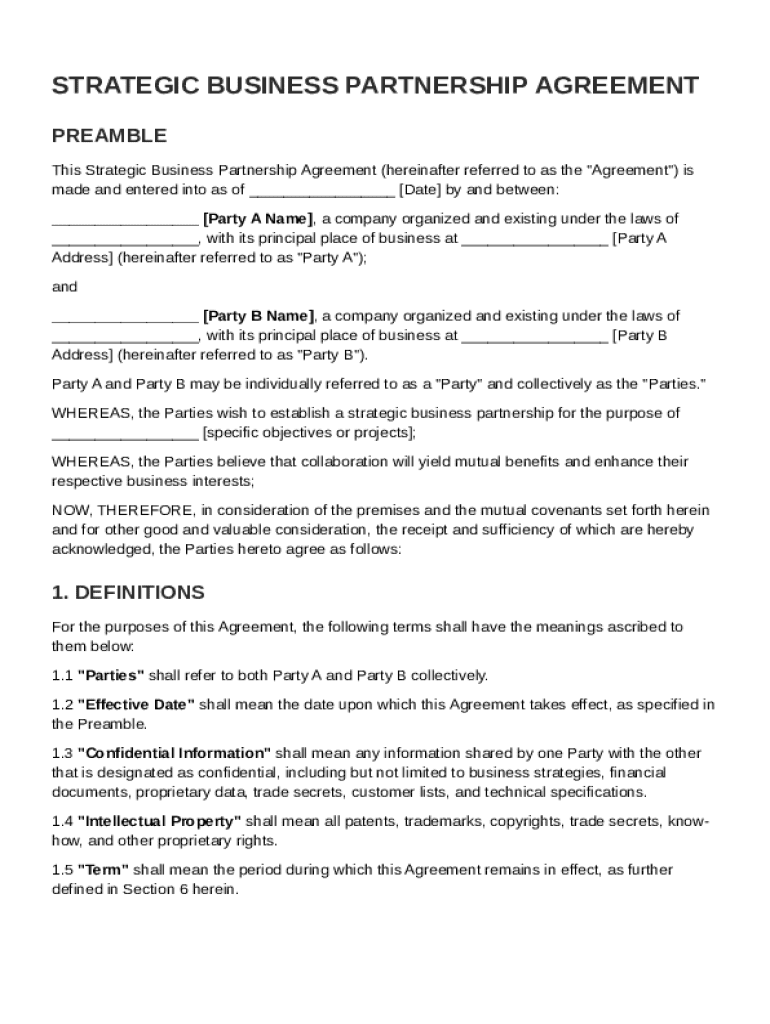
Strategic Business Partnership Agreement Form
Use a Strategic Business Partnership Agreement Template template to make your document workflow more streamlined.
What this partnership agreement form does
A Strategic Business Partnership Agreement Form records the terms two or more businesses use to govern a planned collaboration. It can identify the parties, describe shared objectives, allocate responsibilities, address contributions and revenue arrangements, define confidentiality and intellectual-property expectations, and establish termination or dispute procedures. The form is a private business contract rather than an IRS or USCIS filing. Parties should adapt its provisions to their relationship and applicable state law, obtain legal review when needed, then sign and retain the final version with its supporting records.
Business types using partnership agreements
The form helps organizations document strategic relationships, responsibilities, approvals, and commercial terms before collaboration begins.
Solo consultants can define referral duties, revenue sharing, confidentiality obligations, and approval rights without coordinating paper signatures across separate offices. Small agencies can reuse a reviewed partnership template, assign sections to founders, and preserve signed agreements for client, vendor, or channel relationships. Enterprise partnership teams can route agreements through delegated senders, controlled templates, and audit trails while connecting completed records to existing business systems.
These tasks are executed by both individual contributors and centralized administrators depending on organizational policy and required controls.
Who uses this agreement form
Business owners
Founders and business owners use the Strategic Business Partnership Agreement Form to document shared objectives, responsibilities, contributions, revenue arrangements, confidentiality, intellectual property, and termination terms before collaboration begins.
Legal and operations
Legal and operations teams use the form as a controlled agreement workflow, assigning partner signatures, recording approvals, and retaining the executed contract with its audit history.
Key features for partnership agreements
Strategic partnership agreements require clear responsibilities, coordinated signatures, and reliable records; signNow brings those steps into one documented workflow.
Reusable template
Upload the Strategic Business Partnership Agreement Form, place fields for each partner, and preserve the completed version for review before sending it to authorized signers.
Assigned fields
Assign signature, date, initials, and text fields to each business partner so responsibilities are clear and incomplete agreement sections are easier to identify.
Remote signing
Send the agreement by email or signing link, allowing partners to review and sign without exchanging paper copies or manually tracking responses.
Audit trail
Capture timestamps, signer actions, and document history in an audit trail that supports internal review and later evidence of the signing process.
Team controls
Use role-based access and shared templates to let partnership teams prepare agreements while limiting editing and sending permissions to authorized users.
Record retention
Download or retain the executed agreement and completion record together, creating a more organized file for partnership governance and dispute review.
Complete the partnership agreement in signNow
Use this sequence to prepare, route, sign, and retain the Strategic Business Partnership Agreement Form with a documented signing record.
Upload form:
Upload the completed partnership agreement PDF. Add fields:
Review detected fields and add missing signature, date, and initials fields. Assign signers:
Assign each field to the correct business partner or authorized representative. Complete signing:
Send the agreement, monitor responses, and download the signed record.
 Best ROI. Our customers achieve an average 7x ROI within the first six months.
 Scales with your use cases. From SMBs to mid-market, airSlate SignNow delivers results for businesses of all sizes.
 Intuitive UI and API. Sign and send documents from your apps in minutes.
How the partnership agreement workflow works
The signNow workflow moves this agreement from an uploaded document to a signed, traceable business record.
Prepare document: Upload the partnership agreement and review its detected fields. Route responsibilities: Assign each clause-related field to its responsible signer. Sign agreement: Partners review terms and apply electronic signatures. Retain evidence: Store the executed agreement with its completion history.
Recommended partnership agreement setup
Configure the agreement workflow around signer identity, evidence, access control, and the retention policy selected for the partnership.
| Setting | Recommendation |
|---|---|
| Authentication method | Email verification with SMS OTP |
| Signature type | Typed or drawn electronic signature |
| Audit trail | Retain completion record with agreement |
| Document retention | Follow contract and state-law requirements |
| Encryption | TLS 1.2/1.3 and AES-256 protection |
Security controls for partnership agreements
Transport encryption:
Stored encryption:
Security certification:
Information security:
Privacy compliance:
Signature compliance:



What the audit trail records
The audit trail documents the signing event separately from drafting the Strategic Business Partnership Agreement Form.
Signer authentication:
Timestamp capture:
Document integrity:
Action history:
Tamper evidence:
Audit export:
Retention periods for related records
A private partnership agreement has no single federal retention period; apply the rule attached to the record’s actual business purpose.
Three years from filing
Six years from creation
Three years after hire
Six years under SEC rule
Contract-specific retention period
Best practices for keeping agreement records
Clear drafting, controlled access, and documented retention help preserve the Strategic Business Partnership Agreement Form as an understandable business record.
Define every partnership obligation
Preserve the audit trail
Apply the correct retention rule
Control access before sending
Platform requirements for signing
The Strategic Business Partnership Agreement Form can be prepared and signed through supported desktop browsers, while signNow also provides iOS and Android mobile apps for reviewing and completing assigned fields.
Browsers Chrome, Firefox, Safari, Edge Desktop systems Windows and macOS desktop access Mobile apps iOS and Android signNow apps
Teams should confirm that managed devices permit document access, signer authentication, and downloads. Enterprise deployments may also evaluate API access, SSO provisioning, and retention controls before routing partnership agreements through a shared workflow.
Troubleshooting partnership agreement workflows
These answers address plan limits, signer authentication, electronic-signature validity, and record handling for this partnership agreement.
Business supports legally binding eSignatures, templates, and audit trails. Upload the agreement, assign fields, and send it through the Business workflow. Annual billing is listed at $8 per user per month, with 100 signature invites per user per year and overage fees.
Business Premium includes bulk send, while Business does not list that feature in the provided plan details. Use Business Premium when sending substantially similar partnership agreements to multiple separate recipients.
signNow lists SMS OTP and advanced signer authentication capabilities. Enterprise adds advanced signer authentication, while Site License lists HIPAA and 21 CFR Part 11 as add-ons. Select authentication based on the agreement’s risk and signer policy.
signNow states that ESIGN and UETA compliance supports electronic signatures. Federal ESIGN is codified at 15 U.S.C. chapter 96, while UETA generally governs intrastate transactions in adopting jurisdictions. State contract law still applies to the agreement’s terms.
HIPAA applies only when the workflow handles protected health information for a covered entity or business associate. signNow lists HIPAA compliance with a BAA requirement; do not apply HIPAA retention to an ordinary commercial partnership agreement.
A completion record should remain with the executed Strategic Business Partnership Agreement Form. Export or retain the audit trail, then apply the retention period required by the agreement’s business purpose, contract terms, and applicable state law.
Key performance indicators that demonstrate SignNow's proven track record.
BE READY TO GET MORE
Get this form now!

If you believe that this page should be taken down, please follow our DMCA take-down process.