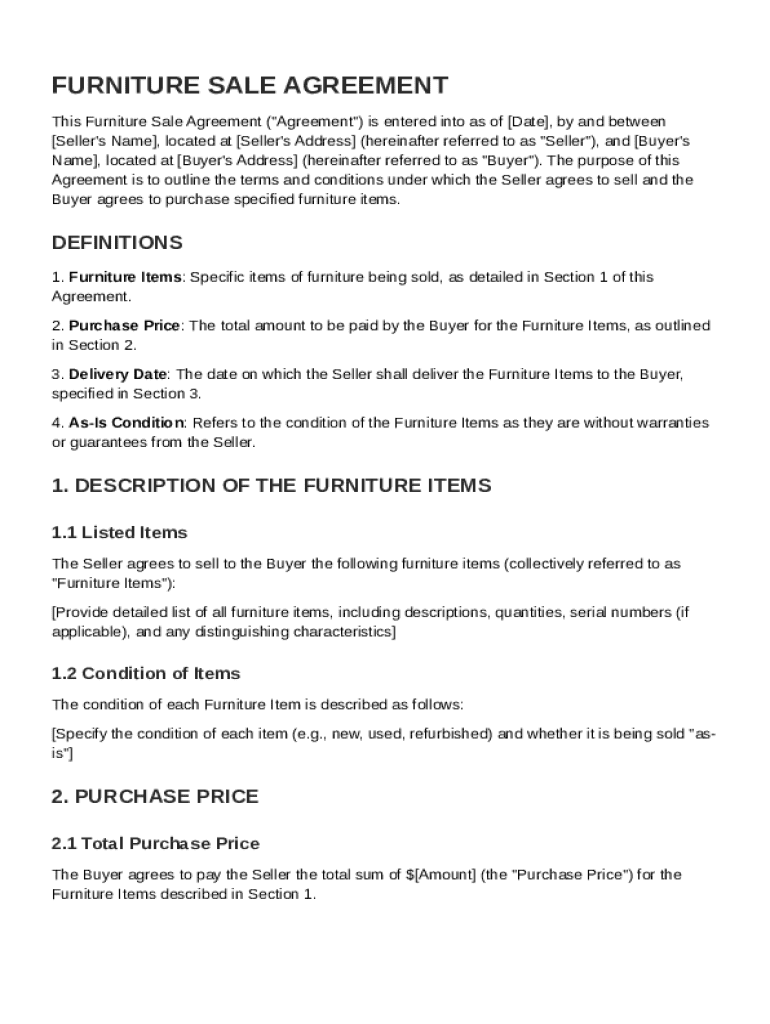
Furniture Sale Agreement Form
Use a Furniture Sale Agreement Template template to make your document workflow more streamlined.
What a furniture sale agreement covers
A Furniture Sale Agreement Form is a written record of a buyer’s purchase of specified furniture from a seller. It identifies the parties, describes each item, states the price and payment terms, and records delivery, pickup, condition, and ownership details. The signed agreement gives both sides a clear reference for what was promised and when performance is due. In the United States, electronic execution may be recognized under the ESIGN Act and applicable state law, including UETA, when intent, consent, attribution, and reliable record retention are established.
Who uses a furniture sale agreement
Furniture retailers
Retail furniture stores can document itemized sales, deposits, delivery dates, and customer acknowledgments in one signed record.
Private and commercial buyers
Private sellers, interior designers, and commercial buyers can confirm item condition, payment obligations, and transfer arrangements before delivery.
Features that clarify furniture transactions
A well-structured furniture sale agreement records the goods, money, delivery obligations, and signatures needed to reduce avoidable transaction disputes.
Itemized goods
List each table, chair, cabinet, or other item with identifying details, quantity, and condition so the signed agreement matches the goods being sold.
Payment terms
Record the total price, deposit, balance, taxes, accepted payment method, and due dates so payment expectations are visible to both parties.
Delivery terms
State whether the buyer collects the furniture or the seller delivers it, including the delivery location, date, and responsibility for transport costs.
Signed consent
Capture signatures, dates, and party details in one document, creating a consistent record of each person’s assent to the stated sale terms.
Audit trail
Keep the completed agreement with its audit trail so parties can review the signing event and retrieve the transaction record when questions arise.
Reusable template
Use a reusable signNow template for repeated furniture transactions while updating item descriptions, pricing, delivery details, and signer information for each sale.
How the furniture sale workflow works
The signNow workflow moves the furniture agreement from an editable draft to a signed transaction record in four controlled stages.
Prepare document: Upload the furniture agreement and review detected fields. Complete sale fields: Add buyer and seller details, then set sale terms. Request signatures: Send the agreement for the required signatures and dates. Archive record: Store the signed agreement with its audit trail.
 Best ROI. Our customers achieve an average 7x ROI within the first six months.
 Scales with your use cases. From SMBs to mid-market, airSlate SignNow delivers results for businesses of all sizes.
 Intuitive UI and API. Sign and send documents from your apps in minutes.
Steps to complete the furniture agreement
Use this sequence to prepare the furniture sale agreement, collect signatures, and preserve evidence of the completed transaction.
Upload draft:
Upload the furniture sale agreement draft. Check fields:
Review detected fields and add missing buyer, seller, item, price, and delivery fields. Assign signers:
Add signer emails and assign each signature or date field. Send agreement:
Send the agreement and monitor completion. Save record:
Download the signed agreement and audit trail.
How the furniture agreement audit trail works
The audit trail records the signing events behind the furniture transaction, separate from preparing the agreement or placing its fields.
Authenticate signer:
Capture timestamps:
Track document history:
Detect alteration:
Link signer actions:
Export evidence:
Mobile options for furniture agreements
The signNow mobile app supports furniture sale agreement workflows on iOS and Android, including document capture and signing when work moves between a showroom, delivery site, and office.
Mobile app signNow mobile app Offline mode Offline signing support Camera capture Camera document capture
Use managed iOS or Android devices when the agreement contains customer contact details, payment information, or delivery addresses. Confirm that offline work is synchronized before relying on the completed record, and apply account permissions appropriate to the sales or operations team.
Security for signed furniture agreements
Data in transit:
Stored documents:
Security reporting:
Information security:
Electronic signatures:
Privacy controls:
Legal standing of a furniture sale agreement
A signed furniture sale agreement can help establish the parties’ intent, the goods sold, and the agreed price in a U.S. business transaction. ESIGN and applicable state electronic-transaction law may recognize the electronic record when consent, attribution, and reliable reproduction are shown. Wills, court orders, and family-law decrees remain outside those general rules.

Furniture agreement mistakes to avoid
Missing item condition or quantity can make the signed furniture agreement unclear about what the buyer actually purchased. Unstated delivery responsibility can leave the parties disputing transport costs, pickup timing, or damage during movement. A deposit recorded without a balance due date leaves payment performance difficult to verify from the agreement alone. Changing a signed price or item description without a new signed record weakens the transaction history and creates conflicting evidence.
Recordkeeping practices for furniture sales
Retain the completed agreement as a transaction record, with the signing history and a policy that matches the sale’s legal and accounting context.
Export the signed agreement and audit trail
Set a documented retention policy
Secure the transaction archive
Check sale details before signature
Furniture sale agreement troubleshooting
These answers address signing, recordkeeping, plan selection, and corrections for a Furniture Sale Agreement Form workflow.
On the Business plan, use signNow’s legally binding eSignatures, templates, and audit trails to send the completed furniture agreement. The plan is listed at $8 per user per month with annual billing; confirm that the agreement contains the required sale terms before sending.
The Business Premium plan includes bulk send, which can help distribute similar furniture agreements to multiple buyers. Each document still needs accurate buyer details, item descriptions, pricing, and delivery terms before execution.
signNow records audit-trail information for the signing event, while the agreement itself should state the furniture sold and the parties’ obligations. Under ESIGN and UETA, preserve intent, consent, attribution, and a reproducible electronic record.
For a consumer transaction, provide the required electronic-record disclosure and ensure the consumer can access the record. The ESIGN Act, 15 U.S.C. §7001(c), addresses consent, access, and withdrawal procedures for consumer-facing electronic records.
The Enterprise plan adds advanced signer authentication. Use stronger authentication when the sale involves a high-value item, a business buyer, or a delivery dispute where confirming signer identity matters.
If a signed agreement must be corrected, do not silently alter the completed file. Create a clearly identified amendment or replacement agreement, obtain the parties’ signatures again, and retain the original record and audit trail.
Key performance indicators that demonstrate SignNow's proven track record.
BE READY TO GET MORE
Get this form now!

If you believe that this page should be taken down, please follow our DMCA take-down process.