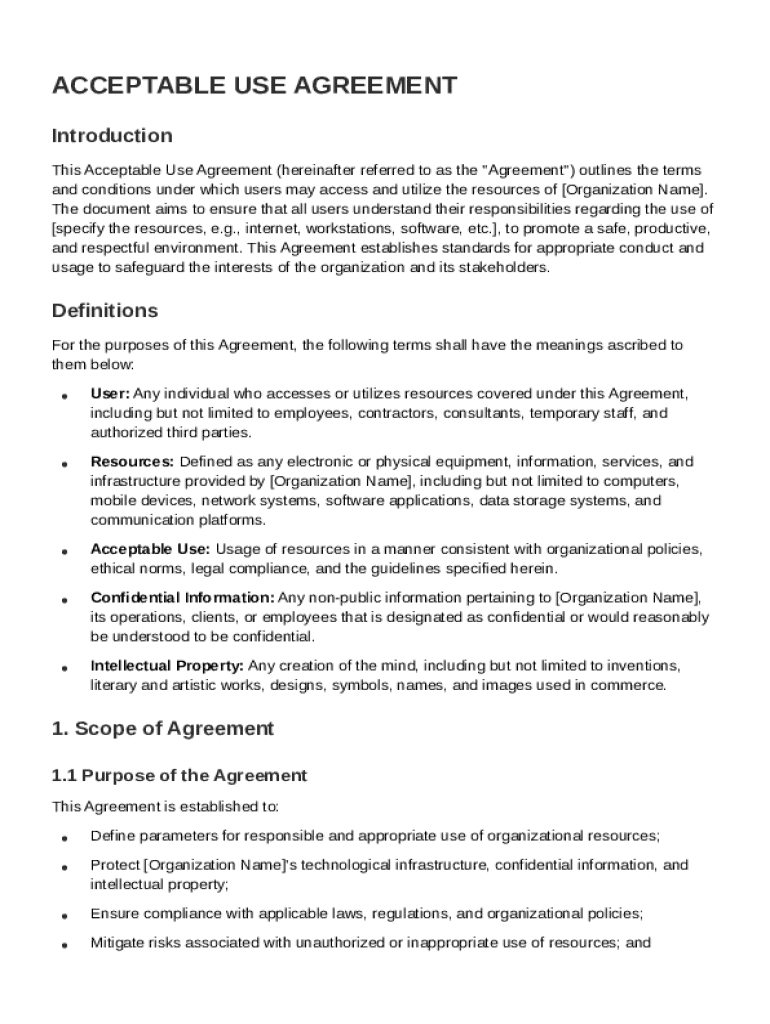
Acceptable Agreement Form
Use a Acceptable Agreement Template template to make your document workflow more streamlined.
What the acceptable agreement form does
The Acceptable Agreement Form is a document used to record parties’ agreement to defined terms, responsibilities, or conditions. Because the title does not identify an issuing agency, statutory deadline, required fields, or governing state law, those details must come from the underlying transaction or issuer. In signNow, upload the form, review detected fillable fields, assign signers, send it for electronic signature, and retain the completed copy with its audit trail. ESIGN and applicable state law may recognize the electronic record when intent, consent, attribution, and reproducibility are established.
Who uses the acceptable agreement form
Business agreements
Businesses use the Acceptable Agreement Form for contracts, service terms, approvals, and other agreements when all parties need a reproducible signed record. The form’s specific legal purpose, fields, and signing requirements should be confirmed from the issuing organization or underlying agreement.
Industry workflows
Legal, healthcare, construction, and financial-services teams can route the form to named signers, capture consent, and preserve an audit trail. Healthcare use requires separate HIPAA analysis when the agreement contains protected health information.
Business types that use acceptable agreements
The Acceptable Agreement Form fits workflows where parties need a completed agreement, identifiable signers, and a retained electronic record.
Solo legal practitioners can prepare client engagement agreements, route signatures by email, and preserve the signed document with its audit trail without arranging repeated office visits. Real-estate and construction firms can send agreements from mobile devices, capture signatures on-site, and keep a searchable record for project, lease, or transaction files. Enterprise legal and finance teams can use templates, delegated sending, role-based access, and integrations to process agreements consistently across departments and locations.
These tasks are executed by both individual contributors and centralized administrators depending on organizational policy and required controls.
How to complete the agreement in signNow
Use this sequence to prepare, route, sign, and retain the Acceptable Agreement Form through signNow.
Upload form:
Upload the Acceptable Agreement Form to signNow. Check fields:
Review detected fields and correct assignments. Add signers:
Add signer emails and required authentication. Send form:
Send the form for electronic signature. Store record:
Download the completed form and audit trail.
How the acceptable agreement workflow works
Complete the agreement in four controlled stages, from field preparation through signed-record storage and audit-trail retention.
Upload agreement: Upload the agreement and let signNow detect available fillable fields. Prepare fields: Review detected fields and add signer, date, and signature fields. Invite signers: Send the agreement by email or shareable signing link. Store record: Collect signatures and retain the completed record with its audit trail.
 Best ROI. Our customers achieve an average 7x ROI within the first six months.
 Scales with your use cases. From SMBs to mid-market, airSlate SignNow delivers results for businesses of all sizes.
 Intuitive UI and API. Sign and send documents from your apps in minutes.
Recommended agreement workflow setup
Configure the agreement workflow around signer identity, documented intent, controlled access, and a retention policy tied to the underlying transaction.
| Setting | Recommendation |
|---|---|
| Authentication method | Email verification with SMS OTP |
| Signature type | Intent-based electronic signature |
| Audit trail | Detailed history with AES-256 encryption |
| Document retention | Retain under the agreement’s records policy |
| User provisioning | Role-based access with delegated sending |
What the agreement audit trail records
signNow records the technical events that connect each signer action to the completed Acceptable Agreement Form.
Authenticate signer:
Timestamp actions:
Hash document:
Seal record:
Track activity:
Retrieve evidence:
Platform requirements for the agreement
Complete the Acceptable Agreement Form through Chrome, Firefox, Safari, or Edge on Windows or macOS. signNow mobile apps support iOS and Android, while encrypted connections use TLS for data in transit.
Browser support Chrome, Firefox, Safari, and Edge Desktop systems Windows and macOS desktops Mobile systems iOS and Android devices
Organizations should validate managed-device policies before deployment. Enterprise workflows may also require API access, SSO provisioning, and retention controls aligned with the organization’s records policy. For regulated data, confirm whether a signNow Business Associate Agreement or additional configuration is required.



Security controls for agreement records
Data in transit:
Data at rest:
Security reporting:
Information security:
Health information:
Electronic signatures:
Best practices for acceptable agreements
Use these controls to reduce field errors, preserve signer evidence, and align the completed agreement with its governing transaction and records policy.
Confirm the agreement’s legal source before signing
Review every detected field and signer assignment
Retain the signed record and audit evidence
Document electronic consent before consumer signing
Challenges when completing the agreement
The title alone does not identify the agreement’s issuer, governing law, required fields, or deadline, so relying on generic instructions can leave material terms unverified. Automatic field detection can miss handwritten, scanned, or unusual form elements, requiring a manual review before signer invitations are sent. An agreement may be signed electronically yet still require notarization, witnesses, or in-person delivery under the transaction’s governing law. Separating the completed agreement from its audit trail can weaken the evidence needed to show signer identity, intent, timing, and record integrity.
When this agreement needs extra formalities
Notarization required
Wills and codicils
Court filings
Real-estate deeds
Acceptable agreement troubleshooting
Resolve field, consent, legality, plan, and security questions before sending the Acceptable Agreement Form to its signers.
The form title does not identify a statutory filing deadline. Confirm the deadline with the agreement issuer or governing transaction documents, then configure internal reminders in signNow rather than assuming a federal date.
Upload the source file again and inspect every field manually. signNow can detect fillable fields, but unusual scans or handwritten sections may require adding text, date, initials, or signature fields yourself.
A signature may satisfy ESIGN and UETA requirements when intent, consent, attribution, and reproducibility are established. Wills, court filings, family-law decrees, and other statutory exclusions require separate legal analysis.
Consumer-facing electronic records require disclosure of the right to paper, access to the electronic format, and a withdrawal procedure under 15 U.S.C. §7001(c). Preserve that consent evidence with the agreement.
The signNow Business plan includes templates and audit trails at $8/user/month with annual billing. Business Premium adds bulk send at $15/user/month; Enterprise adds advanced signer authentication at $30/user/month.
signNow encrypts data in transit with TLS 1.2/1.3 and at rest with AES-256. HIPAA use requires a Business Associate Agreement, and regulated workflows should verify their required controls before sending.
Key performance indicators that demonstrate SignNow's proven track record.
BE READY TO GET MORE
Get this form now!

If you believe that this page should be taken down, please follow our DMCA take-down process.