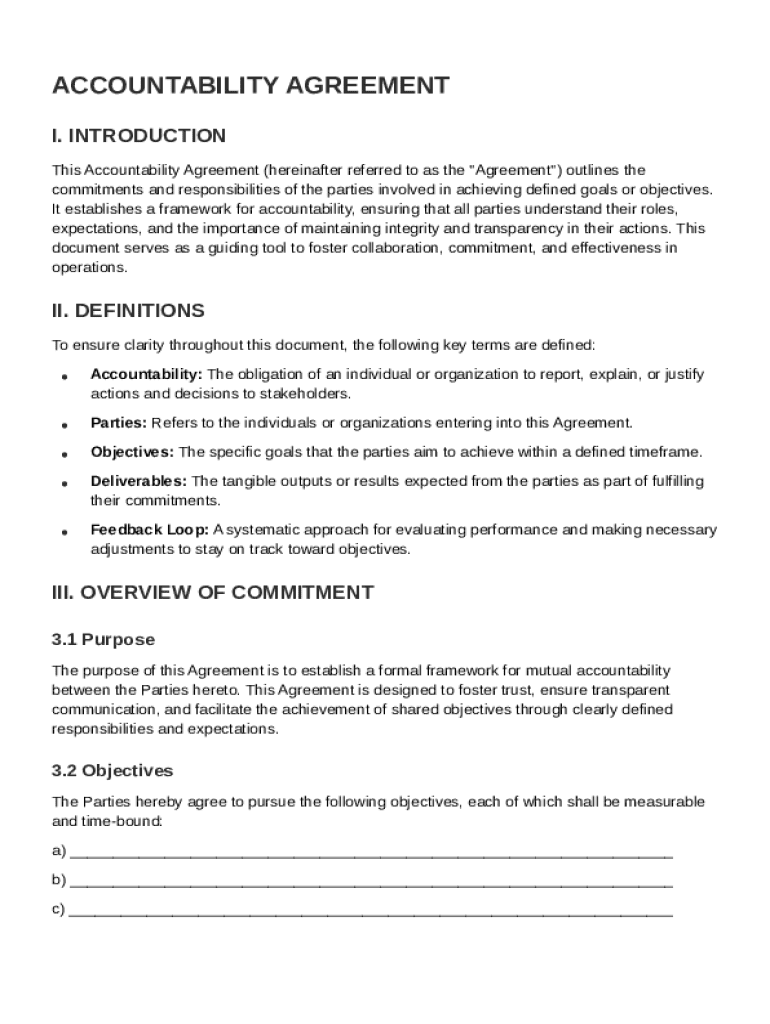
Accountability Agreement Form
Use a Accountability Agreement Template template to make your document workflow more streamlined.
What an Accountability Agreement Form does
An Accountability Agreement Form records who accepts specified responsibilities, what conduct or deliverables those responsibilities cover, and how acceptance is documented. It is generally completed by the responsible individual and reviewed by an authorized manager, organization, or counterparty. With signNow, the sender uploads the form, places or confirms fillable fields, assigns signers, and sends it for electronic execution. Each signer reviews the stated obligations, provides the requested information, and signs electronically. The completed form, timestamps, signer actions, and audit trail can then be retained together for later reference.
Who benefits from accountability agreements
The form is useful wherever an organization must document assigned responsibilities, signer acceptance, and a reproducible record of completion.
Solo consultants use the Accountability Agreement Form to document accepted responsibilities, project boundaries, and client acknowledgments without coordinating paper exchanges. A reusable signNow template keeps repeated engagements consistent while preserving each signer’s completed record and audit trail for later review. Healthcare organizations can use the form for staff accountability acknowledgments involving protected information, provided the workflow matches internal policy and HIPAA obligations. signNow identifies HIPAA compliance as requiring a business associate agreement, so deployment should include that contractual control. Enterprises can route accountability commitments through managers, departments, and external parties using templates, role-based access, and audit trails. Larger deployments may connect signNow with Salesforce, NetSuite, or Microsoft 365 to associate completed records with operational workflows.
These tasks are executed by both individual contributors and centralized administrators depending on organizational policy and required controls.
How the Accountability Agreement Form works
The signNow workflow moves the Accountability Agreement Form from upload to verified completion without changing the executed record.
Upload form: Upload the Accountability Agreement Form to signNow. Assign signers: Confirm fields and assign each signer. Send request: Send the form through email or link. Store evidence: Collect signatures and retain the audit trail.
How the signNow audit trail records accountability
The audit trail connects each signer action to the final Accountability Agreement Form, creating a reviewable record of identity, timing, and document integrity.
Authenticate signer:
Capture timestamp:
Hash document:
Seal record:
Review completion:
Export evidence:
 Best ROI. Our customers achieve an average 7x ROI within the first six months.
 Scales with your use cases. From SMBs to mid-market, airSlate SignNow delivers results for businesses of all sizes.
 Intuitive UI and API. Sign and send documents from your apps in minutes.
Security controls for accountability records
Transport encryption:
Stored encryption:
Control certification:
Security certification:
Electronic signature laws:
Healthcare protection:
Recommended setup for accountability forms
Configure the Accountability Agreement Form around signer identity, signature evidence, controlled access, and an exportable record that supports later review.
| Setting | Recommendation |
|---|---|
| Authentication method | Email verification with SMS OTP |
| Signature type | Typed or drawn electronic signature |
| Audit trail and retention | Export completion certificate with signed record |
| Encryption | TLS 1.2/1.3 and AES-256 |
| User provisioning | Admin-managed access with role controls |
Best practices for completing accountability agreements
Use a controlled template, verify each signer, preserve the audit trail, and inspect the final record before relying on the executed Accountability Agreement Form.
Map every required field before sending
Match each signer to a verified identity
Export the evidence package after completion
Check the executed record for omissions
Legal standing of the completed agreement
For a U.S. business transaction, an electronically signed Accountability Agreement Form can be evidence when the signer demonstrates intent, consents to electronic records, can be attributed to the signature, and the record can be retained and reproduced. ESIGN, 15 U.S.C. ch. 96, and applicable UETA provisions generally support that treatment, subject to statutory exclusions such as wills and certain court filings.



Platform requirements for the form
Complete the Accountability Agreement Form in signNow through Chrome, Firefox, Safari, or Edge on Windows or macOS. signNow also provides mobile apps for iOS and Android, allowing signers to review and execute assigned fields from supported mobile devices.
Browsers Chrome, Firefox, Safari, Edge Desktop systems Windows and macOS desktops Mobile apps iOS and Android mobile apps
Organizations should manage access through approved devices and user permissions. Teams using APIs, SSO, or regulated workflows should confirm the required signNow plan and configuration before deployment, including whether HIPAA, 21 CFR Part 11, or advanced authentication controls apply to the record.
Risks of incomplete accountability records
Weak consent record
Document integrity
Attribution dispute
Unauthorized disclosure
Troubleshooting an Accountability Agreement Form
Resolve field, signer, plan, consent, and enforceability questions before relying on the completed Accountability Agreement Form.
Upload the Accountability Agreement Form as a supported document, then use signNow’s field tools to confirm that signature, date, initials, and acknowledgment fields are assigned to the correct signer. If automatic field detection misses a field, place it manually before sending.
The signNow Business plan includes templates, mobile apps, and audit trails at $8/user/month when billed annually. Business Premium is $15/user/month billed annually and adds bulk send, kiosk mode, request payments, and quick invite links.
For a consumer-facing Accountability Agreement Form, provide the electronic-record disclosure required by ESIGN, including paper access, electronic access capability, and withdrawal procedures. The disclosure requirement comes from 15 U.S.C. §7001(c), not from signNow.
Use signNow’s audit trail to review signer identity evidence, timestamps, IP information, and action history. Under ESIGN and applicable state law, admissibility depends on intent, consent, attribution, and the ability to retain and reproduce the record.
If a signer cannot open the invitation, verify the email address, resend the request, or use a signNow quick invite link where available. Business Premium includes quick invite links; avoid changing the executed document after signing.
A signed Accountability Agreement Form does not override documents excluded from ESIGN, including wills, certain court orders, and family law decrees. Check the transaction’s governing state law before using electronic execution for a specialized legal instrument.
Key performance indicators that demonstrate SignNow's proven track record.
BE READY TO GET MORE
Get this form now!

If you believe that this page should be taken down, please follow our DMCA take-down process.