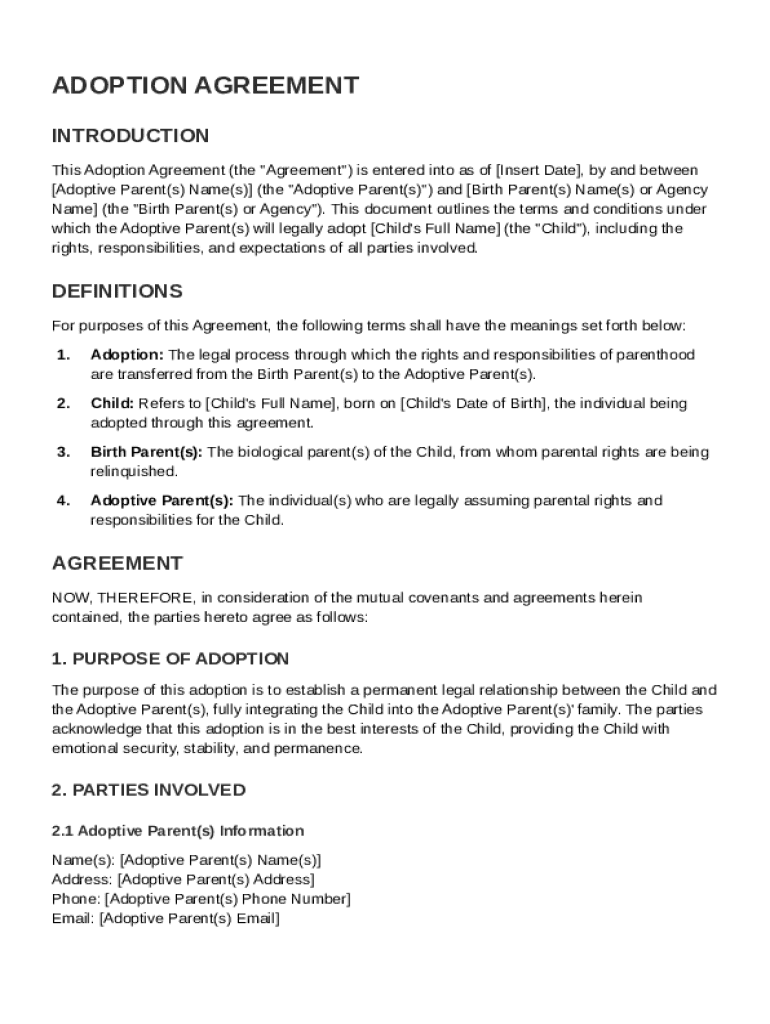
Adoption Agreement Form
Use a Adoption Agreement Template template to make your document workflow more streamlined.
What an adoption agreement form does
An Adoption Agreement Form records a person’s or organization’s formal choice to accept defined terms, coverage, benefits, or participation conditions. It typically identifies the adopting party, selected provisions, effective date, required acknowledgments, and authorized signature. In signNow, the sender uploads the form, reviews auto-detected fillable fields, assigns each field to a signer, and sends it electronically. The signer reviews the completed document, demonstrates intent, and signs. signNow then stores the final form with an audit trail that supports attribution, timestamps, and record reproduction.
Who benefits from an adoption agreement form
Adoption Agreement Form workflows help individuals and organizations collect precise elections, approvals, and acknowledgments without relying on paper routing.
Solo adoption consultants use the form to document a client’s selected plan, eligibility details, effective date, and authorized approval without exchanging editable files. Benefits administrators use it to capture an employee’s election, beneficiary information, contribution choices, and acknowledgment in a controlled, auditable workflow. Enterprise HR and legal teams use shared templates, delegated sending, and role-based access to standardize adoption elections across departments and locations.
These tasks are executed by both individual contributors and centralized administrators depending on organizational policy and required controls.
How an adoption agreement form works online
The signNow workflow converts the Adoption Agreement Form from an uploaded document into a routed, signed, and traceable electronic record.
Upload form: Upload the Adoption Agreement Form to signNow. Detect fields: Auto-detect fillable fields and review their placement. Send for signature: Assign fields to each signer and send securely. Store record: Store the completed form with its audit trail.
How the Adoption Agreement Form audit trail works
A signNow audit trail separates the signed Adoption Agreement Form from the evidence proving who accessed, completed, and finalized it.
Authenticate signer:
Capture timestamps:
Hash document:
Seal record:
Log actions:
Export evidence:
 Best ROI. Our customers achieve an average 7x ROI within the first six months.
 Scales with your use cases. From SMBs to mid-market, airSlate SignNow delivers results for businesses of all sizes.
 Intuitive UI and API. Sign and send documents from your apps in minutes.
Legal standing of an adoption agreement form
An electronically signed Adoption Agreement Form can be admissible when the signer demonstrates intent, consents to electronic records, can be attributed to the signature, and the record remains reproducible. ESIGN and UETA support this framework, but they exclude wills, codicils, testamentary trusts, court orders, and family law decrees such as adoption orders.

Recommended adoption form workflow setup
Configure the Adoption Agreement Form around signer identity, reproducible evidence, secure transfer, and a retention period tied to its actual record category.
| Setting | Recommendation |
|---|---|
| Authentication method | Email link with SMS OTP |
| Signature type | Electronic signature with signer intent |
| Audit trail | Capture timestamps and action history |
| Document retention | Three years from filing (IRC §6501(a)) |
| Encryption | AES-256 at rest and TLS 1.2/1.3 in transit |
Security controls for adoption agreement forms
Data at rest:
Data in transit:
Security reporting:
Information security:
Electronic signatures:
Health information:
Record-keeping practices for adoption forms
A defensible Adoption Agreement Form record includes the completed document, audit evidence, retention decision, and controlled access history.
Apply the correct retention period
Preserve audit evidence
Use secure archival storage
Assign ownership and review dates
Privacy challenges in adoption agreement workflows
Personal information can remain visible to recipients who need only approve the election, increasing unnecessary disclosure within the completed Adoption Agreement Form. A missing electronic-record consent disclosure can weaken the evidence that a consumer agreed to receive and sign the Adoption Agreement Form electronically. Assigning an election field to the wrong signer can produce an adoption record that does not reliably attribute the choice to the authorized person. Broad folder permissions can expose completed adoption records and their audit trails to users without an administrative or review need.
Risks of mishandling an adoption agreement form
Intent evidence
Identity dispute
Document tampering
Evidence gap
Processing dispute
Adoption agreement form pricing comparison
signNow pricing is shown first using verified plan information; competitor prices and capabilities are marked Not verified where the supplied data does not confirm them.
| Features | signNow | DocuSign | Adobe Sign | PandaDoc | Dropbox Sign |
|---|---|---|---|---|---|
| Starting price | $8/user/month, annual billing | Not verified | Not verified | Not verified | Not verified |
| Free trial | 7 days, no credit card | Not verified | Not verified | Not verified | Not verified |
| Bulk send | Business Premium includes it | Not verified | Not verified | Not verified | Not verified |
| Audit trail | Included with Business | Not verified | Not verified | Not verified | Not verified |
| HIPAA compliance | Available with BAA | Not verified | Not verified | Not verified | Not verified |
Troubleshooting adoption agreement form workflows
These answers address specific signing, consent, plan, and compliance questions that can arise while completing an Adoption Agreement Form in signNow.
Business includes legally binding eSignatures, templates, audit trails, mobile apps, ISO 27001, SOC 2, and GDPR support. Upload the Adoption Agreement Form, place or review fields, assign signers, and send it through the workflow.
Business Premium adds bulk send, kiosk mode, request payments, and quick invite links. It is relevant when the same Adoption Agreement Form must be distributed to multiple identified signers.
If a signer cannot access the form, verify the email address, resend the invitation, or use a quick invite link where available. Do not alter the completed record to correct a delivery issue.
For consumer-facing electronic records, ESIGN requires disclosure of the right to paper, electronic-access capability, and a withdrawal process under 15 U.S.C. §7001(c). Configure and retain that disclosure separately from the form.
signNow states that HIPAA compliance requires a BAA. Use that configuration only when the Adoption Agreement Form contains protected health information and the organization has completed the required agreement.
Business plans include 100 signature invites per user per year, with overage fees. The Site License is usage-based at $1.50 per signature invite and includes unlimited users; confirm plan terms before high-volume distribution.
Key performance indicators that demonstrate SignNow's proven track record.
BE READY TO GET MORE
Get this form now!

If you believe that this page should be taken down, please follow our DMCA take-down process.