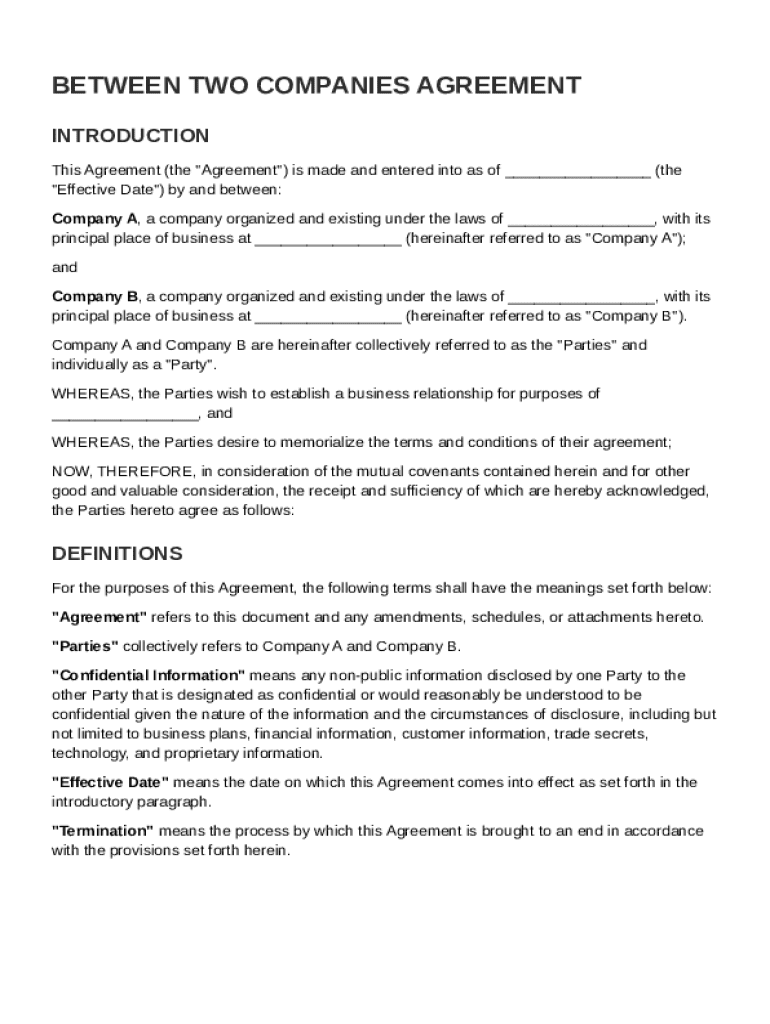
Between Two Companies Agreement Form
Use a Between Two Companies Agreement Template template to make your document workflow more streamlined.
What this agreement form does
A Between Two Companies Agreement Form records the commitments two businesses make to one another, including the parties, authorized representatives, services or deliverables, payment terms, confidentiality duties, dates, termination conditions, and signatures. It gives both companies one reference document for negotiated obligations and approval. With signNow, the sender uploads the agreement, reviews detected fields, adds or corrects company and signer information, sends it to the representatives, and stores the completed document with an audit trail. Electronic signatures may be enforceable under ESIGN and applicable state law when intent, consent, attribution, and record retention are established.
Business types that benefit from this agreement
This form helps businesses record mutual obligations clearly before services, projects, data sharing, or payments begin.
A solo consulting practice can use the agreement to define project scope, payment terms, confidentiality duties, and ownership before accepting work from another business. A regional construction company can document subcontractor responsibilities, change-order approval, insurance obligations, and milestone payments while coordinating signatures across office and field teams. A national enterprise can standardize intercompany agreements through reusable templates, delegated sending, role-based access, and audit trails for procurement, legal, and finance reviews.
These tasks are executed by both individual contributors and centralized administrators depending on organizational policy and required controls.
Who uses this agreement form
Procurement teams
Purchasing and procurement teams use the form to define supplier scope, delivery duties, pricing, approval authority, and renewal terms before issuing purchase-related commitments.
Service businesses
Professional-services businesses use it to document deliverables, fees, confidentiality, intellectual-property ownership, acceptance criteria, and responsibilities between contracting companies.
How the agreement works from start to finish
The agreement moves from document preparation to authorized review, electronic signing, and organized retention without changing the parties’ negotiated terms.
Upload the form: Upload the Between Two Companies Agreement Form and review its structure. Complete key terms: Add company details, obligations, dates, payment terms, and signer fields. Send for signatures: Send the prepared agreement to authorized representatives for review and signature. Archive the record: Store the executed agreement with its completion record and audit trail.
 Best ROI. Our customers achieve an average 7x ROI within the first six months.
 Scales with your use cases. From SMBs to mid-market, airSlate SignNow delivers results for businesses of all sizes.
 Intuitive UI and API. Sign and send documents from your apps in minutes.
Quick steps to complete the agreement
Prepare the agreed business terms first, then use signNow to configure fields, route signatures, and preserve the completed agreement.
Upload document:
Upload the agreement document to signNow. Check fields:
Review detected fields and add missing fields. Add parties:
Enter both companies’ representative details. Send agreement:
Send the agreement for authorized signatures. Store copy:
Download or retain the executed record.
Recommended agreement workflow setup
Choose settings that connect signer attribution, document integrity, and organized records to the agreement’s negotiated business terms.
| Setting | Recommendation |
|---|---|
| Authentication method | Email delivery with SMS verification |
| Signature type | Typed or drawn electronic signature |
| Audit trail | Capture timestamps, IP, and signer actions |
| Document retention | Retain through the agreement lifecycle |
| Encryption | TLS 1.2/1.3 and AES-256 protection |
Key features for company agreements
Between Two Companies Agreement Form workflows combine structured business terms, controlled signing, evidence capture, and connected records for organizations working across departments or locations.
Structured terms
Place company names, representatives, dates, obligations, and signature fields in one controlled document instead of coordinating separate email attachments.
Signer routing
Send the same agreement to authorized representatives in a defined sequence, reducing uncertainty about who must review and sign first.
Audit trail
Capture timestamps, delivery events, and signer actions alongside the completed agreement for later operational or legal review.
Reusable templates
Use reusable templates for recurring supplier, partnership, service, or subcontracting agreements while preserving editable deal-specific terms.
Central records
Keep the executed agreement and completion evidence together so finance, procurement, and legal teams can retrieve the final record.
Business integrations
Connect agreement workflows with Salesforce, NetSuite, Google Drive, Box, or Procore when the surrounding process requires named-system updates.
Legal standing of this business agreement
For U.S. business transactions, an electronic agreement can be admissible when the parties show intent, consent, signer attribution, and reliable record retention under ESIGN and applicable state law. ESIGN and UETA do not cover wills, codicils, testamentary trusts, or certain court filings, which require separate legal procedures.

What the agreement audit trail records
The audit trail separates technical execution evidence from the agreement’s negotiated terms, helping reviewers confirm who acted and when.
Authenticate signer:
Capture timestamp:
Hash document:
Seal record:
Complete certificate:
Export audit trail:
Best practices for completing company agreements
Careful preparation matters because electronic signing preserves the document process but does not replace commercial review or legal authorization.
Confirm parties and authority before sending
Assign every field to the correct representative
Preserve the executed agreement and evidence together
Review unusual terms before execution
Security controls for company agreements
Transport encryption:
Stored document protection:
SOC 2 Type II:
ISO 27001:
Electronic signature compliance:
Signer authentication:



Troubleshooting agreement completion and signing
These answers address field preparation, signer identity, electronic-signature validity, plan selection, and evidence retention for this business agreement.
Upload the final agreement as a PDF or supported document, then place required fields manually if automatic field detection does not identify every signature, date, or initials field.
The Business plan includes legally binding eSignatures, templates, and audit trails at $8 per user per month with annual billing. Business Premium adds bulk send at $15 per user per month annually.
For interstate transactions, ESIGN provides electronic-signature validity under 15 U.S.C. chapter 96. UETA generally governs intrastate transactions in adopting jurisdictions; New York uses ESRA instead.
Use signer authentication that matches the agreement’s risk. Email delivery may suffice for lower-risk business terms, while SMS codes or stronger identity checks can better support attribution and review.
An audit trail records signer actions, timestamps, and delivery events around the agreement. Export it with the completed document when legal, procurement, or finance teams require evidence of execution.
Consumer-facing transactions may require electronic-record disclosures under 15 U.S.C. §7001(c), including paper access and withdrawal procedures. Business-to-business agreements should still document consent and preserve reproducible records.
Key performance indicators that demonstrate SignNow's proven track record.
BE READY TO GET MORE
Get this form now!

If you believe that this page should be taken down, please follow our DMCA take-down process.