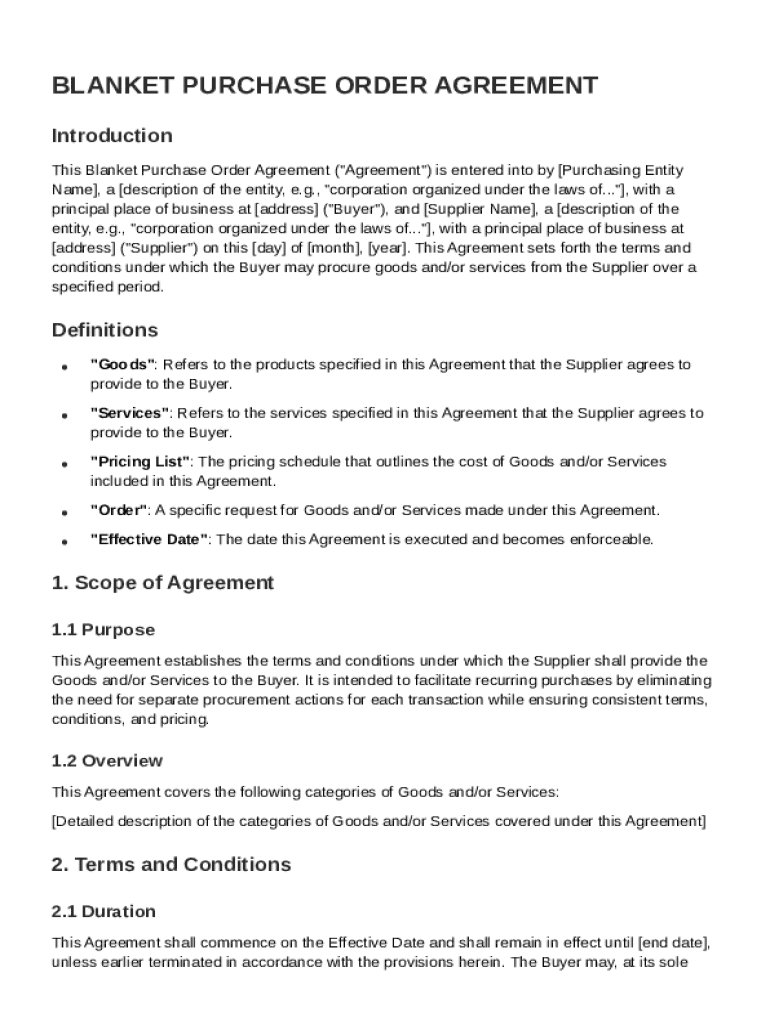
Blanket Purchase Order Agreement Form
Use a Blanket Purchase Order Agreement Template template to make your document workflow more streamlined.
What this purchase agreement form does
A Blanket Purchase Order Agreement Form establishes recurring purchasing terms between a buyer and supplier without requiring a separate negotiated agreement for every release. It identifies the parties, approved goods or services, pricing, delivery expectations, authorization limits, effective period, and signatures. The form is not an IRS or federal filing and has no universal U.S. filing deadline; its controlling requirements come from the parties’ contract, procurement policy, and applicable state commercial law. Using signNow, a sender uploads the form, reviews detected fields, routes it to authorized signers, and retains the completed document with its audit trail.
Who uses this purchase agreement form?
Procurement teams
Procurement teams use the Blanket Purchase Order Agreement Form to define recurring goods or services, authorized spending limits, delivery terms, and supplier responsibilities. They preserve the signed agreement alongside purchase records so each release order can be matched to approved scope and pricing.
Suppliers and operations
Suppliers and operations managers use the form to confirm recurring-order terms before fulfillment. SignNow keeps signatures, timestamps, and the completed agreement together, helping teams resolve questions about authorization, quantities, pricing, and delivery obligations.
How this purchase agreement works
The signNow workflow converts a prepared Blanket Purchase Order Agreement Form into a routed, signed, and traceable purchasing record.
Upload form: Upload the Blanket Purchase Order Agreement Form PDF to signNow. Complete fields: Review detected fields and add purchase-specific information. Route agreement: Assign buyer and supplier signing roles in sequence. Archive evidence: Store the signed PDF and audit trail together.
Quick steps for completing the form
Use these steps to prepare the Blanket Purchase Order Agreement Form, collect approvals, and preserve the final purchasing record.
Upload document:
Upload the completed agreement PDF. Review fields:
Check detected fields and signer roles. Send agreement:
Send it to authorized recipients. Save evidence:
Download the signed record and audit trail.
 Best ROI. Our customers achieve an average 7x ROI within the first six months.
 Scales with your use cases. From SMBs to mid-market, airSlate SignNow delivers results for businesses of all sizes.
 Intuitive UI and API. Sign and send documents from your apps in minutes.
Key features for this agreement
These signNow features address the fields, approvals, recurring supplier workflows, and records associated with a Blanket Purchase Order Agreement Form.
Field detection
Upload the supplier’s agreement as a PDF and review signNow’s detected fields. Manual editing lets the sender correct or add fields for purchase limits, delivery terms, approvals, and signatures before routing.
Signer routing
Assign buyer, procurement, and supplier recipients to the correct fields. Ordered routing helps the organization collect approval before the supplier signs the recurring purchasing terms.
Reusable templates
Use a reusable template for approved Blanket Purchase Order Agreement Form language. Controlled templates reduce rekeying while preserving fields that each supplier or purchasing category requires.
Audit trail
The completed agreement includes a signNow audit trail recording signing activity and completion evidence. Store it with the underlying purchase records to support later authorization reviews.
Bulk sending
Business Premium includes bulk send for organizations issuing related agreements repeatedly. Each recipient can receive the appropriate purchasing document without rebuilding the entire workflow manually.
Mobile signing
SignNow supports mobile apps for reviewing and signing assigned fields. Procurement staff can complete approvals away from a desk when the organization’s policy permits mobile signing.
Recommended workflow setup
Configure the Blanket Purchase Order Agreement Form around signer identity, contract evidence, controlled access, and retention obligations.
| Setting | Recommendation |
|---|---|
| Authentication method | Email verification with SMS OTP |
| Signature type | Electronic signature with signer intent |
| Audit trail | Detailed completion certificate and action log |
| Document retention | Retain for the contract life plus applicable policy period |
| Encryption | TLS 1.2/1.3 and AES-256 encryption |
Security for purchase agreements
Data in transit:
Stored documents:
Security reporting:
Security management:
Electronic signatures:
Signing evidence:



Best practices for purchase agreements
Accurate terms, controlled templates, and preserved signing evidence make the Blanket Purchase Order Agreement Form easier to administer and review.
Specify every recurring-order term
Verify fields before sending
Control template changes
Archive the agreement and evidence
Risks of incomplete purchase terms
Unapproved releases
Budget disputes
Authority challenge
Delivery conflict
Evidence gaps
Processing stages for purchase agreements
Move the Blanket Purchase Order Agreement Form from controlled preparation through signer review and evidence-preserving archival.
Prepare the agreement
Deliver to signers
Complete signer review
Archive the record
Platform requirements for signing
Complete the Blanket Purchase Order Agreement Form through signNow’s web experience on Chrome, Firefox, Safari, or Edge, or use the signNow mobile apps on iOS and Android.
Web browsers Chrome, Firefox, Safari, Edge Mobile apps iOS and Android apps Desktop systems Windows and macOS
Organizations should manage browser updates, device access, and signer permissions through internal policy. Teams connecting purchasing systems can evaluate signNow integrations such as NetSuite, Microsoft Dynamics 365, Salesforce, Google Drive, Box, or Procore according to their deployment needs.
Blanket purchase order troubleshooting
Resolve field, signing, authorization, and retention questions before the agreement becomes the basis for recurring purchase releases.
Upload the original Blanket Purchase Order Agreement Form as a PDF, then review signNow’s detected fields before sending. If fields are misplaced, edit or add them manually and verify purchase limits, supplier details, delivery terms, and signature assignments before inviting recipients.
The signNow Business plan includes templates and audit trails but does not include bulk send. Business Premium adds bulk send for recurring agreements, while Enterprise adds advanced fields and signer authentication. Select the plan based on volume and control requirements.
A signed electronic agreement can support a U.S. commercial transaction when the parties demonstrate intent, consent, attribution, and reliable record retention under ESIGN and applicable UETA rules. Confirm that the purchasing organization’s policy accepts electronic signatures and preserve the completed record.
Use signNow’s audit trail to review recipient identity, timestamps, actions, and completion evidence. If a supplier disputes authorization, compare the audit trail with the purchase order, approval record, and signer’s organizational authority rather than relying on the signature image alone.
For recurring purchase agreements, create a controlled signNow template containing approved fields and routing. Limit editing permissions, assign delegated senders through administrator controls, and require review whenever pricing, spending limits, supplier identity, or delivery terms change.
If the agreement contains protected health information, signNow identifies HIPAA compliance as requiring a business associate agreement. Do not place unnecessary patient information in a purchasing document, and verify the organization’s BAA and retention procedures before sending.
Key performance indicators that demonstrate SignNow's proven track record.
BE READY TO GET MORE
Get this form now!

If you believe that this page should be taken down, please follow our DMCA take-down process.