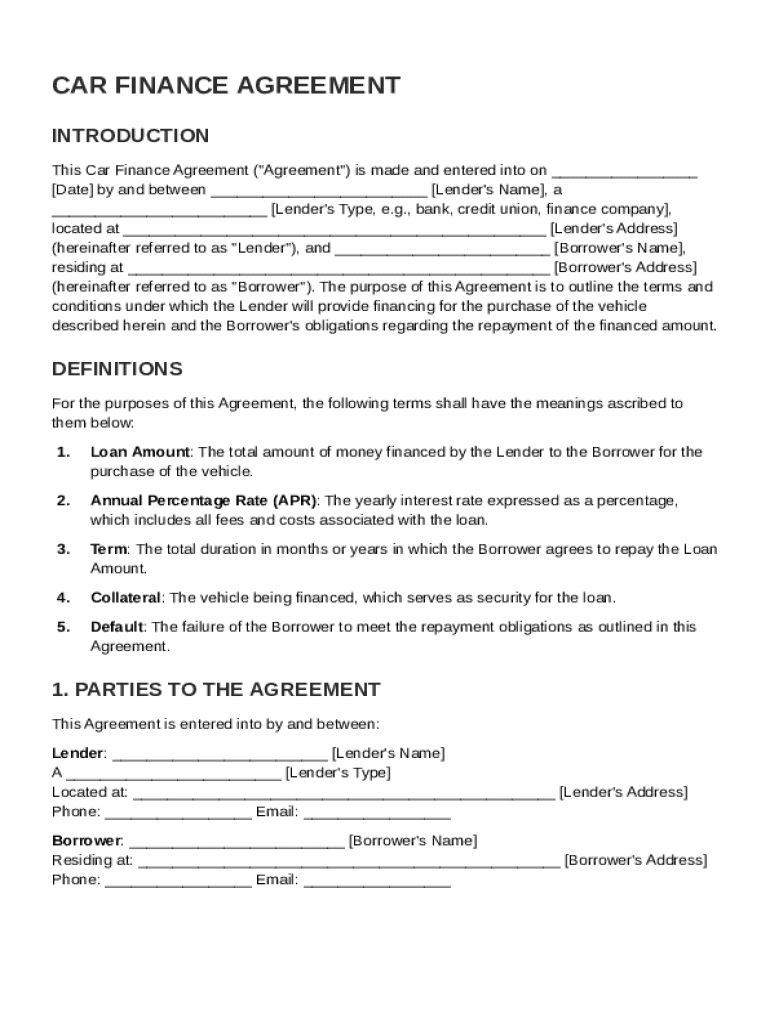
Car Finance Agreement Form
Use a Car Finance Agreement Template template to make your document workflow more streamlined.
What a car finance agreement records
A Car Finance Agreement Form records the terms under which a buyer finances a vehicle, including the vehicle description, purchase price, down payment, financed amount, interest rate, payment schedule, and party information. The buyer, seller, and financing party review the same terms before signing. With signNow, upload the agreement, review automatically detected fillable fields, assign each field to the correct signer, send the document, and retain the completed PDF with its audit trail. State law and the lender’s required disclosures still control the transaction.
Who uses this finance agreement
Auto dealerships
Dealership finance teams prepare vehicle terms, assign buyer and lender fields, and preserve the signed agreement with its audit trail for transaction records.
Vehicle lenders
Banks, credit unions, and indirect lenders review borrower and collateral terms, collect required signatures, and connect completed agreements to controlled loan files.
Business users of car finance agreements
Different vehicle-finance teams use the same agreement workflow while applying their own lending controls, approval paths, and record-retention policies.
Independent dealerships use reusable agreement templates to send buyer and lender paperwork without requiring every signer to meet in one office. Regional banks and credit unions use role-based fields, audit trails, and controlled storage to connect vehicle collateral terms with completed borrower records. Enterprise auto-finance operations use integrations, delegated sending, and mobile signing to coordinate high-volume dealership transactions across distributed teams.
These tasks are executed by both individual contributors and centralized administrators depending on organizational policy and required controls.
How the agreement workflow works
A Car Finance Agreement Form moves from document preparation to authenticated signatures and an auditable completed record in four controlled stages.
Upload the agreement: Upload form Review detected fields: Detect fields Add buyer and lender: Assign signers Seal and store completion: Store record
How to complete the agreement online
Use this sequence to convert the approved vehicle-finance document into a complete, traceable signing transaction.
Upload form:
Upload the Car Finance Agreement Form and confirm detected fields. Review fields:
Correct vehicle, price, payment, and signature fields manually. Assign signers:
Assign buyer, seller, and lender roles before sending. Request signatures:
Send the agreement and monitor completion status. Archive record:
Store the signed PDF with its audit trail.
 Best ROI. Our customers achieve an average 7x ROI within the first six months.
 Scales with your use cases. From SMBs to mid-market, airSlate SignNow delivers results for businesses of all sizes.
 Intuitive UI and API. Sign and send documents from your apps in minutes.
What the audit trail records
The audit trail separates the signed vehicle-finance record from the technical evidence showing who acted, when they acted, and what was completed.
Authenticate signer:
Capture timestamp:
Protect document:
Record activity:
Seal completion:
Export evidence:
Features that support this agreement
signNow organizes the vehicle-finance document from upload through signature, while preserving the transaction evidence and integrations needed by dealership and lender teams.
Field detection
Upload the approved vehicle-finance PDF, then review fields signNow detects before sending it to the buyer, seller, or lender.
Role assignment
Assign fields by signer so vehicle terms, payment obligations, and signatures reach the correct transaction participant.
Audit trail
Capture signer actions, timestamps, and document history alongside the completed agreement for later review.
Mobile signing
Let buyers and finance staff review and sign from supported mobile workflows when the transaction is away from the office.
Reusable templates
Use reusable agreement templates to keep vehicle descriptions, financial terms, and required signature areas organized across transactions.
Business integrations
Connect completed agreements with business systems such as Salesforce, NetSuite, Google Drive, Box, or Microsoft 365.
Privacy and disclosure pitfalls
A vehicle buyer’s Social Security number, income details, or account information can remain exposed when the completed agreement is emailed without controlled access. A consumer-facing electronic agreement needs disclosure of paper-record rights, electronic access, and consent-withdrawal procedures under 15 U.S.C. §7001(c). Unrestricted template access can let unauthorized staff change vehicle price, APR, down payment, or payment-schedule fields before signing. Missing signer authentication evidence can make it harder to connect a completed Car Finance Agreement Form to the identified buyer.
When the agreement carries legal weight
A signed Car Finance Agreement Form can be evidence of the parties’ transaction when intent, consent, signer attribution, and record preservation are established under ESIGN and applicable UETA rules. Electronic records do not replace requirements for wills, certain court orders, or other excluded documents.

Security for finance agreements
Data at rest:
Data in transit:
Security certification:
Information security:
Electronic signatures:
Protected information:
Processing stages for the agreement
Processing time depends on field review and signer response; the workflow below identifies each handoff without inventing a deadline.
Prepare agreement
Deliver to signers
Track signatures
Archive completion



Best practices for completing the agreement
Accurate vehicle terms, documented consumer consent, and a complete audit record reduce disputes over what the buyer agreed to finance.
Verify every financial and vehicle field
Review detected fields before sending
Document electronic-record consent clearly
Archive the complete transaction record
Car Finance Agreement Form troubleshooting
These answers address field detection, consumer consent, signer attribution, plan limits, and electronic enforceability for vehicle-finance agreements.
Upload the source PDF again and inspect signNow’s detected fields page by page. Add missing signature, initials, date, vehicle, and financial-term fields manually, then assign every field to the correct signer before sending.
The Business plan costs $8 per user per month with annual billing and includes templates, mobile apps, legally binding eSignatures, and audit trails. Business Premium costs $15 per user per month annually and adds bulk send and kiosk mode.
For a consumer-facing electronic Car Finance Agreement Form, provide the ESIGN disclosure covering paper-record rights, electronic access, and consent withdrawal. These requirements come from 15 U.S.C. §7001(c), not from signNow’s terms.
Use signer authentication appropriate to the transaction, such as an SMS code or stronger configured method. Preserve the audit trail connecting the signer’s identity, actions, timestamps, and completed agreement for later evidence.
A signed electronic agreement generally receives legal recognition under ESIGN and applicable UETA rules when intent, consent, attribution, and record reproducibility are established. State law and transaction-specific disclosure requirements still apply.
Paid signNow plans include 100 signature invites per user per year; overage fees may apply. The Site License uses $1.50 per signature invite and is designed for usage-based volume, so select the plan after estimating dealership activity.
Key performance indicators that demonstrate SignNow's proven track record.
BE READY TO GET MORE
Get this form now!

If you believe that this page should be taken down, please follow our DMCA take-down process.