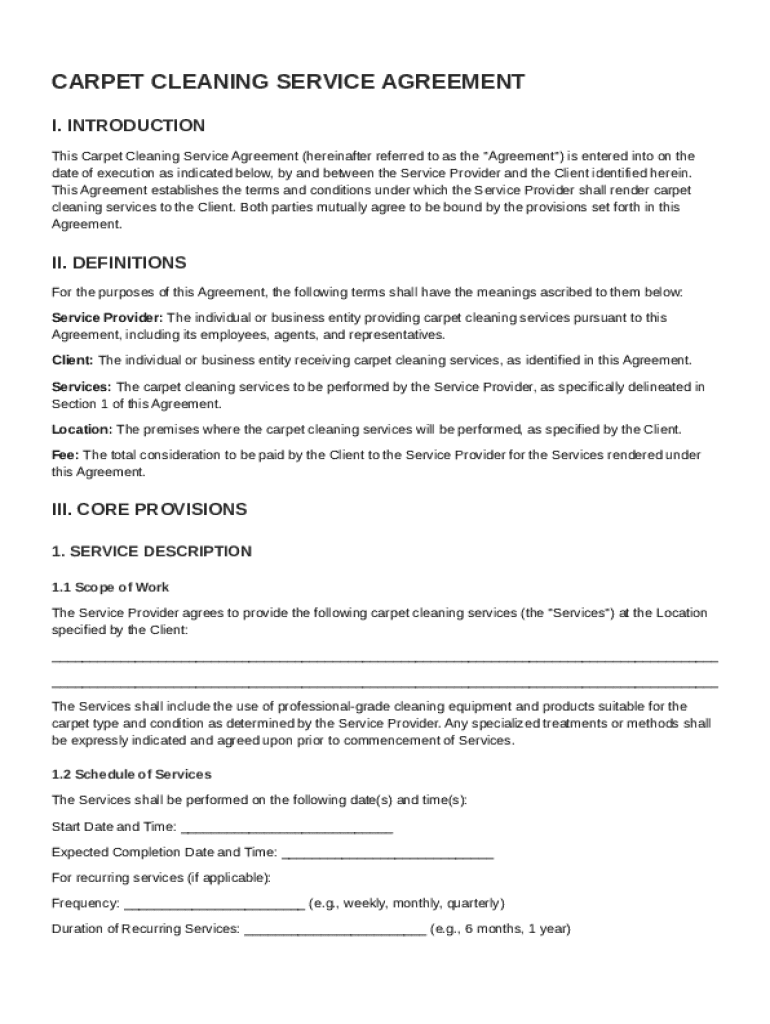
Carpet Cleaning Service Agreement Form
Use a Carpet Cleaning Service Agreement Template template to make your document workflow more streamlined.
What this service agreement does
A Carpet Cleaning Service Agreement Form records what a provider will clean, how the work will be performed, what the customer will pay, and which terms govern access, scheduling, cancellations, damage, and approval. The customer and cleaning provider complete the service-specific fields, review the agreement, and sign it. With signNow, the sender uploads the document, reviews detected fillable fields, assigns signer roles, and sends it electronically. The completed agreement and audit trail preserve evidence of consent and the final terms for future reference.
Who benefits from carpet cleaning agreements
The agreement helps carpet cleaning providers document services clearly, whether one technician serves households or a company manages commercial accounts.
Independent carpet cleaning businesses use the agreement to define room access, cleaning methods, pricing, cancellation terms, and customer approval before a technician begins work. Regional carpet cleaning companies use reusable agreements to standardize service scopes across crews, document customer consent, and preserve signed records for disputes involving stains, damage, or incomplete work. Enterprise facility-maintenance providers use the form across commercial properties to coordinate recurring carpet services, assign authorized signers, and maintain consistent contract records across locations.
These tasks are executed by both individual contributors and centralized administrators depending on organizational policy and required controls.
Features that support carpet cleaning agreements
The form combines service-specific terms with signing and recordkeeping features that fit residential appointments and commercial carpet maintenance accounts.
Service scope
Defines the rooms, carpet condition, treatment method, exclusions, and customer responsibilities before work begins, giving both parties a clear reference for the scheduled cleaning.
Payment terms
Records the quoted price, deposits, payment timing, recurring visits, cancellation terms, and taxes directly in the agreement for clearer billing expectations.
Signer routing
Assigns customer and provider fields so each party signs the same carpet cleaning agreement and receives a completed copy after execution.
Audit trail
Captures timestamps, signer activity, and completion information alongside the final agreement, helping connect customer approval with the accepted service terms.
Reusable template
Supports reusable agreement templates for recurring residential or commercial services, reducing repeated document preparation while preserving service-specific fields for each appointment.
Mobile signing
Allows teams to complete the agreement from a desktop or mobile device when customers approve services at a property, office, or job site.
How to complete the service agreement
Use this sequence to prepare, sign, and retain a carpet cleaning service agreement with the required service and payment details.
Upload document:
Upload the carpet cleaning agreement PDF to signNow. Check fields:
Review detected fields and add missing service details. Assign signers:
Assign customer and provider signature fields. Send agreement:
Send the agreement for electronic signature. Store record:
Download the completed agreement and audit trail.
Recommended agreement workflow setup
Configure the carpet cleaning agreement to identify signers, preserve the completed record, and protect service and payment information.
| Setting | Recommendation |
|---|---|
| Authentication method | Email link with SMS OTP |
| Signature type | Typed or drawn electronic signature |
| Audit trail | Enabled with completion certificate |
| Document retention | Retain under business policy |
| Encryption | TLS 1.2/1.3 and AES-256 |
 Best ROI. Our customers achieve an average 7x ROI within the first six months.
 Scales with your use cases. From SMBs to mid-market, airSlate SignNow delivers results for businesses of all sizes.
 Intuitive UI and API. Sign and send documents from your apps in minutes.
How the audit trail protects service records
A signNow audit trail records the events that connect a customer’s approval to the completed carpet cleaning service agreement.
Authenticate signer:
Capture timestamps:
Hash document:
Seal record:
Attach certificate:
Export history:
Security for signed service records
Transport encryption:
Stored encryption:
Security certification:
Information security:
Health data option:
Electronic signature law:
Best practices for this agreement
Accurate service details and disciplined record handling make the signed carpet cleaning agreement easier to administer and review.
Describe the service scope precisely
Record pricing and cancellation terms
Verify fields and signer assignments
Archive the agreement and audit trail
How long to retain signed records
A carpet cleaning agreement has no single federal retention period; apply the record’s business purpose, contract terms, and any state requirements.
Three years from filing
Six years from filing
Indefinite for fraud
Contract-defined service period
Longer state period
Challenges this agreement helps prevent
Leaving service areas, stain limitations, drying expectations, or furniture responsibilities undefined can create disagreements after the cleaning visit. Entering a price without stating deposits, recurring charges, taxes, or cancellation terms can produce billing disputes with residential or commercial customers. Using an outdated agreement may omit customer approval for specialty treatments, access arrangements, or documentation of pre-existing carpet damage. Sending the agreement without verifying signer identity or required fields can delay authorization and weaken the record of customer consent.
State rules and document limits
May require acknowledgment
Electronic rules do not apply
Court procedures may control
State recording rules apply
Mobile options for service agreements
signNow mobile apps support preparing and signing carpet cleaning agreements on iOS and Android devices, including camera-based document capture and offline signing workflows.
iPhone app iOS 15 or later Android app Android 10 or later Mobile features Camera capture and offline signing
For field teams, confirm that managed iPhone or Android devices permit the signNow app, camera access, and offline document handling. Upload completed records when connectivity returns, then preserve the signed agreement and audit trail under the customer or property record.
Legal standing of the signed agreement
A carpet cleaning service agreement can support a U.S. business transaction when the parties show intent, consent to electronic records, signer attribution, and reliable retention. ESIGN, 15 U.S.C. ch. 96, and applicable state law such as UETA generally recognize qualifying electronic signatures; wills, court orders, and certain family-law documents remain excluded.

Troubleshooting carpet cleaning agreements
These answers address field detection, signer access, electronic consent, plan limits, and record handling for this service agreement.
On the Business plan, upload the PDF and review signNow’s detected fields before sending. Add or correct room descriptions, pricing fields, dates, initials, and signatures manually when the source document’s layout prevents accurate detection.
The Business plan includes legally binding eSignatures, templates, audit trails, and mobile apps. Business Premium adds bulk send and kiosk mode; Enterprise adds formula fields, conditional fields, and advanced signer authentication.
A carpet cleaning agreement can generally be e-signed when the parties demonstrate intent, consent, attribution, and record retention under ESIGN and applicable state law. Confirm any state-specific notarization or recording requirement before relying on electronic execution.
For consumer-facing transactions, provide the ESIGN consumer disclosure and confirm the customer can access and retain the electronic record. The disclosure requirement arises under 15 U.S.C. §7001(c), not from signNow’s template settings.
If a customer cannot access the signing link, verify the email address, resend the invitation, or use a shareable signing link when appropriate. SMS OTP can add signer authentication where the selected signNow workflow supports it.
signNow subscription plans include 100 signature invites per user per year, with overage fees; the Site License uses $1.50 per signature invite. Check the account plan before sending recurring carpet cleaning agreements at scale.
Key performance indicators that demonstrate SignNow's proven track record.
BE READY TO GET MORE
Get this form now!

If you believe that this page should be taken down, please follow our DMCA take-down process.