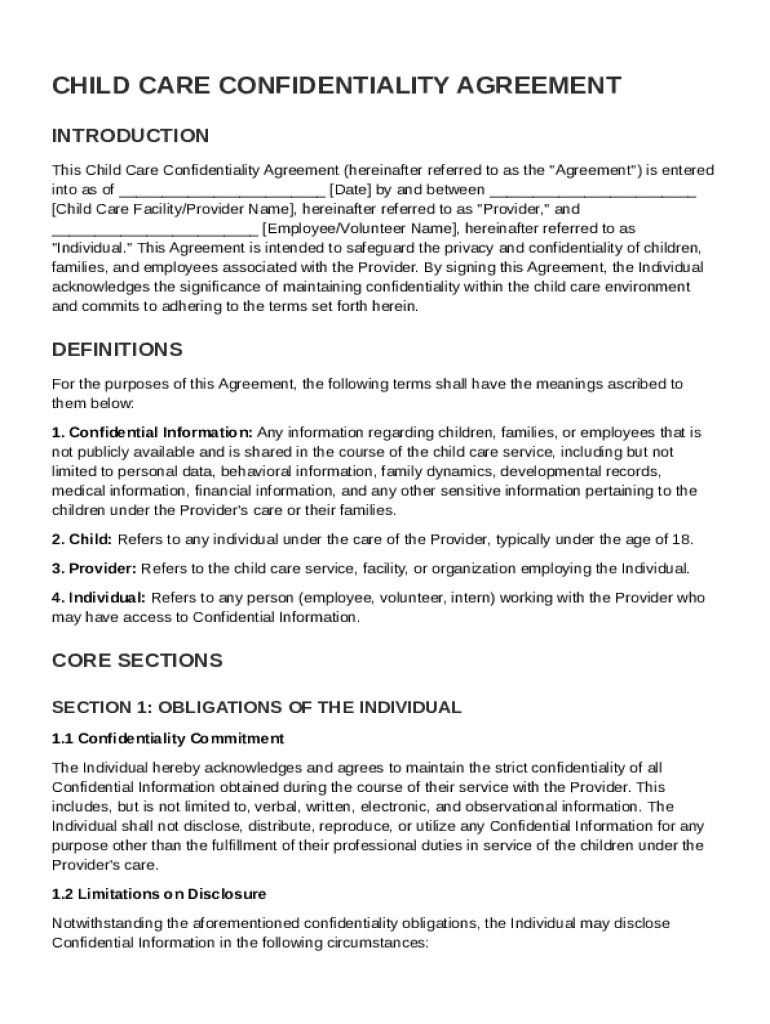
Child Care Confidentiality Agreement Form
Use a Child Care Confidentiality Agreement Template template to make your document workflow more streamlined.
What this confidentiality agreement does
A Child Care Confidentiality Agreement Form records a person’s promise to protect designated child, family, and program information. It can identify the signer, describe confidential information, set permitted uses and disclosures, require secure handling, and state what happens when the relationship ends. Providers commonly use it with employees, volunteers, contractors, and service providers, but the form’s exact obligations come from its wording and applicable state law. In signNow, the document is uploaded, fields are reviewed, signers are assigned, signatures are collected, and the completed record is preserved with an audit trail.
Who uses this confidentiality agreement
Child care centers
Child care centers use the form for employee confidentiality agreements, volunteer commitments, contractor NDAs, and parent-facing consent records. SignNow supports reusable templates, assigned fields, and audit trails for each completed document.
Small providers
Family child care providers and after-school programs use it to document confidentiality duties for caregivers, substitutes, transportation staff, and outside service providers handling child or family information.
How the agreement works in signNow
The signNow workflow moves the Child Care Confidentiality Agreement Form from upload through field review, signer authentication, completion, and documented storage.
Upload form: Upload the completed Child Care Confidentiality Agreement Form and review its detected fields. Assign signers: Add caregiver, employee, contractor, or provider signers to the required fields. Send agreement: Send the agreement through signNow for review, consent, and electronic signatures. Archive record: Store the signed copy with its completion certificate and audit trail.
Complete the agreement in four steps
Prepare the Child Care Confidentiality Agreement Form once, then use a controlled signNow workflow for every authorized signer.
Upload document:
Upload the agreement PDF to signNow. Check fields:
Review automatically detected fields and add missing signer fields. Add signers:
Enter each signer’s email and signing order. Complete record:
Send, monitor completion, and download the signed record.
Recommended agreement workflow settings
Use these configuration choices to protect child care confidentiality agreements while preserving clear evidence of consent and signing.
| Setting | Recommendation |
|---|---|
| Authentication method | Email verification with SMS OTP |
| Signature type | Typed or drawn electronic signature |
| Audit trail | Capture signer identity, timestamps, and actions |
| Document retention | Retain according to contract and state policy |
| Encryption and provisioning | AES-256 storage with administrator-managed access |
 Best ROI. Our customers achieve an average 7x ROI within the first six months.
 Scales with your use cases. From SMBs to mid-market, airSlate SignNow delivers results for businesses of all sizes.
 Intuitive UI and API. Sign and send documents from your apps in minutes.
Security controls for agreement records
AES-256 and TLS:
HIPAA with BAA:
SOC 2 Type II:
ISO 27001 certified:
Two-factor authentication:
WCAG 2.0 Level AA:
Mobile options for this agreement
SignNow mobile workflows can help authorized child care staff review or complete the Child Care Confidentiality Agreement Form from Apple iOS and Google Android devices. Use the signNow iOS or Android app, maintain a reliable connection for sending and synchronization, and apply the organization’s device-access policy.
iOS 15 or later iOS app Android 10 or later Android app Camera capture for document upload Offline capture
Administrators should use managed iOS and Android devices when agreements contain child or family information. Camera-based capture can assist with uploading a paper form, but staff should verify every detected field before sending. Offline work and later synchronization should follow the organization’s security policy, access controls, and retention procedures.
Privacy and disclosure pitfalls
Including children’s names, medical details, or family contact information can expose sensitive data beyond the agreement’s operational purpose. Sending a confidentiality agreement without documented electronic consent can weaken evidence that the signer agreed to receive records digitally. Broad access permissions may let staff download signed agreements containing household information without a documented business need. Using one template for employees, contractors, and volunteers can omit role-specific duties, permitted disclosures, or return-of-information requirements.
Risks of incomplete confidentiality agreements
Unclear obligations
Consent dispute
Unauthorized disclosure
Enforceability challenge
Best practices for signed agreements
Clear scope, individual signer records, and controlled retention make this agreement easier to administer and defend.
Define protected information and permitted uses
Assign an individual signer
Preserve the completion evidence
Set a documented retention policy
Processing stages for the agreement
The completion time depends on document preparation, signer availability, and the organization’s approval and retention procedures.
Prepare document
Deliver to signers
Collect signatures
Archive completed form
Features that support child care records
Child care organizations can use signNow to standardize preparation, signing, evidence capture, and controlled storage for confidentiality agreements.
Reusable template
Reusable templates keep confidentiality language, signer fields, and acknowledgment sections consistent across employees, volunteers, contractors, and service providers handling child care information.
Field detection
Automatic field detection helps identify signature, date, initials, and text areas after the Child Care Confidentiality Agreement Form is uploaded, reducing manual document preparation.
Signer assignment
Individual signing requests connect each completed agreement to a named caregiver, employee, volunteer, or contractor instead of relying on shared documents or copied signatures.
Audit trail
The audit trail records signing activity, timestamps, and document history so administrators can show how a specific confidentiality agreement was completed.
Mobile access
Mobile apps let authorized staff send or complete agreements while working away from the child care office, subject to the organization’s access policy.
Secure storage
Controlled storage keeps the signed agreement and completion evidence together for later review, subject to the provider’s retention schedule and privacy obligations.



Questions about completing this form
These answers address the signing, security, compliance, and record-handling issues that arise when a child care provider uses this agreement.
Upload the agreement as a PDF, then review signNow’s automatically detected fields. Add or reposition signature, date, initials, and acknowledgment fields where the original document does not identify them clearly.
SignNow’s Business plan includes legally binding eSignatures, templates, audit trails, and mobile apps at $8 per user per month with annual billing. Month-to-month pricing is $20 per user per month.
A signer can use an email invitation or a configured SMS authentication step. For higher-risk access, administrators should select stronger authentication controls available to their signNow plan and document the identity process.
Electronic signing can support a confidentiality agreement when intent, consent, attribution, and record retention are established. ESIGN, 15 U.S.C. chapter 96, and applicable state law, including UETA or New York ESRA, govern legal effect.
SignNow’s HIPAA compliance requires a business associate agreement when the workflow handles protected health information for a covered entity or business associate. A child care provider should not label every child record as HIPAA-covered without checking its role and facts.
Export the signed document and completion certificate, then preserve the audit trail with restricted access. signNow records signing activity and timestamps, but the provider must choose a retention period required by its contracts, state rules, and privacy program.
Key performance indicators that demonstrate SignNow's proven track record.
BE READY TO GET MORE
Get this form now!

If you believe that this page should be taken down, please follow our DMCA take-down process.