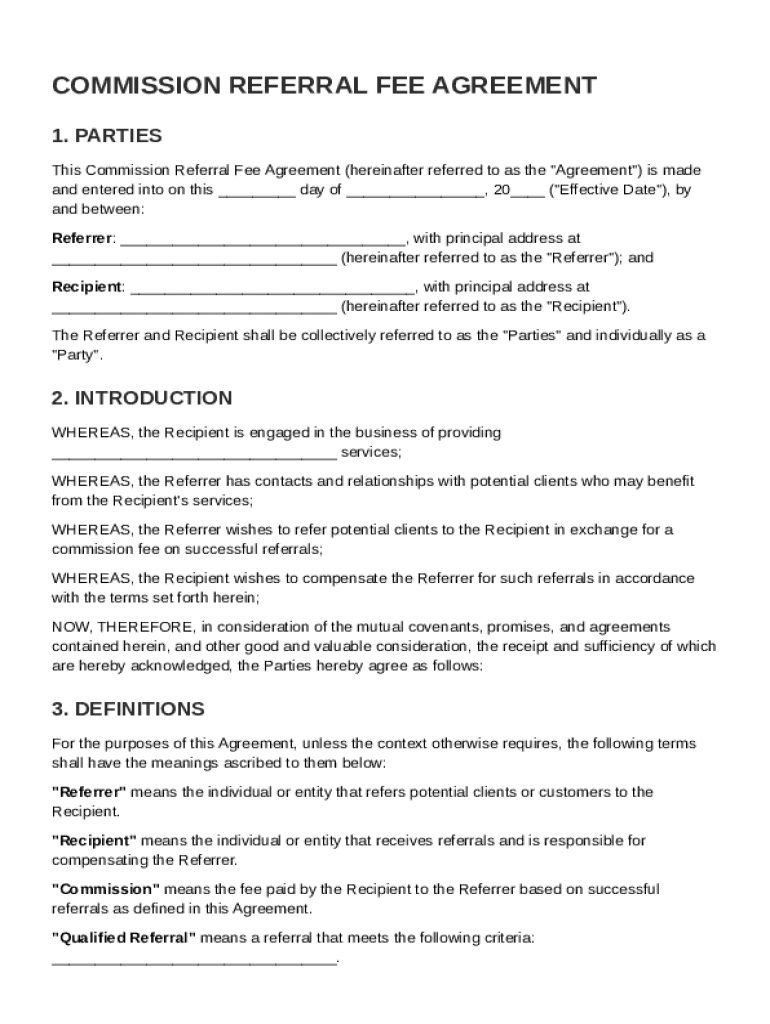
Commissionreferral Fee Agreement Form
Use a Commissionreferral Fee Agreement Template template to make your document workflow more streamlined.
What the commission referral agreement records
A Commissionreferral Fee Agreement Form records the parties’ referral relationship, the service or opportunity being introduced, the commission amount or calculation, payment timing, and signatures. It gives the referring party and recipient a written reference for measuring performance and resolving payment questions. In signNow, upload the agreement, place fields for negotiated terms and signatures, route it to the parties, and retain the completed PDF with its audit trail. ESIGN and UETA recognize qualifying electronic signatures, while state contract law determines substantive enforceability.
Who uses this referral agreement
Real estate referrals
Real estate brokers, agencies, and independent referral partners can document introductions, agreed commission percentages, payment triggers, and closing-related obligations before sharing the signed agreement with transaction stakeholders.
Business referrals
Consultants, financial service firms, and business-development teams can record referral ownership, qualified-lead criteria, payment timing, and approval responsibilities before exchanging customer or opportunity information.
Features for commission referral agreements
signNow connects the agreement’s negotiated fields, signer routing, completion evidence, and storage into one workflow for referral-based business arrangements.
Fillable fields
Place signature, initials, date, and text fields directly on the agreement so each party completes the negotiated commission terms in designated locations.
Signer routing
Route the agreement to the referring party and recipient in a defined order, reducing uncertainty about whose approval remains outstanding.
Reusable templates
Reuse an approved agreement template while retaining variable fields for referral description, commission calculation, payment trigger, and effective dates.
Audit trail
Capture timestamps, signer actions, and completion details alongside the executed agreement to support later review of payment obligations.
Mobile signing
Review and sign from a browser or mobile app when referral partners work away from their usual office or shared system.
Data protection
Protect agreement records with TLS 1.2/1.3 in transit and AES-256 at rest under signNow’s documented security controls.
How the agreement workflow works
The signNow workflow turns the negotiated commission terms into a routed, signed record without changing the agreement’s substantive obligations.
Upload: Upload agreement Prepare: Detect and place fields Send: Route to parties Complete: Capture signed record
 Best ROI. Our customers achieve an average 7x ROI within the first six months.
 Scales with your use cases. From SMBs to mid-market, airSlate SignNow delivers results for businesses of all sizes.
 Intuitive UI and API. Sign and send documents from your apps in minutes.
Complete the commission referral agreement
Use this sequence to prepare the agreement, capture each party’s approval, and preserve the signed record with its audit trail.
Upload:
Upload the agreement PDF to signNow. Add fields:
Review detected fields and add missing signature fields. Add signers:
Enter each party’s email and signing order. Send:
Send the completed agreement for electronic signature. Store:
Download the signed agreement and audit trail.
Ways to send and sign the agreement
- Use the signNow web app when preparing the agreement, checking commission fields, setting signer order, and monitoring completion from a desktop browser.
- Use the signNow mobile app when a referring party or recipient must review and sign the agreement away from the office.
- Use kiosk mode for supervised, in-person signing when multiple parties complete the agreement on a shared device and identity checks follow organizational policy.
- Create a shareable signing link when the same approved agreement must be accessed by an identified recipient without sending a separate email invitation.
Recommended agreement workflow setup
Configure the agreement around signer identity, negotiated commission terms, audit evidence, and the organization’s applicable retention policy.
| Setting | Recommendation |
|---|---|
| Authentication method | Email verification with SMS OTP |
| Signature type | Legally binding electronic signature |
| Audit trail | Detailed completion record and export |
| Document retention | Follow contract and tax policies |
| Encryption | TLS 1.2/1.3 and AES-256 |
Security controls for commission referral agreements
Transport encryption:
Stored data encryption:
Security certification:
Information security:
Privacy compliance:
Signature compliance:
Platform requirements for signing
The agreement can be prepared in signNow through Chrome, Firefox, Safari, or Edge on Windows or macOS. signNow also provides iOS and Android mobile apps, with TLS protecting data in transit.
Browser support Chrome, Firefox, Safari, and Edge Desktop systems Windows and macOS desktop browsers Mobile apps iOS and Android mobile apps
Organizations using managed devices should confirm browser updates, mobile access policies, and signer permissions before distributing this agreement. Enterprise deployments may also require API access, SSO provisioning, or stronger authentication configured for the organization’s contract workflow.
Common agreement preparation challenges
Leaving the commission percentage or payment trigger undefined can make the amount due difficult to calculate. Failing to identify the referred opportunity can create disputes over whether a later transaction qualifies. Sending inconsistent versions can leave parties relying on different commission terms, dates, or payment conditions. Omitting signer identity or completion records can weaken evidence of approval during a payment dispute.
Troubleshooting commission referral agreements
Resolve field, signing, authentication, and retention questions before relying on a completed Commissionreferral Fee Agreement Form.
On the Business plan, upload the agreement as a PDF and place signature, date, and initials fields manually. Auto-detection may identify fillable areas, but review every commission rate, payment term, and party field before sending.
Business includes templates and audit trails, while Business Premium adds bulk send. For one agreement, use a template only after confirming that variable fields cannot change the negotiated commission terms.
signNow supports legally binding eSignatures under ESIGN and UETA when intent, consent, attribution, and record retention are demonstrated. State contract law still governs the agreement’s substantive terms and enforceability.
Use signNow’s audit trail to preserve signer identity, timestamps, actions, and the completed document. For consumer-facing transactions, provide the ESIGN disclosure and access to electronic records before signing.
Business Premium includes bulk send for repeated agreements, while Enterprise adds advanced signer authentication. Do not use bulk send when each referral fee or party-specific term requires individual review.
Export the completed agreement and its audit trail after signing, then store both under the organization’s applicable contract-retention policy. Federal tax or healthcare periods apply only when those records are genuinely involved.
Key performance indicators that demonstrate SignNow's proven track record.
BE READY TO GET MORE
Get this form now!

If you believe that this page should be taken down, please follow our DMCA take-down process.